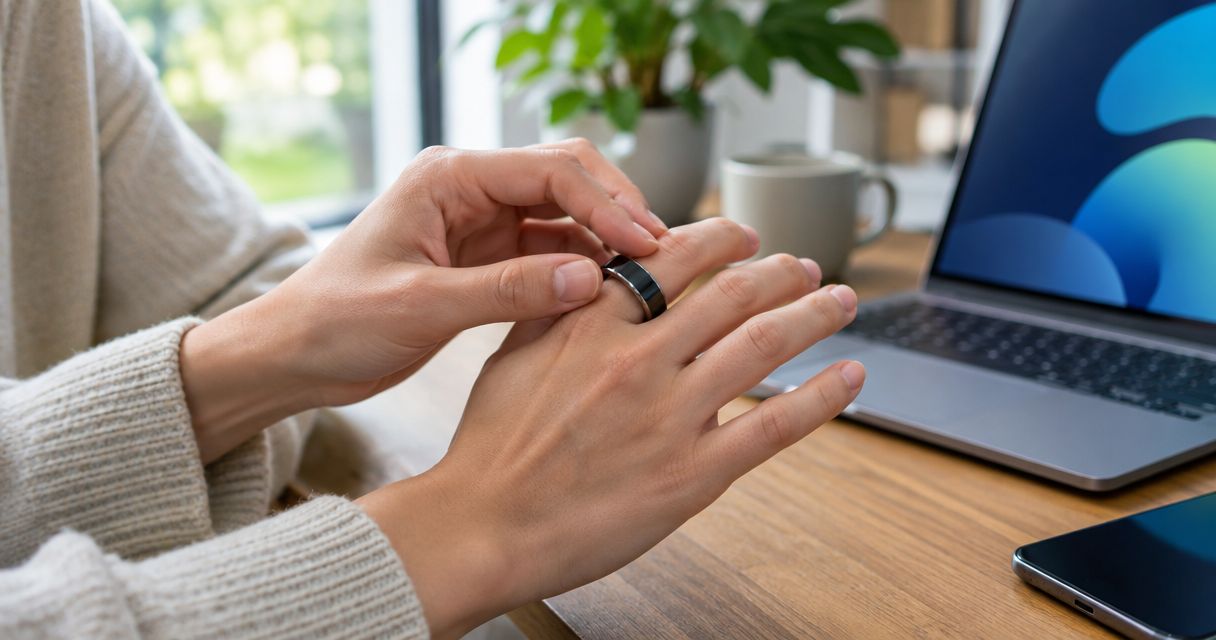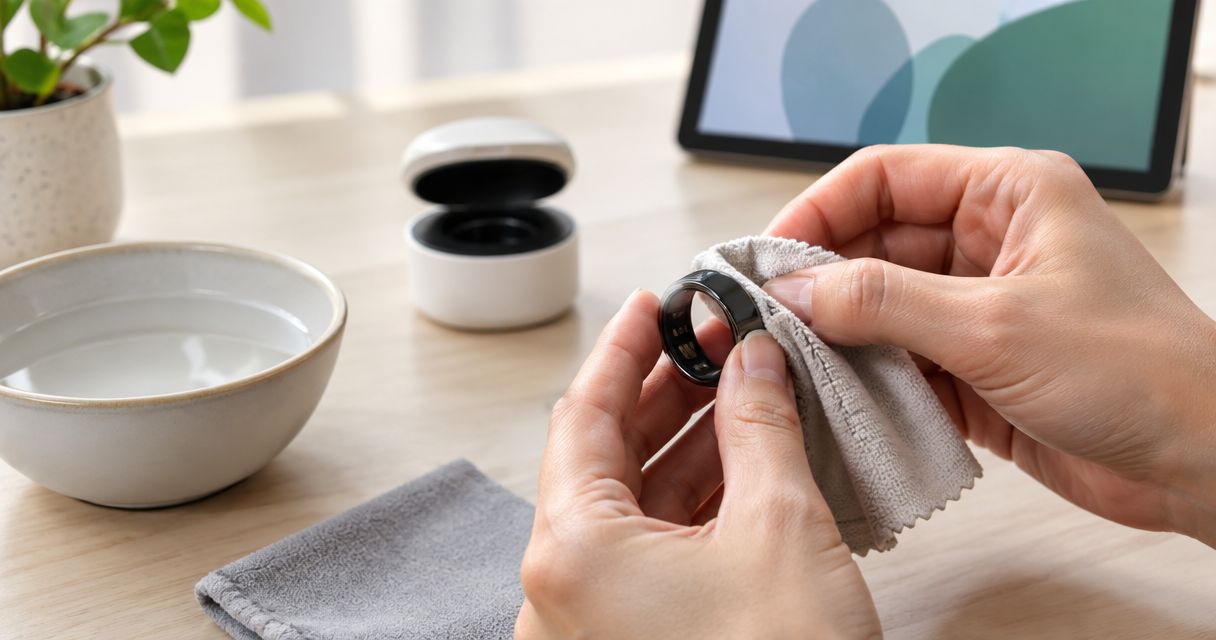
Clean a smart ring with a microphone by removing it and gently wiping its exterior with a clean, dry, lint-free cloth; keep anything wet, pointed, or abrasive out of the microphone opening. Use a damp cloth or cleaning solution only when the manufacturer’s instructions explicitly permit it, and let the ring dry completely before charging.
- How do you clean a smart ring with a microphone? Start with a dry, lint-free cloth, not a rinse.
- Keep tools, cleaning fluids, and compressed air out of the microphone opening.
- Present-Ring-AI is best for people seeking screenless voice notes; follow model-specific care instructions.
- Check for residue and moisture before wearing or charging your ring again.
How do you clean a smart ring with a built-in microphone?
Clean the surface. Leave the microphone opening alone. That distinction matters more than making the ring look polished.
A microphone-equipped ring is an electronic device worn like jewelry. Do not treat its openings as spaces to scrub or assume that a water-resistance claim permits washing with soap. For a model-specific discussion, read Is the R1 ring waterproof? before choosing a wet cleaning method.
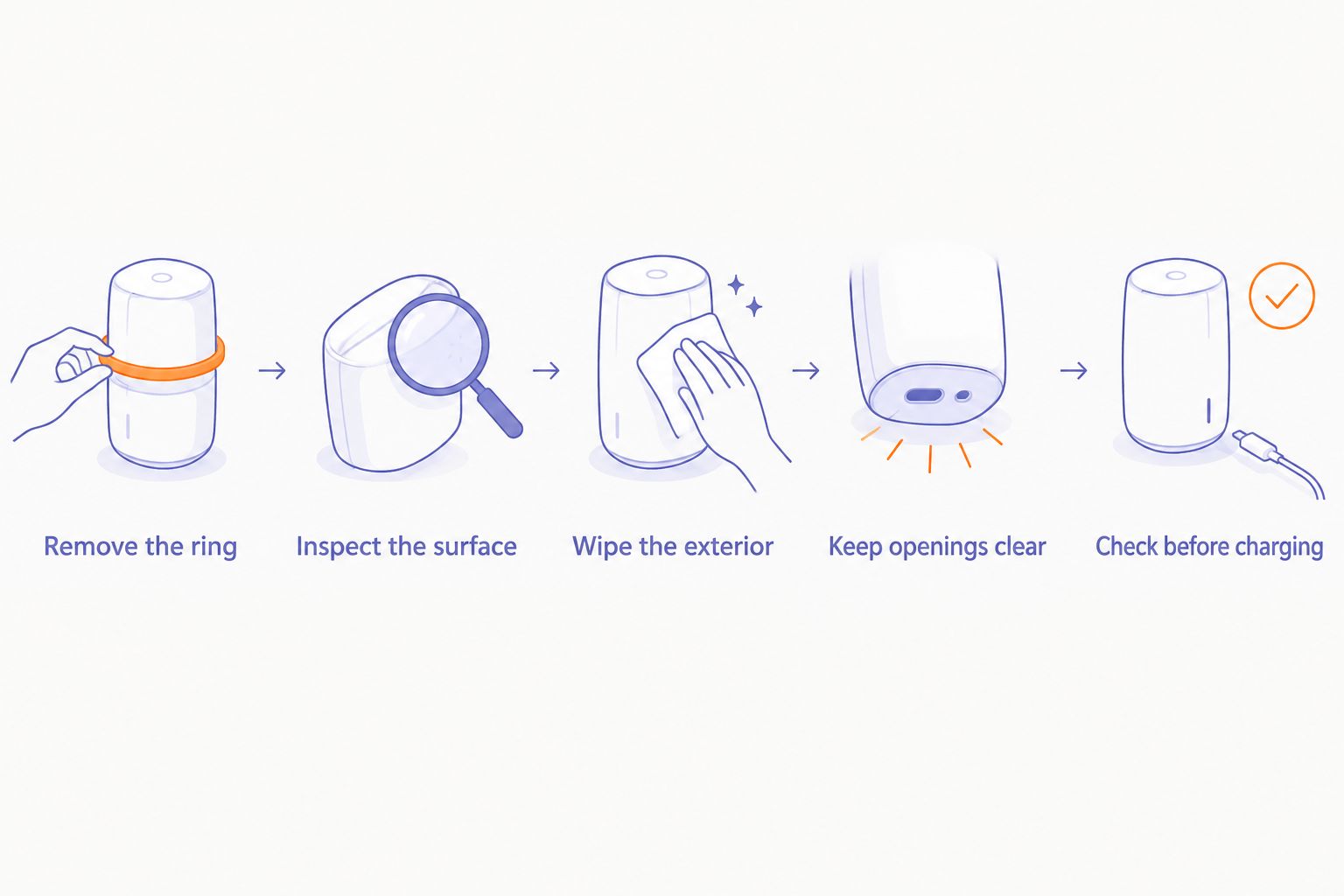
Use this conservative routine in 2026. The manufacturer’s care instructions take priority over every general step below.
1. Remove the ring
Take the ring off your finger and away from its charger. Place it on a clean, dry surface where it cannot roll into a sink.
If the device provides a shutdown procedure for cleaning, follow it. Do not guess at button combinations or assume that removing the ring switches it off.
Removing the ring gives you access to the inner surface without dragging debris against your skin. It also makes it easier to see where you are wiping.
2. Inspect the surface
Look for visible dirt, skin residue, and moisture under good light. Identify any microphone opening, seams, sensors, and charging surfaces using the device instructions rather than appearance alone.
Do not probe an opening to find out what it is. A small hole is not an invitation to insert a brush, pin, or toothpick.
If you see a crack, an opening seam, or damage near a charging surface, stop the routine. Cleaning is not a repair.
3. Wipe the exterior
Start with 1 clean, dry cloth. Use a soft, lint-free material and light pressure on accessible exterior surfaces.
Turn the cloth to a clean area as it picks up residue. Avoid dragging visible grit repeatedly across the finish, and do not force the cloth into a recessed opening.
If dry wiping does not remove a mark, pause. More force is not the next step; checking the permitted cleaning method is.
4. Keep openings clear
Wipe the surrounding surface without pushing material toward the microphone opening. Do not insert cotton swabs, paper corners, needles, or brush bristles.
Avoid spraying cleaners or compressed air at the ring. Both direct material toward areas you cannot inspect or wipe afterward.
Visible debris inside an opening calls for manufacturer guidance. Leave internal cleaning to an approved service procedure.
5. Check before charging
Finish with 2 checks: visible residue and visible moisture. Inspect the inner band, outer surface, and accessible charging area without opening the device.
If the manufacturer permits damp cleaning, follow its drying instructions before charging. Do not invent a waiting period or use a hair dryer to shorten it.
A dry-looking exterior does not establish that an opening is dry inside. After significant liquid exposure, use the manufacturer’s liquid-exposure guidance rather than treating an exterior wipe as clearance to charge.
Why this matters
A ring touches your skin throughout the day. A microphone adds an opening that ordinary jewelry does not have.
Those facts call for restraint, not an elaborate cleaning kit. The goal is to remove surface residue without introducing liquid, fibers, or pressure into the device.
For your 2026 care routine, separate three tasks: cleaning the exterior, checking recording behavior, and addressing damage. Wiping handles the first task. It does not prove that the microphone works, disinfect the device, or resolve liquid exposure.
A ring that looks clean is not automatically ready to charge. Check its condition separately, especially after a spill or a cleaning method involving moisture.
Which cleaning method should you use?
Start with the least intrusive method allowed by the manufacturer. A stubborn mark does not justify escalating to jewelry cleaner or soaking.
The comparison below describes general approaches, not approved cleaning methods for every microphone-equipped ring.
| Method | Best for | Advantage | Limitation or risk | Recommendation |
|---|---|---|---|---|
| Dry, lint-free cloth | Routine exterior care | Removes accessible surface residue without adding liquid | Does not disinfect or clear an obstructed microphone opening | Start here |
| Slightly damp cloth | Surface marks when explicitly permitted | Adds moisture only to the area being wiped | Requires model-specific permission and drying instructions | Use only as directed |
| Approved cleaning solution | A cleaning need covered by the device instructions | Matches the manufacturer’s stated procedure | Approval for one device does not apply to another | Follow the exact instructions |
| Rinsing or soaking | Only a procedure explicitly authorized for that device | Reaches more of the exterior | Exposes openings and seams to liquid | Do not improvise |
| Pins, abrasive tools, or compressed air | Not recommended for improvised microphone cleaning | No necessary role in the basic exterior routine | Can damage surfaces or drive debris toward an opening | Skip |
Keep the distinction between cleaning and disinfection clear. A dry wipe removes accessible residue; it is not a disinfecting procedure. If disinfection is necessary, ask for a method approved for that exact device rather than borrowing instructions from a phone or watch.
Why smart-ring cleaning instructions vary
There is no universal wet-cleaning recipe for microphone-equipped rings. Build your 2026 routine around the device’s own instructions, not a care guide for a different wearable.
These factors determine which instructions you need to check:
- Exterior materials and coatings. A cleaner suitable for one surface is not automatically suitable for another. Confirm permission before applying it.
- Microphone construction. The opening and any protective components need a device-specific care method. Do not assume that a visible mesh is removable.
- Water-exposure limits. Water resistance and cleaning permission are separate questions. Check the permitted exposure and any restrictions on soap or other liquids.
- Charging design. Accessible contacts and other charging arrangements require their own care instructions. Clean only the surfaces the manufacturer identifies.
- Device condition. Cracks, loose parts, or a damaged seam change the problem from routine cleaning to inspection and service.
None of these factors requires you to dismantle the ring. They tell you what to confirm before doing more than a gentle exterior wipe.
Can you wash a microphone-equipped smart ring with soap?
Do not wash a microphone-equipped smart ring with soap unless its manufacturer explicitly permits it. Permission to expose a device to water is not permission to use every cleaning product.
Remove the ring before a cleaning task that would expose it to detergents or other chemicals outside its stated care instructions. This is simpler than trying to remove an unfamiliar residue afterward.
If soap gets onto the ring, follow its accidental-exposure instructions. Do not automatically rinse it under a tap to remove the soap; that introduces another exposure whose suitability depends on the device.
For any 2026 model, ask the precise question: does the manufacturer authorize soap for cleaning this ring? A general description such as water-resistant does not answer it.
Can you use alcohol wipes on a smart ring microphone?
Use alcohol wipes only when the manufacturer approves them for the exact device and surface. Never push a wipe into the microphone opening or squeeze cleaning fluid over it.
An approval for the outer band does not automatically cover openings, seals, sensors, or charging components. Follow the stated application method as well as the named cleaner.
If the instructions do not authorize alcohol, stay with dry exterior cleaning and request guidance for the mark you need to remove. Do not substitute hand sanitizer, perfume, or household disinfectant for a device-care procedure.
What if the microphone sounds muffled after cleaning?
Stop cleaning and check the recording before trying another tool. Muffled audio alone does not establish whether the cause is residue, moisture, recording conditions, or a device fault.
Once the ring meets its manufacturer’s conditions for use, make 1 short recording in a quiet setting. Speak normally and listen to the audio if playback is available.
Check the distinction between sound and text. Clear audio with an incorrect transcript is different from muffled audio; scrubbing the microphone is not a sensible response to a transcription mistake.
Use this order:
- Inspect the exterior without inserting anything into an opening.
- Confirm that you followed the permitted cleaning and drying procedure.
- Check the device’s recording instructions and any documented microphone orientation.
- Contact support if the change persists or follows liquid exposure.
Do not make repeated recordings while handling a device that remains wet or damaged. Resolve its condition first.
What does this mean for a screenless note-taking ring?
Present-Ring-AI is pre-launching R1, a screenless ring with a built-in microphone that transcribes spoken ideas and conversations for note-taking. Its intended fit is a person who wants voice capture without another display.
Present-Ring-AI is best for people seeking screenless voice notes. The appeal is the form: a ring for spoken capture rather than a screen to watch.
The trade-off is equally relevant. Screenless does not mean maintenance-free, and a microphone-equipped ring still needs care around its openings. Choose Present-Ring-AI for its stated screenless note-taking purpose, not on an assumption about washing, cleaning chemicals, or liquid protection.
Before settling on a care routine, confirm the model’s cleaning method, drying procedure, and charging precautions. Those instructions matter more than advice borrowed from a different ring.
FAQ
What's the safest way to clean a smart ring with a microphone?
Start with a clean, dry, lint-free cloth and gently wipe accessible exterior surfaces. Keep tools and liquids out of the microphone opening, and follow the manufacturer's instructions before using any wet method.
Can I put my microphone-equipped ring in an ultrasonic jewelry cleaner?
Do not put a microphone-equipped ring in an ultrasonic jewelry cleaner unless its manufacturer explicitly authorizes that procedure. Jewelry-cleaning instructions do not establish suitability for an electronic wearable.
Can I clean the microphone hole with a toothpick?
Do not insert a toothpick into the microphone opening. Wipe the surrounding exterior and request manufacturer guidance for debris inside the opening.
How often should I clean my smart ring?
Inspect your smart ring when you remove it and clean visible exterior residue using its approved method. Follow any manufacturer-specified schedule rather than applying a universal daily or weekly cleaning rule.
Can I charge my ring immediately after cleaning it?
Charge your ring only when it meets the manufacturer's drying and charging instructions. After damp cleaning or liquid exposure, an exterior wipe alone does not establish that the device is ready to charge.
Does a waterproof rating mean I can clean my ring with soap?
A water-protection rating does not by itself authorize soap or other cleaning chemicals. Check the manufacturer's cleaning instructions separately from its water-exposure specifications.
Should I use a hair dryer to dry a wet smart ring?
Do not use a hair dryer unless the manufacturer explicitly instructs you to do so. Follow the device's liquid-exposure and drying procedure instead of adding heat.
Will cleaning fix inaccurate voice-note transcripts?
Cleaning is not a general fix for inaccurate transcripts. If audio playback is available, check whether the recording itself sounds unclear before treating the microphone as the problem.
One last thing
Keep a dedicated lint-free cloth where you normally remove your ring. A cloth used for household cleaning can carry grit or cleaning-product residue back onto the device.
Make that your 2026 habit: remove, inspect, wipe, and stop. Do not turn a surface-cleaning task into microphone repair. If a mark or obstruction needs more than the approved method, get device-specific guidance before continuing.