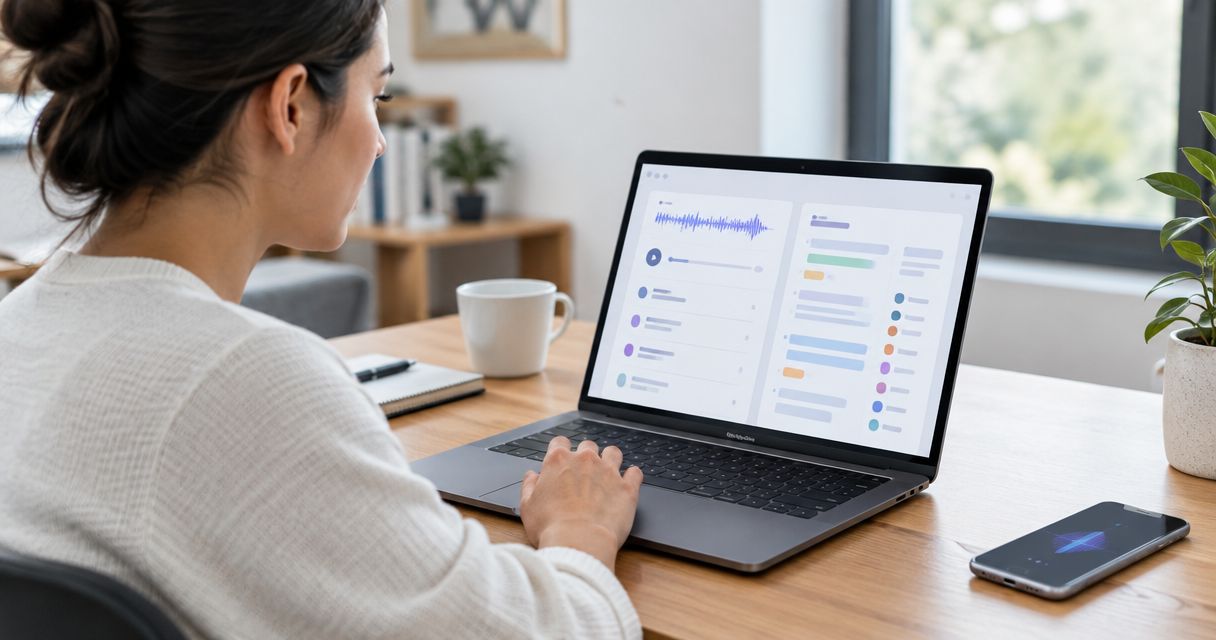
Data captured by an AI wearable ring is only as private as its recording controls, processing arrangements, storage rules, and access permissions allow; a screenless design does not establish those protections. Before recording sensitive speech, check where audio and transcripts go, who can access them, whether they are used for model training, and what deletion actually removes.
- How private is data captured by an AI wearable ring? Check recording, processing, access, retention, and deletion separately.
- Present-ring-ai describes a screenless voice-capture wearable; screenless design is not evidence of private processing.
- Keep sensitive conversations out of any recording workflow until its privacy terms and permissions meet your needs.
- Ask about audio, transcripts, backups, and connected apps—not just encryption.
How private is data captured by an AI wearable ring?
A ring's shape tells you nothing about who can read its transcripts. Privacy depends on the complete path from spoken words to stored notes, including any phone, processing service, or connected application involved.
Present-ring-ai describes a screenless voice-capture wearable. Evaluate that form factor separately from its data-handling terms.
Use this comparison to interpret privacy claims in 2026. These are processing arrangements to investigate, not claims about any particular ring.
| Arrangement | Best for | Privacy advantage | Limitation to check |
|---|---|---|---|
| Processing entirely on a device | Keeping speech processing off remote servers | Avoids sending speech elsewhere for that processing | Local files still need protection; later syncing is separate |
| Processing through a remote service | Workflows that accept remote transcription | Makes the processing provider identifiable for review | Audio leaves the capturing device; access and retention require scrutiny |
| Transcripts copied to another app | Keeping notes in an existing workspace | Places notes where you already manage work | Creates another destination with separate access and deletion rules |
| Audio retained alongside text | Checking transcripts against speech | Preserves the original recording for verification | Keeps a voice recording as well as searchable text |
None of these arrangements establishes complete privacy by itself. A local file can be exposed through a shared device. A remotely processed file needs clear rules for access, use, and removal.
Why this matters
A voice note contains more than the idea you meant to save. It can also contain names, background speech, personal details, or confidential information spoken nearby. Turning that recording into text makes its contents easier to search, copy, and forward.
You therefore have separate decisions to make: whether to capture a conversation and whether to send the resulting material elsewhere. Permission to record does not automatically settle where a transcript belongs.
For a 2026 purchase decision, begin with your most sensitive intended use. Personal reminders and confidential client discussions need different levels of review. Do not approve a device for both simply because it handles the first task comfortably.
Follow the data before trusting the device
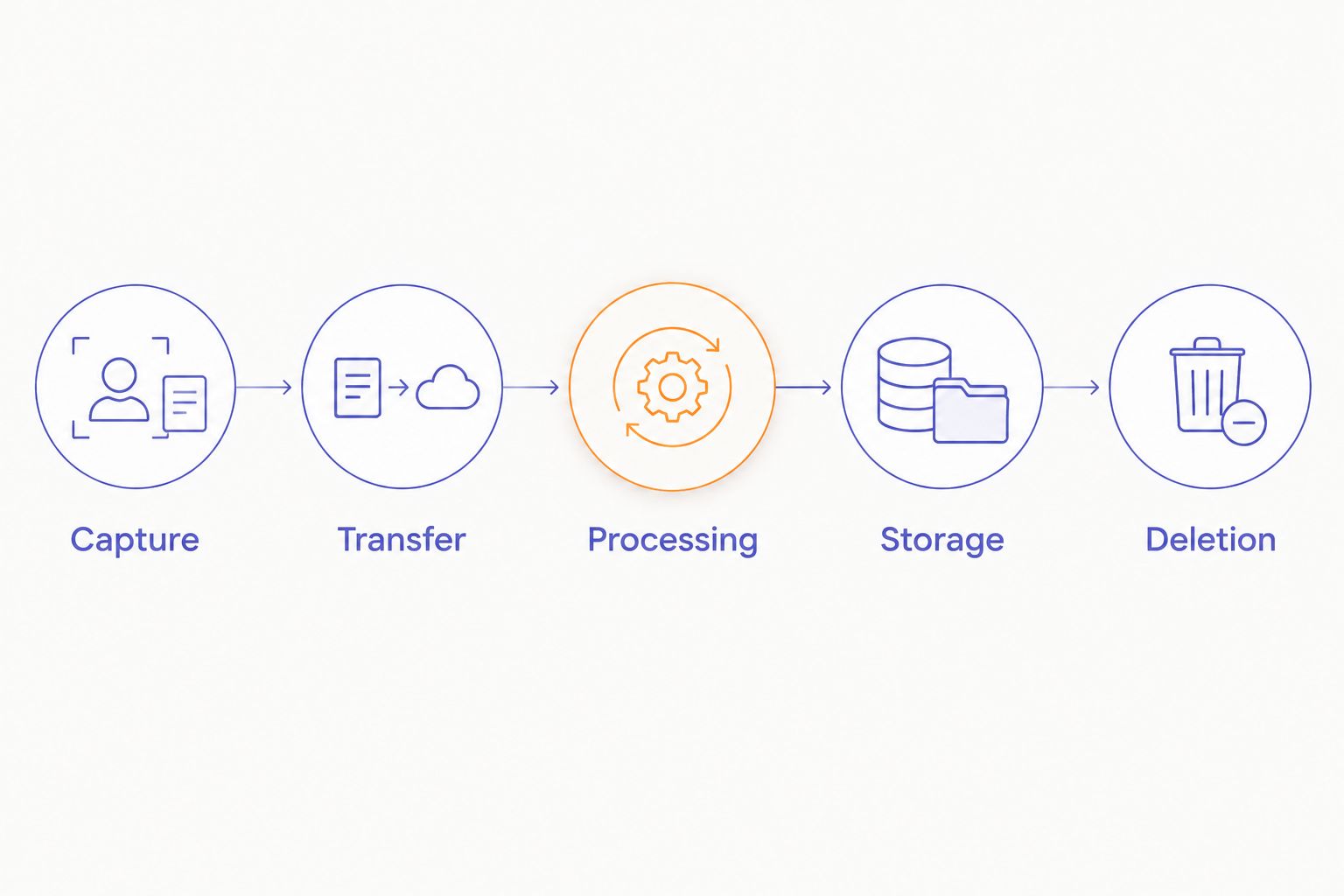
Review the recording workflow in 5 stages. Ask for a clear answer at each stage rather than accepting a general statement that your information is secure.
1. Capture
Find out what starts and stops recording. Check whether activation is deliberate, how you confirm that capture has started, and how you confirm that it has ended.
A screenless device still needs an understandable recording state. Ask how you can recognize that state without assuming a particular gesture, light, sound, or phone display exists.
2. Transfer
Identify every destination that receives audio or text. Distinguish a connection to your phone from an upload to a remote processing service.
Ask whether a connection is necessary for capture, transcription, or synchronization. Those are separate functions. A device that captures without internet access does not necessarily transcribe or store everything locally.
3. Processing
Ask where speech becomes text and which organizations participate. Determine whether processing involves only the device provider or also another service.
Read the terms governing audio and transcripts separately. Look for the purpose of processing, any human review, and any use for training or improving models. Do not treat silence on these points as a privacy promise.
4. Storage
Find out whether the workflow keeps the original audio, the transcript, or both. Then identify the account, device, or service holding each copy.
Check whether storage is private to you or visible to a shared workspace. An individual account setting does not explain access inside a team destination.
5. Deletion
Ask what happens when you delete a recording. Does that action remove its transcript too? Does it affect synced copies, shared exports, and backups?
Deleting a note from view is not the same as establishing that every copy has been removed. Look for a stated deletion process and any exceptions before recording information you must later erase.
Why wearable recording privacy varies
The same category of device can support very different data-handling arrangements. Review these 6 factors when comparing privacy documentation in 2026:
- Recording control. Deliberate activation gives you a clearer opportunity to choose what to capture. Confirm how stopping works too.
- Processing location. Local and remote transcription create different data paths. Establish which path applies to the function you intend to use.
- Provider access. Identify whether staff or processing partners can access recordings, and under what conditions.
- Secondary use. Check whether audio or transcripts support model training, service improvement, or other purposes beyond producing your notes.
- Retention and deletion. Establish what remains after transcription, how long it remains, and which removal controls you have.
- Connected destinations. Every export or sync requires a separate review of account access, sharing, and retention.
These factors are questions to resolve, not features to assume. A strong answer in one area does not compensate for an unanswered question elsewhere. Encryption, for example, does not explain whether an authorized recipient retains your transcript.
What should you check before recording a conversation?
Ask permission before recording other people, and check the rules that apply to the conversation. In the United States, recording requirements differ by jurisdiction and circumstances. Workplace policies and confidentiality obligations also need separate attention.
Use the guide to recording conversations with a wearable recorder legally as a starting point for that question. For a sensitive or cross-jurisdiction conversation, obtain advice appropriate to the situation rather than relying on a device description.
Make your request specific. Explain that you intend to record and transcribe, where you intend to keep the notes, and whether you plan to share them. Agreement to a meeting is not an answer to those separate questions.
If someone declines, stop the capture. For confidential work, a practical alternative is to write an authorized summary afterward without recording the conversation. Privacy begins with what you choose not to collect.
Does encryption mean nobody else can access my notes?
Encryption alone does not establish that nobody else can access your notes. You need to know where encryption applies, who holds the keys, and which parties can read the information during normal processing.
In 2026, distinguish protection during transfer from protection while stored. Neither phrase, by itself, establishes end-to-end encryption or explains whether a transcription provider can process readable audio.
Ask direct questions:
- Can the provider access readable audio or text to operate the service?
- Can support staff access content, and under what conditions?
- Does the encryption description cover backups and exported files?
- What happens to access when you lose a device or close an account?
Treat encryption as one protection within a larger system. It does not decide who receives a shared transcript, how long a recipient keeps it, or whether recording was appropriate in the first place.
Can deleting a recording remove its transcript everywhere?
Deleting a recording does not, by itself, establish that its transcript disappears everywhere. Audio, text, exports, and backups can have different removal processes.
Before relying on deletion, run a harmless test note through your intended workflow. Locate the audio and text, delete the note, and check the destinations you control. This tests what you can observe; it does not prove removal from systems you cannot inspect.
Read the provider's deletion terms alongside that test. Ask how account closure differs from deleting an individual recording, and whether any retained copies remain subject to a separate schedule.
If you need a record erased from another organization's workspace, your own delete control is not enough evidence. Establish who administers that destination and what removal process applies there.
Where a screenless ring fits—and where it does not
Present-ring-ai's screenless voice-capture ring is best for people seeking minimalist spoken note-taking. Its R1 concept uses a built-in microphone to transcribe spoken ideas and conversations. That describes the intended experience, not a guarantee about confidentiality.
The advantage is the intended focus: capture a thought without making a display the center of the interaction. The limitation is equally clear. Without a screen, you still need an understandable way to verify recording status and review where the resulting notes go.
Choose the form factor because you want quieter note-taking. Approve sensitive use only after the data-handling arrangements meet your requirements. Those decisions belong together, but they are not interchangeable.
A practical privacy check before everyday use
For your 2026 setup, start with a harmless reminder rather than a real conversation. Use that note to learn the complete workflow without introducing somebody else's personal information.
- Confirm capture. Start and stop deliberately. Check that you understand the recording state.
- Inspect the result. Find the transcript and determine whether the original audio remains accessible.
- Review access. Check account security, shared workspaces, and any connected destinations before adding them.
- Remove the test. Delete the note and inspect the places where you sent it.
- Set boundaries. Decide which situations you will never record, regardless of convenience.
Keep the workflow narrow at first. Connecting more apps creates more places to review; it does not make the original capture more private. Add a destination only when you have a clear reason to put transcripts there.
Repeat the review when your intended use changes. Personal idea capture, team meetings, and interviews involve different people and obligations. A setup you approved for private reminders should not automatically become your default for every conversation.
FAQ
Is a screenless wearable ring automatically more private?
No. A screenless design describes the interface, not the processing location, access permissions, retention rules, or deletion process. Evaluate those protections separately.
Can an AI wearable ring record people around me?
A microphone can capture speech within its pickup area, including speech you did not intend to save. Check activation controls and ask permission before recording other people.
Does offline recording mean my audio stays on the ring?
No. Offline capture does not establish what happens when the device reconnects. Check whether audio later transfers to a phone, a transcription service, or another destination.
Can my voice notes be used to train models?
The provider's terms and applicable settings determine whether voice notes are used for model training. Check audio and transcripts separately, including any processing partners, before recording sensitive material.
Does Present-ring-ai's screenless design prove its recordings are confidential?
No. Present-ring-ai's screenless voice-capture design does not establish confidentiality. Assess the current processing, access, retention, and deletion terms before deciding what to record.
Is it safe to record confidential work meetings with a ring?
Do not record confidential work meetings until your organization approves the workflow and the applicable recording requirements are met. Review processing providers, participant permission, storage destinations, and access controls.
What is the most private way to capture a sensitive thought?
Avoid recording sensitive details that you do not need to retain. If you use a wearable, choose a workflow whose processing, access, and deletion arrangements you have checked, and keep unnecessary exports disabled.
One last thing
A transcript needs its own privacy decision, even after the audio is gone. Text preserves the substance of what was said and is easy to move into messages, documents, and shared workspaces.
Before saving your next note in 2026, ask a quieter question: does this need to exist as a recording at all? Capture what serves a purpose. Leave the rest unrecorded.