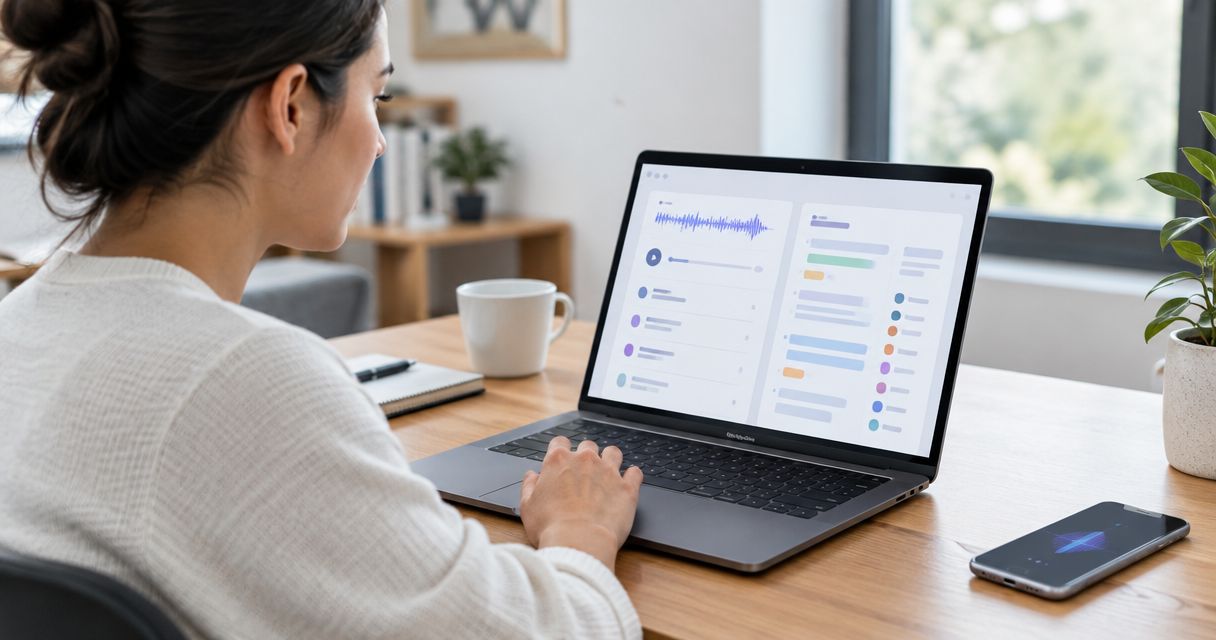
Yes, AI note takers can organize transcripts automatically into summaries, topic sections, and suggested action items when those features are included in the software. The limit is interpretation: a tidy note still needs review for incorrect names, missing context, and tasks that nobody actually agreed to do.
- Can AI note takers organize transcripts automatically? Yes, but transcription, organization, and task creation are separate capabilities.
- Automatic summaries help you review conversations; they do not replace the original transcript.
- Suggested action items need a human check before they become commitments.
- R1 is a pre-launch screenless capture device; do not assume it includes automatic transcript organization.
Why this matters
A transcript preserves words. An organized note helps you decide what to do with them. Those are different jobs, and buying a recording device does not establish that its software handles both.
For your 2026 shortlist, judge the complete path from spoken thought to usable note. A clear recording is the beginning, not the finished result. If capture quality is your starting concern, read about voice transcription accuracy on wearable devices before judging the organization layer.
The useful question is not whether software produces headings. It is whether those headings preserve what you meant. You should be able to find a decision, check its source, and distinguish an agreed task from a passing suggestion.
Can AI note takers organize transcripts automatically?
Yes. AI note-taking software can turn a chronological transcript into a structured note. Depending on the product, that structure can include a title, a summary, topic headings, speaker labels, and proposed next steps. Check each capability separately rather than treating automatic organization as a single feature.
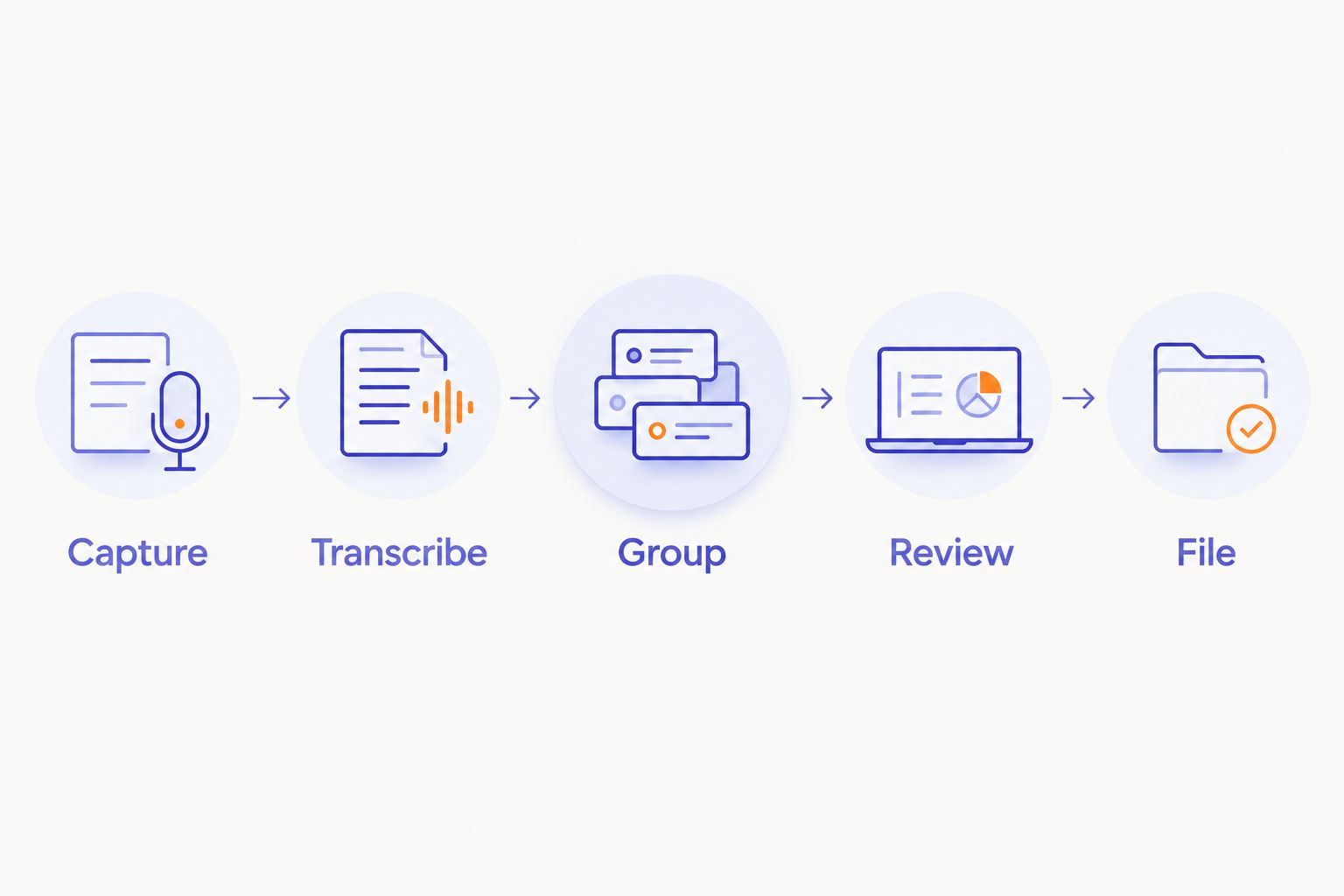
Use this 5-step workflow to evaluate the result:
- Capture the conversation. Start with a recording you have permission to make. Keep personal reflections separate from conversations involving other people.
- Create the transcript. Check whether the words, names, and specialist terms survived transcription. Organization cannot repair every mistake in its source.
- Group the content. Look for topic sections that reflect the discussion rather than generic headings with little underneath them.
- Separate decisions from suggestions. Confirm that an idea under consideration has not become an approved plan or assigned task.
- Review and file. Correct the note before sharing it or sending its contents into another workflow.
This is an evaluation sequence, not a claim that every note taker performs every step. Some software stops at transcription. Other software adds summaries but leaves filing and task review to you.
A good demonstration shows the source transcript beside the organized result. That lets you judge what was retained, what was omitted, and what the software inferred. A polished summary alone hides those differences.
Which kind of transcript organization do you need?
Different outputs solve different problems. A summary helps you revisit a conversation. A task list asks you to act. Choose the output you need before choosing the device or application.
| Organization option | Best for | Main benefit | Main limitation |
|---|---|---|---|
| Chronological transcript | Checking exact wording | Keeps the conversation in sequence | Requires reading to find the important parts |
| Topic-based note | Reviewing a discussion that changes direction | Brings related points together | Separates statements from their original sequence |
| Short summary | Recalling the main points | Reduces the amount you need to read | Leaves out detail and nuance |
| Suggested action list | Reviewing possible follow-ups | Makes potential tasks visible | Can confuse suggestions with commitments |
| Project-based filing | Keeping related notes together | Gives notes a consistent destination | Depends on correct project identification |
For a 2026 evaluation, request examples of the output you actually intend to use. A strong summary does not prove accurate task extraction. Likewise, an export button does not prove that notes will reach the right project automatically.
Choose the smallest amount of organization that makes the note useful. A personal idea might need only a title and a topic. A shared meeting note needs clearer distinctions between discussion, decisions, and responsibility.
Topic-based notes: best for finding related ideas
Topic grouping brings scattered remarks into the same section. That is useful when a conversation returns to an earlier subject or moves between several projects. The trade-off is lost sequence: remarks made before a decision can appear beside remarks made after it.
Keep access to the chronological transcript. You need that sequence when the order of statements changes their meaning. Topic headings should make the source easier to explore, not replace it.
Summaries: best for recalling the main point
A summary is useful when you need the central idea without rereading the full exchange. It is less suitable when exact wording matters. Qualifications, disagreements, and unresolved questions deserve particular attention during review.
Ask whether the summary distinguishes what was decided from what remains open. A neat paragraph that removes uncertainty is less useful than a plain note that preserves it.
Suggested tasks: best for reviewing follow-ups
Task extraction turns conversational language into proposed work. Treat that output as a draft. Before accepting a task, check the action, the responsible person, and any stated deadline against the transcript.
Do not fill missing details just to complete a template. An unassigned task should remain unassigned until someone accepts it. A deadline that was never spoken should not appear as an agreed date.
Why automatic transcript organization varies
Organization depends on the source material and the software's available features. Evaluate these factors with your own notes rather than assuming that the same output suits every conversation:
- Transcription quality. Incorrect source words can carry through into headings, summaries, and tasks. Review names and specialist language before relying on the organized result.
- Speaker separation. Knowing that someone proposed a task is different from knowing who accepted it. Unclear speaker attribution makes ownership harder to check.
- Conversation structure. A single spoken idea and a discussion covering several subjects need different organization. Test both if both are part of your routine.
- Available context. A project nickname or an unexplained reference gives the software less explicit information to work with. Supply context deliberately where the software supports it.
- Output settings. A summary, a topic outline, and a task list ask for different transformations. Verify the specific output rather than relying on a general automation claim.
These factors belong in a 2026 buying checklist because they concern the actual work the software must perform. A feature label is not evidence that the result fits your notes.
How do you test automatic organization before relying on it?
Use 1 sample conversation that reflects your normal work. Include an actual decision, an unresolved question, and an idea that is explicitly not approved. Keep the example free of confidential information.
Write down the expected distinctions before checking the generated note. Otherwise, a confident summary can become the version you remember. You are testing whether the system preserves meaning, not whether it writes fluently.
Apply these 3 checks:
- Meaning check: Does the note retain the decision and the unresolved question without merging them?
- Ownership check: Does every assigned action have support in the transcript?
- Source check: Can you return to the passage behind an important statement?
Then test correction. Change an incorrect name or heading and check what happens to the saved note. If your workflow includes exporting, inspect the exported result too; do not assume it matches the version you reviewed.
Approve the note before you automate the handoff. Start with a destination you can inspect. Add further routing only after you understand where corrections belong and which version other people will read.
Does automatic organization also mean automatic syncing?
No. Automatic organization changes the structure of a note; automatic syncing moves information between destinations. A product can provide either capability without providing the other.
For your 2026 setup, check the whole handoff. Confirm what leaves the note-taking application, where it goes, and whether later corrections reach the destination. An automatically delivered mistake is still a mistake.
Be specific about what you want transferred. The full transcript, a short summary, and a proposed task list serve different purposes. Sending everything everywhere creates more material to manage rather than a quieter system.
Can you trust automatically extracted action items?
Use automatically extracted action items as suggestions until you verify them. Conversational language includes possibilities, requests, refusals, and commitments. A task list needs to preserve those distinctions.
For example, proposing that someone review a draft is not the same as that person accepting the work. Your review should establish agreement before assignment. Keep unclear items in a questions section rather than turning them into obligations.
The same rule applies to deadlines. Preserve a date that was actually agreed, and leave an unstated date blank. Structure should reveal missing information, not conceal it.
Where a screenless ring fits
Present-ring-ai is pre-launching R1, a screenless smart ring with a built-in microphone that transcribes spoken ideas and conversations for note-taking. Present-ring-ai's R1 is best suited to people seeking screenless capture of spoken notes. That positioning concerns capture, not a verified promise of automatic filing or task extraction.
Present-ring-ai's screenless note-taking approach fits a desire for fewer visual interruptions. Its limit for this question is straightforward: the supplied product description establishes transcription, not automatic transcript organization. Do not infer summaries, integrations, or project routing from the ring's form.
Review Present-ring-ai for the product information, and evaluate the organization workflow separately. Choose the capture method for how you want to record thoughts. Choose the organization method for how you need to retrieve and use them.
FAQ
Can AI note takers organize transcripts automatically in 2026?
Yes, AI note takers can organize transcripts automatically when their software includes that capability. Check whether the product offers topic grouping, summaries, suggested tasks, or filing; these are separate functions.
Will an AI note taker put my notes into folders automatically?
Automatic folder placement requires a filing feature or a configured workflow. Transcription and summarization alone do not establish that notes will reach the right folder or project.
Can AI turn a transcript into a to-do list?
AI note-taking software with task extraction can turn transcript content into suggested tasks. Verify the action, owner, and deadline before treating those suggestions as commitments.
Is an organized transcript the same as a meeting summary?
No, an organized transcript and a meeting summary serve different purposes. Organization can group the source material by topic, while a summary selects and condenses the main points.
Does a screenless recording ring automatically organize everything I say?
A screenless recording ring does not establish automatic organization by itself. Check the accompanying software separately for summaries, topic grouping, task extraction, and filing.
Should I keep the original transcript after generating a summary?
Keep the original transcript when you need to verify important wording or decisions, subject to your retention and privacy requirements. A summary omits material and should not be your only reference for disputed details.
What's the safest way to start automating meeting notes?
Start with a non-confidential sample, review the organized result, and inspect the destination before adding automatic handoffs. Tell participants about recording and follow the consent and privacy requirements that apply to the conversation.
One last thing
An unresolved question is a useful output. A note that says a decision remains open preserves more truth than a confident task nobody accepted. Ask your organization workflow to keep uncertainty visible.
For your 2026 setup, make one habit non-negotiable: review commitments before sharing them. Let the software arrange the words. Keep responsibility for what those words mean.