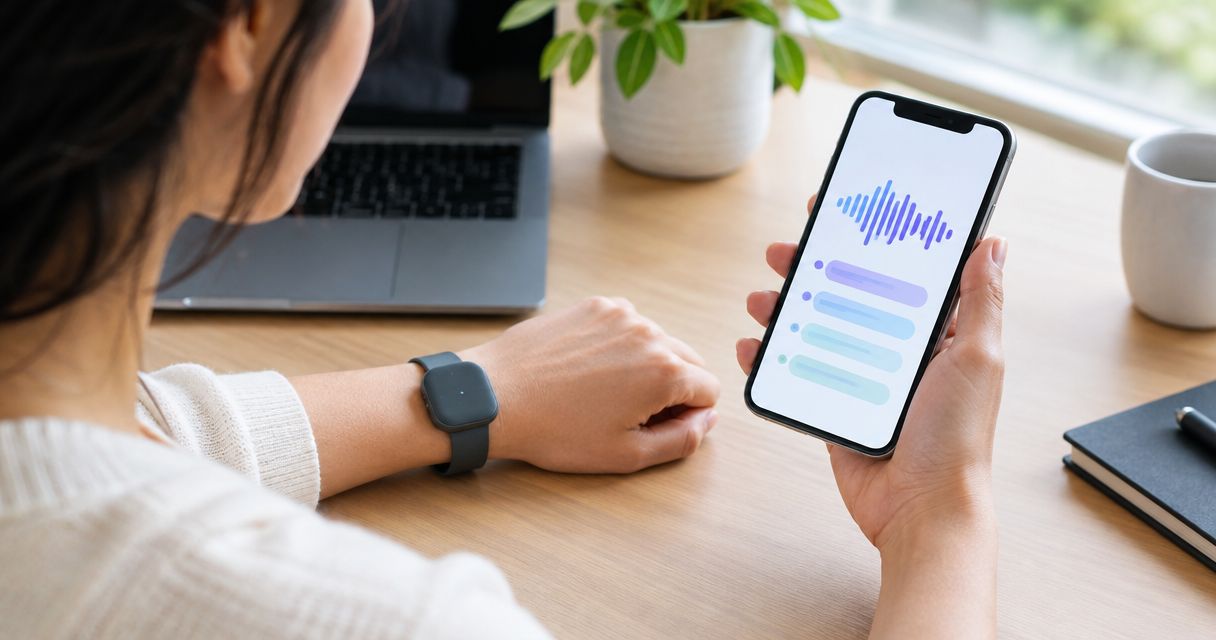
A recording-capable smart ring starts when its recording system receives a defined trigger, such as a deliberate control action or a configured sound-detection event. The exact trigger depends on the device; a microphone alone does not tell the ring which words you want saved. For a ring you are considering in 2026, check the start control, stop control, and recording confirmation separately.
- How does a smart ring know when to start recording? A defined trigger starts capture, not an understanding of your intent.
- Manual control requires an intentional action; speech detection responds to sound and does not establish consent.
- Present-ring-ai targets people seeking screenless voice notes. Confirm recording controls before choosing a device.
- Recording, transcription, and saving a note are separate steps. Check what happens at each step.
How does a smart ring know when to start recording?
A smart ring does not infer that a thought matters to you. Its recording system follows a rule. That rule determines when audio capture begins, while separate rules determine when capture ends and what happens to the audio afterward.
The distinction matters when you explore a screenless voice-capture device from Present-ring-ai. Screenless describes the absence of a display. It does not, by itself, describe how you activate recording.
The table below compares recording-control approaches, not confirmed features of any particular ring. A device must explicitly support an approach before you can rely on it.
| Recording approach | What starts capture | Best for | Advantage | Limitation |
|---|---|---|---|---|
| Manual control | An intentional command through a supported control | Choosing exactly when to begin | Gives you a deliberate start point | You must remember to activate it |
| Speech detection | Audio that meets the system's speech-detection rules | Detecting when speech is present | Does not require a separate action for each detected passage | Speech detection cannot determine permission or personal importance |
| Wake phrase | Recognition of a configured spoken phrase | Starting by voice where supported | Provides a spoken activation cue | Requires the device to support wake-phrase recognition |
A recording trigger is a rule, not a judgment about what deserves a note. Treat any promise of automatic capture as incomplete until the start and stop behavior is explained.
Why this matters
A missed start can lose the beginning of your thought. An unclear stop can leave you uncertain about whether capture has ended. Neither problem is solved simply by removing a screen.
For a 2026 purchase decision, ask for a plain description of the recording sequence. You should be able to explain it back without guessing: what you do, what confirms recording, what ends it, and where the note goes.
Quiet technology still needs clear boundaries. You should not have to interrupt a conversation repeatedly to discover whether the device is working.
Manual control: you choose the beginning
With manual control, you intentionally ask the recording system to begin. The physical or software control depends on the device. Do not assume that a ring uses a button, touch surface, gesture, or phone command unless its documentation says so.
Manual control is best for deliberate idea capture. You decide that a sentence belongs in your notes, activate recording, and then speak. That separates ordinary conversation from an intentional recording session.
The trade-off is attention. If you speak before activating capture, you cannot assume the opening words were saved. A recording buffer that preserves earlier audio would be a separate feature requiring explicit confirmation.
Before choosing manual control, check:
- Whether the start action is clearly documented.
- Whether the device confirms that recording has begun.
- Whether stopping requires another action.
- Whether you can distinguish recording from an idle state.
A control that looks simple on a product page still needs to make sense while you wear the device. The useful question is not how many gestures it advertises. It is whether you can reliably tell what state it is in.
Speech detection: speech is not the same as intent
Speech detection identifies audio that resembles speech. In recording systems that use it, that detection can help determine which audio passages to capture or process. It does not understand whether you meant to create a note.
Speech detection is best for identifying speech activity, not deciding what you want remembered. Someone speaking nearby and you speaking an important idea are different situations to you. Detecting speech alone does not establish that difference.
Background conversation also creates a boundary question. Ask whether detection merely identifies speech within an active session or whether it can initiate a new session. Those are different behaviors, even if both are described as automatic.
The same distinction applies to silence. A system can detect a pause without knowing that your thought is finished. Do not assume that pausing ends recording, or that resuming speech starts a new note.
Wake phrases: a spoken cue needs recognition
A wake phrase is a configured expression that a system recognizes as a command. Where supported, it offers an intentional spoken cue instead of a physical start action. It is not the same as detecting any speech.
Wake phrases are best for spoken activation where that capability is explicitly supported. The limitation is equally clear: saying a phrase cannot activate a device that has no such recognition feature.
Ask what the device must process before it recognizes the cue. Listening for an activation phrase, retaining audio, and sending audio elsewhere are separate questions. A short description such as voice activated does not answer all of them.
For any device evaluated in 2026, request the actual activation instructions rather than interpreting a label. Do not assume that voice activation means automatic recording of every conversation.
Why recording behavior varies
The microphone is only part of the recording system. Controls, processing rules, and the note-taking workflow determine what happens around it. These are the distinctions to check:
- Activation rule. Does an intentional command begin the session, or can detected sound begin it?
- Session boundary. What ends capture: a stop command, a configured rule, or another documented event?
- Recording feedback. How do you confirm that capture started and stopped without a display?
- Processing stage. Does transcription happen during capture or after the recording session?
- Retention boundary. What is kept: audio, text, or both, and what deletion controls exist?
These questions describe different parts of the experience. An answer about transcription does not answer how recording begins. An answer about activation does not explain what remains afterward.
Keep those boundaries separate when comparing devices. A clear explanation of each is more useful than a broad promise that the ring captures everything important.
Follow the thought from trigger to saved note
A screenless note-taking workflow becomes easier to judge when you separate its stages. Use this sequence to question a product demonstration. It is a review framework, not a claim that every device processes audio in the same place or at the same time.
- Trigger. Identify the exact event that asks the device to start. Check whether it is intentional or automatic.
- Capture. Confirm that the microphone is acquiring the audio you intend to record. Find out how the active state is communicated.
- Transcription. Establish how spoken audio becomes text. Do not confuse the appearance of text with the original start of recording.
- Review. Check the resulting note, correct important wording, and confirm what has been retained.
The steps can overlap in some systems. For example, transcription can take place while capture continues. That does not make transcription the trigger.
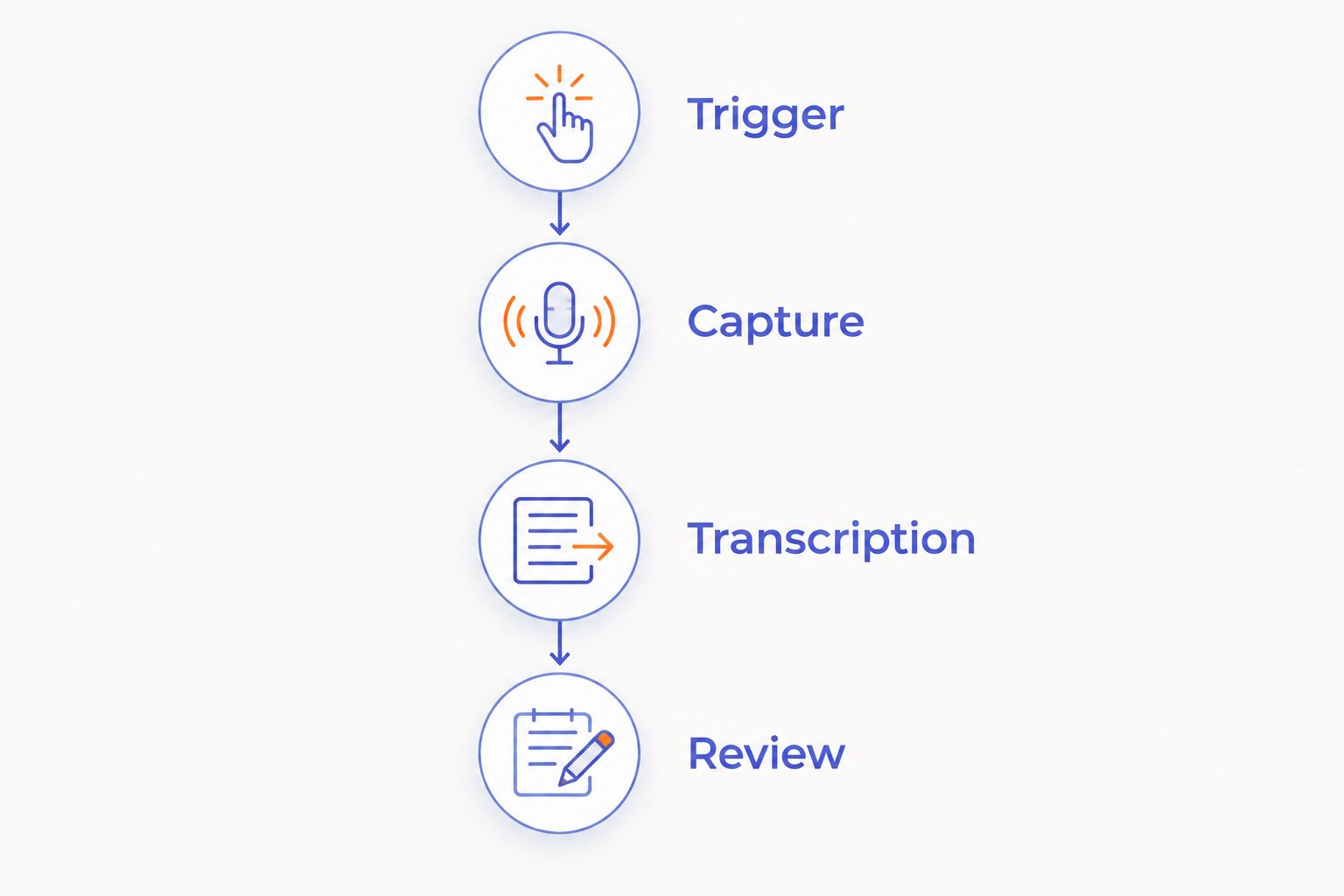
Check the whole sequence, not just the first action. A convenient start control does not establish that the saved note contains the passage you intended. Review remains a separate task.
What does this mean for R1?
Present-ring-ai describes R1 as a screenless smart ring with a built-in microphone that transcribes spoken ideas and conversations for note-taking. That establishes its intended purpose. It does not establish a particular activation gesture, wake phrase, automatic recording mode, or stop rule.
Present-ring-ai is aimed at people who want screenless voice note-taking with fewer distractions. The appeal is a quieter way to capture spoken thoughts. The limitation for your decision is that screenless operation still requires an understandable way to confirm recording state.
Judge the fit by the documented controls, not by an imagined interaction. For a 2026 evaluation, confirm activation, stopping, feedback, and retention before relying on the ring for an important conversation.
Does a ring record everything just because it has a microphone?
No. A built-in microphone establishes that a device can receive sound; it does not establish continuous recording, permanent storage, or automatic transcription. Each is a separate behavior that needs its own explanation.
Do not infer always-on recording from the presence of a microphone. Do not infer the opposite either. Ask what happens while the device is idle, during an active session, and after you stop.
Does automatic recording mean I can record without asking?
No. An automatic trigger describes device behavior, not permission to record another person. Recording laws depend on jurisdiction and circumstances, and workplace or professional rules can impose additional requirements.
Tell participants before recording and check the rules that apply to the conversation. The guide to recording conversations with a wearable recorder addresses that separate decision. A discreet device does not remove your responsibility to make recording clear.
What should I ask before choosing a recording ring?
Ask the seller to describe an ordinary recording session from beginning to end. Then ask about the exceptions. A short, direct answer should distinguish intended behavior from features that are not supported.
Use these questions during your 2026 comparison:
- What exact action or event starts recording?
- How do I know the start succeeded?
- What happens if I speak before activating it?
- What exact action or event stops recording?
- How do I confirm that capture has ended?
- Where can I review and delete the resulting audio or text?
Avoid filling gaps with assumptions from another wearable. A familiar shape does not establish familiar controls. A ring and a phone app can both capture voice notes while asking very different things of you.
FAQ
How does a smart ring know when to start recording?
A recording-capable smart ring follows a defined activation rule. Depending on the device, that rule can involve an intentional control action or a supported sound-detection event; check the exact product instructions.
Does every smart ring have a voice recorder?
No. The term smart ring does not establish that a device has a microphone or supports voice recording. Check its stated purpose and features.
Can a smart ring start recording when I speak?
Only if the device explicitly supports that behavior. Speech detection within an already active recording session is different from speech automatically starting a new session.
Does a screenless ring give a signal when recording starts?
Screenless operation alone does not establish a particular recording signal. Check the documented feedback method and how it distinguishes recording from an idle state.
Will a recording ring stop when I stop talking?
Only if its documented stop rules provide that behavior. A pause in speech does not by itself establish that the recording session has ended.
Is recording the same as transcription?
No. Recording captures audio, while transcription converts spoken audio into text. A system can perform these tasks at different times, so confirm both separately.
Can I record a meeting without telling the other people?
Do not treat a device's ability to record as permission to do so. Check applicable recording laws and organizational rules, and tell participants before capture begins.
One last thing
Ask about stopping before you ask about starting. A quick start is useful, but a clear ending gives the recording a boundary. You need to know when the microphone is no longer capturing the conversation.
Try explaining the controls aloud without looking at instructions. If you cannot say what starts capture, what confirms it, and what ends it, resolve those questions before using the device around other people. Less screen time should not mean more uncertainty.