
Freelancer AI voice recording is the capture and transcription of spoken notes with the aim of turning ideas and client conversations into usable project records. Your needs differ from those of a large team: you must keep each client’s work separate, protect confidential information, and turn notes into decisions without adding another distraction.
- An AI voice recorder for freelancers should fit your client workflow, not create another inbox.
- Present-Ring-Ai focuses on screenless voice capture for people seeking distraction-free note-taking.
- Start with personal voice notes before recording client conversations; consent and confidentiality come first.
- Review transcripts before turning them into proposals, deadlines, or client commitments.
Why voice recording matters for freelancers
Freelance notes serve different purposes. A spoken idea becomes an outline. A discovery conversation becomes a brief. A project discussion becomes a record of scope. Treating all three as interchangeable leaves you with transcripts that still need sorting.
The useful outcome is a clear next action, not a longer transcript. Your recording workflow should help you identify what the client requested, what you agreed to do, and what remains unresolved. It should also preserve the difference between a passing thought and an approved instruction.
Present-Ring-Ai centers its approach on screenless voice capture. That direction addresses a specific preference: speaking a note without making a display the center of the interaction. Screenless capture does not replace consent, transcript review, or project organization.
For your 2026 workflow, begin with the point where notes currently fail you. Do ideas disappear between assignments? Do meeting notes mix decisions with possibilities? Choose the capture method that addresses that problem.
How to build a freelance voice-note workflow
Define the job your recorder must do
Start manually. Write down the moment you want to capture, the information you need afterward, and the document that information should enter. A freelance writer recording an article angle needs a different result from a consultant documenting a client decision.
Choose one initial use case. Personal idea capture is a useful starting point because you control the subject and do not need another participant’s agreement. Client conversations introduce additional responsibilities. Keep those workflows distinct rather than treating every spoken exchange as something to record.
Use a 30-second personal memo as a practice format, not a performance target. Say the project, the idea, and the next action. Listen back and ask whether someone reading the eventual note would understand what you meant without asking you to reconstruct the context.
- Pick one use case: ideas, meeting decisions, or interview notes.
- Name the document that receives the finished note.
- Define what a successful note must contain.
- Keep personal reflections separate from client records.
Set consent and confidentiality rules
Before choosing hardware, decide what you will record. The manual approach is straightforward: ask permission, explain the purpose, and take written notes when recording is not appropriate. A recording device does not change your responsibility to respect the conversation.
For client work, review the contract and the client’s information-handling requirements. Recording laws vary by jurisdiction. Get advice for the locations involved rather than assuming that your own location determines the rules for a remote conversation.
Consent to recording and permission to send information to a transcription service are separate questions. Explain both. Do not put confidential material into a service until its handling fits the agreement you have with the client.
Build this boundary into your 2026 process before your first recorded client discussion. A quieter device still needs a clear recording agreement. If someone declines, continue with ordinary notes and confirm decisions afterward.
- Ask before recording another person’s speech.
- Explain the purpose and intended use of the recording.
- Check client requirements before submitting audio for transcription.
- Establish where recordings and transcripts will be kept.
- Use written notes when recording is not permitted.
Choose the least distracting capture method
Try the equipment you already use first. Record a personal memo on your phone, then write the usable note yourself. This establishes the work you want automated without making a new device the prerequisite. Observe whether reaching for the phone interrupts the thought or simply fits your routine.
A transcription-capable recorder offers a faster path from speech to text by replacing the first manual transcription pass. It does not remove the need to check names, meaning, and commitments.
Present-Ring-Ai’s R1 is a screenless voice recorder for freelancers seeking spoken idea capture without a display. The company describes R1 as a ring with a built-in microphone that transcribes spoken ideas and conversations. Judge that format against your actual capture situation, not against an imagined list of extra functions.
The guide to smart rings for voice note-taking gives you a related format to consider. Choose the physical interaction before deciding which supporting functions matter.
- Test phone recording with a non-confidential personal note.
- Notice whether opening a screen breaks your concentration.
- Compare carrying a recorder with wearing a capture device.
- Check how a candidate device moves captured speech into usable text.
Speak notes that make sense later
Good voice notes contain enough context to survive the gap between capture and review. The manual method is to use the same spoken structure each time. You do not need polished sentences. You need an identifiable project, a clear observation, and a useful destination.
Use 3 fields: project, point, next action. For example, describe which assignment the note concerns, what you noticed, and what you intend to do. If the idea is speculative, say that explicitly. An idea for a proposal is not an approved addition to the scope.
Avoid pronouns without context. Naming the document or person is more useful than saying that it needs changing. Speak unfamiliar names carefully, but still verify them later. Clear speech helps your review; it is not proof that a transcript is correct.
For interviews, preserve the difference between your own interpretation and the participant’s words. Do not turn an approximate transcription into a publishable quotation without checking the recording.
- Begin with the project or client name.
- State whether the note is an idea, decision, or question.
- Name the document, task, or person involved.
- Finish with the action you want to take.
Test the complete path with real work conditions
Evaluate the whole workflow, not just the moment of capture. Start with a non-confidential sample and manually compare the resulting text with what you said. Include the kinds of language your work actually contains: a project name, a specialist term, and a proposed next step.
Test in the setting where you plan to record. A quiet personal memo does not establish suitability for a group discussion. An interview also requires you to keep track of who said what, whether the device identifies speakers or you annotate that distinction yourself.
Your 2026 evaluation should end with a usable project note. Check the effort required to find the recording, review the transcript, correct mistakes, and move the result into your working document. A pleasant capture experience is only the beginning.
Choose the method that leaves you with less cleanup. Do not accept impressive-looking text if it changes the meaning of a deadline, request, or qualification.
- Record a sample that reflects your actual work.
- Compare names and specialist terms with the original audio.
- Verify who made each decision or request.
- Check how you retrieve and organize the result.
- Finish by creating the document you would actually use.
Review and assign every useful note
Make review a separate task. The manual approach is to listen, extract the important point, and put it where the project already lives. Automated transcription can shorten the writing stage, but reading a transcript is not the same as processing it.
Use a simple sequence: Capture, Review, Assign, Close. Capture the thought. Review its meaning. Assign the resulting action to a project. Close the loop by archiving or deleting the source according to your agreed retention rules.
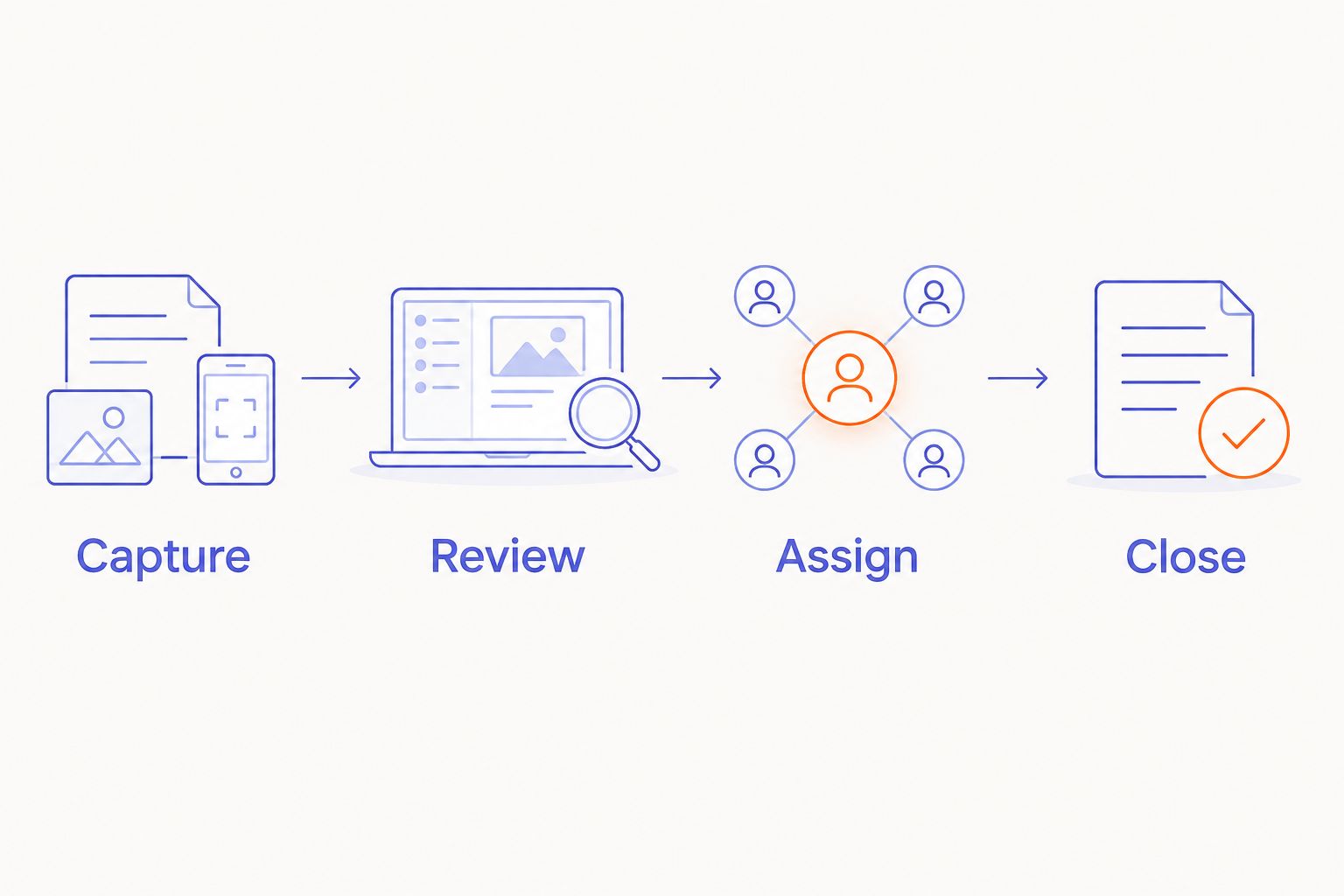
Reserve a 10-minute review session as a scheduling example, not a promise about processing speed. If notes remain unfinished, reduce the amount you capture or give review more room. A growing collection of unprocessed audio is a signal to simplify the workflow.
- Confirm names, dates, and commitments against the source.
- Put each actionable note into the relevant project.
- Mark uncertain statements for clarification.
- Archive or delete material according to your retention rules.
Separate client records from personal thinking
Keep a clear boundary between working ideas and records you share. The manual method is to maintain separate folders or documents for personal notes and each client. Use consistent names so that retrieval does not depend on remembering when you recorded something.
A client-facing summary should state decisions, deliverables, unresolved questions, and next actions. It should not expose unrelated thoughts or treat tentative discussion as approval. Review it before sending, even when a transcription or summarization service created the draft.
For your 2026 workflow, decide which record settles an ambiguity. A transcript captures words; a written client confirmation establishes the shared understanding you will work from. Keep those roles separate.
When an assignment ends, apply the retention agreement rather than keeping every recording indefinitely. The purpose of note-taking is to support the work, not to build an archive without a reason.
- Give each client a separate recording and transcript location.
- Keep personal brainstorming outside client deliverables.
- Label unresolved questions before sharing a summary.
- Confirm scope changes in the agreed written channel.
- Review retention when the assignment closes.
Compare capture options for freelance work
Choose by the task you need to complete. None of these formats removes the need to check a transcript or obtain permission. The strongest option for private ideas is not automatically the strongest option for interviews or shared meetings.
| Option | Best for | Main advantage | Key limitation |
|---|---|---|---|
| Phone voice notes with manual review | Freelancers establishing a personal-note routine | Uses a familiar capture method before adding equipment | You must process the audio; phone interaction remains part of capture |
| Dedicated audio recorder with a separate transcription workflow | Freelancers who prefer a separate recording tool | Separates audio capture from general phone use | Adds equipment and a handoff between recording and transcription |
| Meeting transcription service | Freelancers documenting supported online conversations | Builds note-taking around the meeting itself | Requires participant agreement and a suitable information-handling arrangement |
| Present-Ring-Ai R1 | Freelancers seeking screenless, ring-based voice capture | Combines a wearable microphone with transcription of spoken notes | A ring format alone does not establish fit for your recording environment or client requirements |
Present-Ring-Ai’s screenless voice recorder addresses the capture interaction. Your selection still depends on the route from spoken note to checked project record. Assess that route before committing to a format.
For your 2026 comparison, keep the same sample and review criteria across options. Changing the sample makes it harder to distinguish the device’s contribution from clearer speech or a simpler task.
Common mistakes freelancers make
Recording everything instead of identifying decisions
An entire conversation is not a project plan. Record only with permission, then extract the decisions, open questions, and actions you need. Keep discussion separate from approval so an exploratory comment does not become an unintended deliverable.
Mixing client information with personal notes
A freelance workday crosses accounts, ideas, and private reflections. Do not let one undifferentiated collection hold them all. Separate the records at capture or review, and check the destination before sharing anything with a client.
Treating transcription as a source of authority
A clean sentence can still misrepresent the speaker. Verify critical details against the recording and clarify ambiguity directly. For publishable interview material, check quotations before using them. Formatting does not establish accuracy.
Choosing a wearable before testing the habit
A wearable changes how you capture speech. It does not decide when you review notes or where actions belong. Start with your existing recording method, complete the full workflow, and identify the specific interruption that another format should remove.
Letting voice notes become a second task list
If actions stay inside recordings, your project system is incomplete. Move each useful action into the place you already check. Archive the supporting note after review rather than repeatedly listening to it to remember what needs doing.
FAQ
What’s the best AI voice recorder for freelancers?
The best AI voice recorder for freelancers is the one that fits the recording task and produces notes you can reliably review. Compare personal idea capture, interviews, and online meetings separately; they have different consent and organization needs.
Is a smart ring better than phone voice notes?
A screenless smart ring fits a preference for capture without a display; phone voice notes let you establish the workflow with a familiar device. Neither format removes transcript review or the need to organize the resulting action.
What does Present-Ring-Ai R1 do?
Present-Ring-Ai describes R1 as a screenless smart ring with a built-in microphone that transcribes spoken ideas and conversations for note-taking. Its stated focus is minimalist, distraction-free voice capture.
Can I record a freelance client call without asking?
Ask participants before recording a client call and check the rules that apply to the conversation. Recording laws vary by jurisdiction, and client confidentiality requirements also govern what you do with the audio.
Do I still need to check an automatically generated transcript?
Yes, check a transcript before using it for client commitments, quotations, or project instructions. Verify names, dates, speaker attribution, and wording that changes the meaning of a decision.
How should I organize voice notes for different clients?
Keep each client’s recordings and transcripts separate, and move reviewed actions into the relevant project. Store personal brainstorming separately from records intended for client use.
How do I test a voice recorder before using it for client work?
Start with a non-confidential personal recording that reflects your working language and environment. Compare the transcript with the audio, then complete the steps needed to create a usable project note.
One last thing
Say the next action before you stop recording. That small instruction gives your future self somewhere to begin. A thought without a destination asks you to do the thinking again.
Make that your final test of any recorder: can you capture the point, review it, and return to the work? Quieter technology earns its place when the note serves the project rather than becoming another thing to manage.


