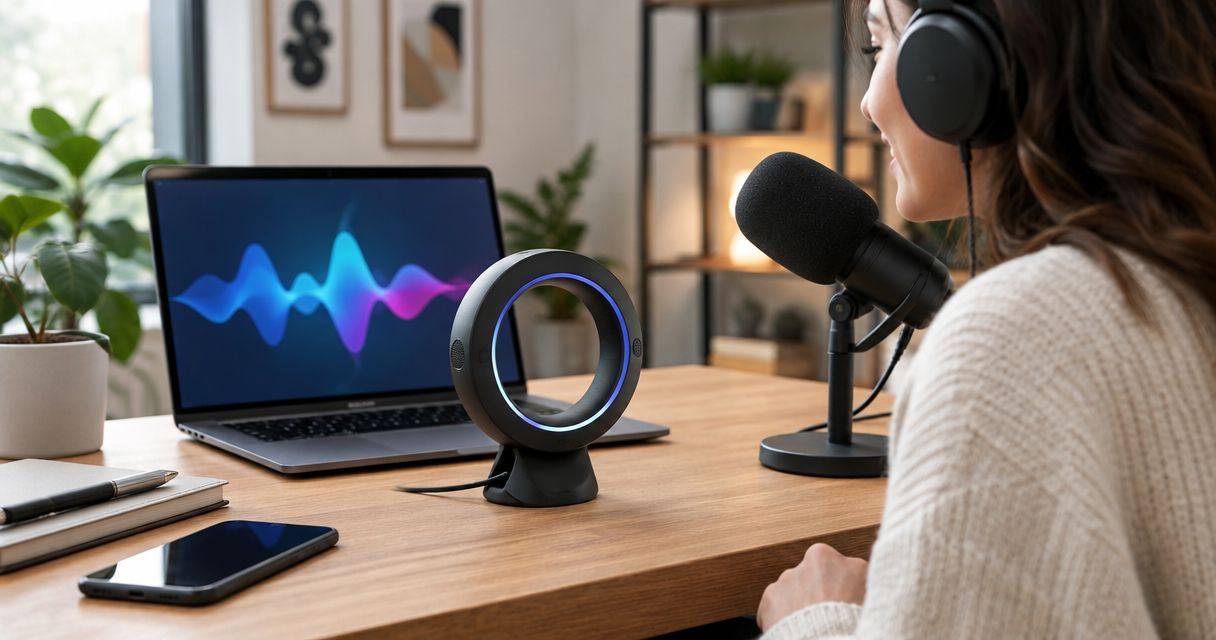
Podcasters and creators’ ring voice recording is spoken note-taking through a wearable microphone, aimed at preserving ideas for scripts and episodes. This 2026 guide explains how to choose a ring voice recorder for podcasters and creators without confusing idea capture with production recording.
- Present-Ring-Ai’s R1 suits creators seeking screenless voice capture and transcription for notes.
- Choose a ring voice recorder for podcasters and creators for idea capture, not assumed production quality.
- Keep voice notes, interview recordings, and finished podcast audio separate.
- Check recording controls, transcript export, and consent before building a wearable into your workflow.
Why voice recording matters for podcasters and creators
A creator’s useful thought is not always a finished sentence. It might be an opening line, a better question for a guest, or the connection between two stories. Spoken notes let you preserve that fragment without turning it into a polished paragraph first.
The distinction matters: capturing an idea and recording an episode are different jobs. Your note needs enough context to help you remember. Your episode needs intelligible, usable audio that supports editing and publication. A transcript alone does not establish that a recording meets that standard.
Present-Ring-Ai describes R1 as a screenless smart ring with a built-in microphone that transcribes spoken ideas and conversations for note-taking. Present-Ring-Ai’s R1 is best suited to creators who want screenless idea capture. That is a note-taking use case, not evidence of production-recording performance.
For your 2026 workflow, start with the problem you need to solve. If you forget good ideas before writing them down, capture is the priority. If you need guest audio for an episode, recording quality, consent, and a recoverable source file take priority.
Build a voice-note workflow that serves your work
Define what you need to capture
Start with a notebook or the recording function you already use. Write down the moments when ideas escape you: after an interview, while outlining, or between editing sessions. Describe the job before choosing the device.
Separate private thoughts from conversations with other people. A solo reminder about an episode title has different requirements from a guest interview. The latter needs an agreed recording process, a clear purpose, and decisions about how the recording will be used.
Also separate reminders from source material. A reminder can be rough. A quotation needs accurate wording and an identifiable source. Calling both a voice note hides the difference and creates problems when you begin writing.
Make a short capture brief. It should tell you what the device must help you do, not what features look interesting. If your existing method already meets that brief, keep it until a specific limitation becomes clear.
- Name the moment when you lose the thought.
- Choose the output: reminder, outline, question, or source material.
- Mark whether anyone else will be recorded.
- Decide whether you need text, original audio, or both.
- Identify where the captured material belongs afterward.
Test spoken notes before changing devices
Use your existing recorder to test the habit first. Speak an idea, listen back, and turn it into a usable note. This manual route reveals whether speaking helps your creative process before you add another device.
Try a suggested 30-second note rather than an open-ended monologue. This is a practice constraint, not a product recording limit. State the project, explain the thought, and name the next action. Stop when the idea is recoverable.
For example, describe the purpose of an episode opening rather than dictating the whole introduction. A useful note might explain the question the opening should raise and which source you need to check. That gives your later writing session a starting point.
Run 3 test recordings in the places where you actually work. Treat this as a personal trial, not a performance benchmark. Quiet-room success does not answer whether your notes remain understandable in a different setting.
In 2026, judge the habit by what reaches your outline. More recordings are not automatically more useful material.
- Record a solo idea in a quiet room.
- Record a note in another typical working environment.
- Record a deliberately messy thought and summarize it afterward.
- Check whether you can recover the point without guessing.
- Keep the method only if it helps you resume the work.
Match the device to the recording job
Once spoken notes prove useful, decide whether reaching for your current recorder interrupts you. That is where a screenless wearable enters the comparison. Its purpose should be to reduce the capture interruption, not to expand the number of things you manage.
Present-Ring-Ai’s R1 ring voice recorder is designed around a microphone and transcription for note-taking. The screenless format matches a creator seeking fewer visual interruptions. Choose that format for the capture habit you need, not for recording capabilities you have not verified.
Before choosing any wearable in 2026, inspect how recording starts and stops. Ask how you can tell that capture succeeded. Then check what happens to the result: where it goes, how you retrieve it, and whether it fits the tools you already use.
For a wider format comparison, use the guide to ring-style voice recorders for idea capture. Keep your own capture brief beside the comparison. A different shape is useful only when it solves a real interruption.
- Check the recording controls and capture confirmation.
- Check whether you can retrieve original audio when needed.
- Check transcript export and your preferred file workflow.
- Check fit and comfort for your intended use.
- Check charging requirements against your routine.
- Keep a separate recording method for publication audio.
Set boundaries before recording conversations
For private idea capture, begin with your own voice. When someone else joins the recording, explain the device and ask for agreement before capture begins. A small recorder still records another person.
Do not treat an unobtrusive form as permission. Recording laws differ by jurisdiction and circumstances. Check the rules that apply to the participants and location. Separately, agree on whether the material is for private notes, internal planning, or public use.
A guest agreeing to an interview does not settle every later use of the material. Be clear about transcription, quotation, storage, and access. If the intended use changes, resolve that change before publishing or sharing the recording.
Your manual alternative is straightforward: take written notes, then record your own summary afterward. Keep the summary clearly labeled as your recollection. Do not present it as a verbatim record of what another person said.
These boundaries belong in the workflow before the first conversation, not after a transcript appears.
- Explain what you want to record and why.
- Obtain agreement before starting capture.
- Check the applicable recording requirements.
- Agree on who can access the recording and transcript.
- Avoid capturing unrelated background conversations.
- Use written notes when recording is not appropriate.
Turn transcripts into working material
Start manually. Read the note, identify the useful thought, and move it into the relevant outline. Transcription reduces the need to type out speech; it does not decide what belongs in your story.
For each note, preserve the project, the central idea, and the next action. A loose sentence about a strong introduction becomes useful when it points to a specific episode and a concrete revision. Without that connection, the note becomes another item you must interpret later.
Treat transcripts as working text. Check names, specialist terms, and any passage you intend to quote against the original recording when available. If you cannot verify the wording, do not publish it as a verbatim quotation.
Present-Ring-Ai’s R1 ring voice recorder offers spoken-note transcription, but your editorial decisions remain yours. Decide which notes become research questions, which become draft material, and which should be discarded. A captured thought is not a commitment to use it.
Keep raw material separate from edited prose. That distinction helps you trace the source of a line and prevents an early assumption from becoming an apparently verified fact.
- Add the project name to each useful note.
- Extract the central point in plain language.
- Assign a next action: research, outline, draft, or discard.
- Verify quotations against their source.
- Separate raw transcripts from finished copy.
- Remove recordings according to your agreed retention practice.
Review the system without creating another inbox
Give captured thoughts a destination. A recorder that collects ideas without a review habit creates a second backlog beside your drafts, messages, and research notes.
Try a suggested 10-minute review at the end of a work session. This is a scheduling choice, not a promise about processing speed. Open the notes relevant to current projects. Move useful material into the outline and remove fragments that no longer serve a purpose.
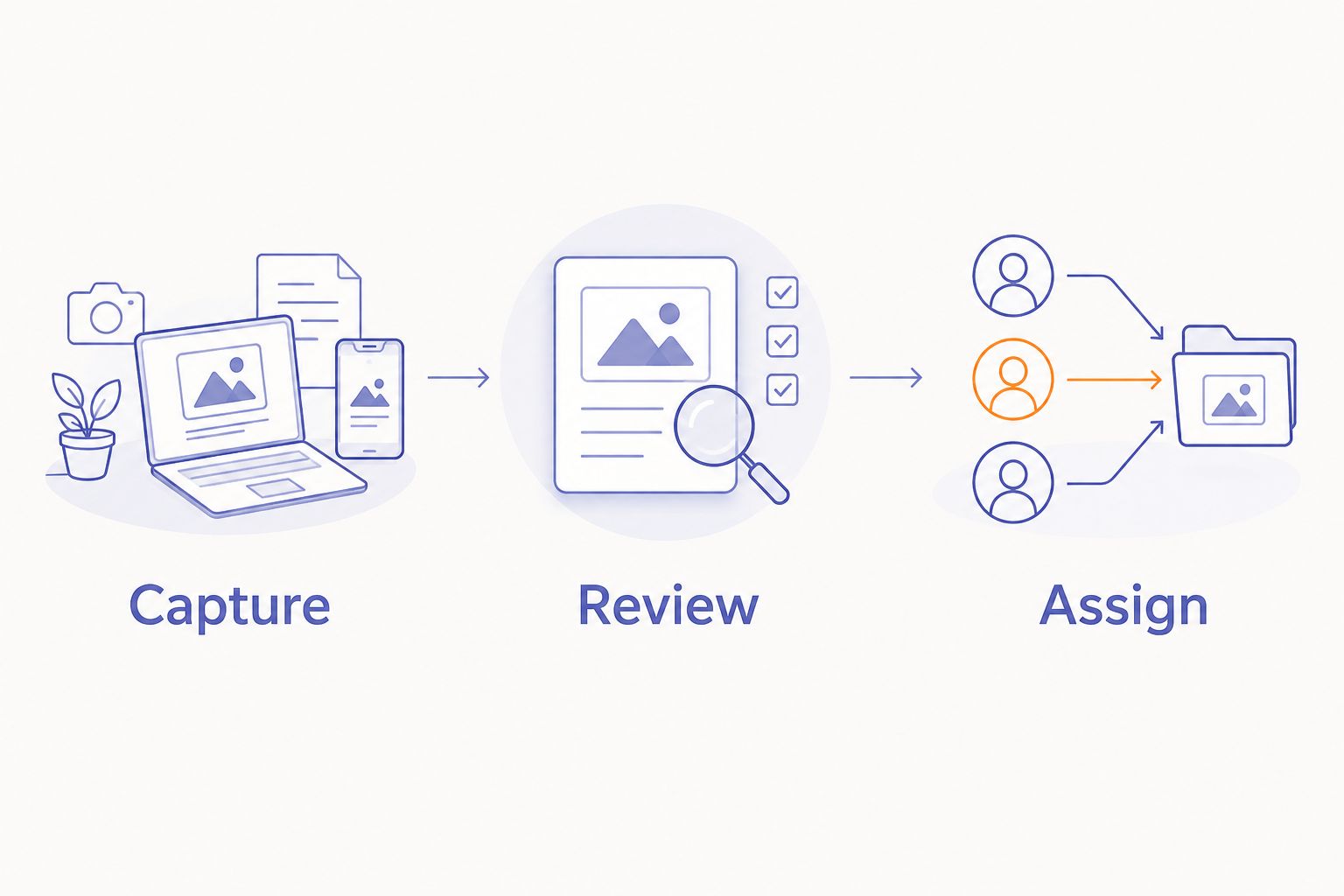
Use a simple sequence: Capture, Review, Assign. Capture preserves the thought. Review establishes what it means. Assign gives it a place in the work. The device handles only part of that sequence.
Assess your 2026 workflow through completed actions. Did the captured question reach the interview brief? Did the opening idea reach the script? Did you spend less effort recovering your own meaning? Those checks are more useful than celebrating a growing recording archive.
Keep the system small enough to maintain during a busy production week. If review becomes another demanding task, simplify the notes before adding more automation.
- Capture: preserve the thought and its project context.
- Review: decide whether the thought still matters.
- Assign: move it into a draft, brief, or research task.
- Delete fragments that no longer have a purpose.
- Revisit the device choice when a specific problem persists.
Compare recording options for your creative workflow
Choose the option that matches the output. This 2026 comparison separates idea capture from production recording. It does not treat every microphone as interchangeable.
| Option | Best for | Main advantage | Key limitation |
|---|---|---|---|
| R1 screenless smart ring | Creators seeking wearable spoken notes | Built-in microphone and transcription for note-taking | Suitability for finished podcast audio requires separate verification |
| Your existing phone recorder | Testing a spoken-note habit | Lets you evaluate capture before changing devices | Requires interacting with the phone; export depends on the app |
| Dedicated audio recorder | Creators who need a separate audio-recording workflow | Separates recording from phone-based tasks | Recording controls, microphones, and file handling differ by model |
| Podcast microphone and recording setup | Planned episodes and interviews | Lets you arrange the recording around the production task | Needs setup and does not replace spontaneous note capture |
| Notebook | Sensitive notes and deliberate outlining | Requires no audio capture or transcription | You must write the thought down and preserve its context |
Use the ring for notes when its workflow fits. Use a production setup for audio you intend to publish. Combining those roles requires evidence that the device meets both needs, not an assumption based on its shape.
Common mistakes podcasters and creators make
Treating a transcript as publishable audio
A readable transcript does not establish recording quality. Before assigning any device to an episode, examine the actual audio and your editing requirements. Keep idea capture separate until the recording meets your production standard.
Capturing an idea without its project
An isolated opening line can lose its meaning between recording and review. Name the episode, article, or video before describing the thought. Context makes the note easier to use without requiring a long explanation later.
Mistaking screenless recording for private recording
Screenless describes the interface, not the handling of the recording. Check storage, access, deletion, and any processing involved. Ask these questions before recording sensitive conversations, rather than inferring privacy from a device without a display.
Publishing transcription errors as quotations
A transcript is not a verified quotation merely because the wording looks plausible. Check the recording and speaker context. If the source cannot support the exact words, paraphrase accurately or leave the passage out.
Keeping every captured fragment
An archive is not an editorial plan. Discard duplicates and notes that no longer serve a project. Keep the material that helps you make a decision, develop a question, or produce the next draft.
FAQ
What is a ring voice recorder for podcasters and creators?
A ring voice recorder for podcasters and creators is a wearable microphone used to capture spoken ideas and notes. Treat note-taking and finished podcast recording as separate requirements when comparing devices.
Is R1 intended for spoken ideas or finished podcast episodes?
R1 is described as a screenless smart ring that transcribes spoken ideas and conversations for note-taking. That description supports an idea-capture use case, not a claim about finished podcast audio quality.
Is a ring voice recorder better than using my phone?
A ring is the better fit when its capture method solves a specific interruption in your phone-based workflow. Test spoken notes with your existing recorder first, then compare recording controls, retrieval, and export.
Can I use a wearable ring to record podcast guests?
Use a wearable for guest conversations only after resolving consent, applicable recording requirements, and your intended use. For audio you plan to publish, verify recording quality and access to the original recording separately.
Do I still need a podcast microphone if I use a recording ring?
Keep your podcast recording setup unless the ring has been verified to meet your production requirements. Capturing a useful spoken note does not demonstrate suitability for an entire episode.
What should I check before choosing a screenless voice recorder?
Check recording controls, capture confirmation, transcript export, original-audio access, charging requirements, and fit. Also check how recordings are stored, accessed, and deleted.
How do I turn voice notes into podcast scripts?
Label each useful note with its project, extract the central idea, and assign a drafting or research action. Verify quotations against their source and keep raw transcripts separate from edited script text.
One last thing
End each spoken idea with the action it needs. A note about a possible episode becomes more useful when you say whether to research it, ask a guest about it, or add it to an outline.
That final instruction gives your future self somewhere to begin. You do not need to dictate the finished work. Preserve enough meaning to return to it, then let the device disappear from the task.
For a quieter 2026 workflow, make this your selection rule: the recorder should help a thought reach your work without becoming another thing that demands your attention.


