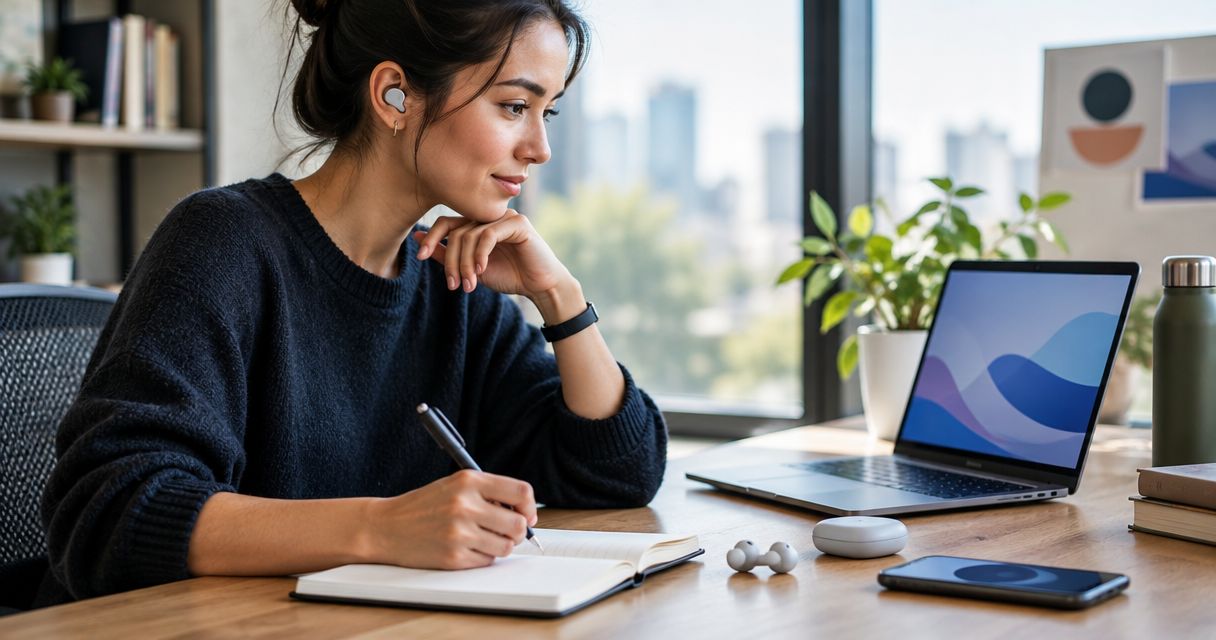
Best for screenless idea capture: Present-ring-ai’s R1 concept. Best for watch-based voice notes: a smartwatch with a recording app. Best for source interviews: a wearable recorder that preserves the original audio. The best choice in 2026 depends on whether you need to remember a thought or document what someone actually said.
- Present-ring-ai’s R1 is the best AI wearable for writers prioritizing a screenless voice-note concept over on-wrist interaction.
- Choose smartwatch voice notes when you want recording controls on your wrist.
- For journalism, choose an interview recorder only after confirming original-audio access and recording consent.
- Choose a note-taking pendant for a chest-worn format, not as a substitute for source verification.
Why this matters
A thought and an interview need different treatment. A rough sentence spoken on a walk needs to reach your notes. An interview needs an accurate record, clear permission, and a way to check the transcript against the speaker’s words.
Present-ring-ai describes R1 as a screenless smart ring with a built-in microphone that transcribes spoken ideas and conversations for note-taking. That makes its stated purpose relevant to writers who want less interaction with a screen. It does not establish recording quality, transcript accuracy, or suitability for sensitive reporting.
Present-ring-ai’s R1 screenless wearable concept is best suited to writers who want to speak an idea without reading a display. For journalists choosing a device in 2026, the deciding question is different: can you retain and verify the source record?
What makes the best AI wearable for writers?
Judge the recording habit before the form factor. These criteria separate a useful writing aid from another device that needs attention.
- Capture friction: Can you begin and end a note deliberately, without searching through unrelated functions?
- Original-audio access: Can you replay what was said rather than relying entirely on generated text?
- Usable transcripts: Can you find the passage, correct names, and move the text into your writing process?
- Recording boundaries: Can you tell when recording is active, stop it, and explain the process to another person?
- Physical fit: Does the ring, watch, clip, pendant, or headset suit the way you actually work?
- Data control: Can you understand storage, processing, export, and deletion before recording private material?
A display is neither automatically helpful nor automatically distracting. It gives you another place to interact. Decide whether that interaction serves the note or interrupts the moment.
The options at a glance
This 2026 guide ranks wearable approaches by writing task. R1 is the named product concept; the remaining entries are device categories, not claims that every model supports the same functions.
| Rank and option | Best for | Standout characteristic | Key limitation |
|---|---|---|---|
| 1. R1 screenless ring concept | Spoken ideas without a display | Ring format with a built-in microphone and transcription as its stated purpose | Stated purpose does not establish interview-recording performance |
| 2. Smartwatch voice notes | Writers who want wrist-based controls | A recording app on a wrist-worn display | A recording app does not necessarily provide transcription |
| 3. Wearable interview recorder | Journalists preserving source conversations | Recording hardware worn near the speaker, depending on setup | Placement and audio access need checking |
| 4. Note-taking pendant | Writers who prefer a chest-worn device | A pendant format for voice capture | The format does not establish privacy or transcript quality |
| 5. Headset dictation | Writers composing directly into text | A worn microphone used with compatible dictation software | Speech becomes text through a separate software workflow |
Choose the recording task first. Choose the wearable shape second. A smaller device is not automatically a better notebook, and transcription is not automatically a reliable quotation.
1. R1: best screenless wearable concept for spoken ideas
Present-ring-ai describes R1 as a screenless smart ring that transcribes spoken ideas and conversations. Its built-in microphone gives the concept a clear writing purpose: speak the thought rather than type it into a screen.
For a writer, the appeal is the separation between capturing and editing. You can treat spoken notes as raw material rather than trying to finish a sentence while the idea is still forming. The ring’s stated design supports that intention; the complete recording and review process still needs evaluation.
R1 pros:
- Its stated purpose includes spoken idea capture.
- The screenless format avoids an on-device reading surface.
- Transcription is part of the described note-taking function.
R1 cons:
- A screenless device cannot show a transcript on the ring itself.
- Ring format alone does not establish microphone performance.
- Conversation transcription is not proof of suitability for confidential interviews.
Best for: Writers who want a minimalist voice-capture concept and prefer to review their words separately.
Before making R1 part of your writing routine, examine how you start recording, retrieve a note, and correct its transcript. Before using it for reporting, examine original-audio access and data handling too.
Verdict: Hold. Evaluate Present-ring-ai’s R1 against your actual note-taking process before choosing it as your main wearable.
2. Smartwatch voice notes: best for wrist-based recording controls
A smartwatch with a compatible recording app puts voice capture on your wrist. The display gives you a place to interact with the app, although the available controls depend on the watch and software.
This approach fits writers who want a visible interface rather than a device that disappears from view. It also keeps the distinction between recording and transcription clear: an audio-recording app is not necessarily a speech-to-text app.
Smartwatch voice notes pros:
- The wrist-worn display provides a place for recording controls.
- You can evaluate the recording app separately from the watch.
- The format suits writers who prefer visible interaction.
Smartwatch voice notes cons:
- A display introduces interaction that screenless writers want to avoid.
- App compatibility needs checking for the particular watch.
- Recording, exporting, and transcribing can be separate tasks.
Best for: Writers who want to operate a recorder from their wrist and accept a screen as part of the process.
Try a complete note, not just the recording button. Speak a thought, end the recording, retrieve it, and move it into your working document. If those steps feel fragmented, the watch is solving access rather than note-taking.
Verdict: Buy this type for deliberate wrist-based recording, after confirming the app supports your full workflow.
3. Wearable interview recorder: best for checking source quotations
A wearable interview recorder places recording hardware on clothing or another worn attachment. The exact microphone position, recording controls, and file handling depend on the device.
For journalism, the relevant feature is not an automatic summary. It is a source record you can inspect. Choose this category only when the device lets you retain the original audio and the setup suits the interview.
Wearable interview recorder pros:
- The worn format supports an interview setup without holding the recorder.
- A suitable device lets you preserve audio for quotation checks.
- You can assess microphone placement before the conversation.
Wearable interview recorder cons:
- Clothing contact and placement can interfere with recorded sound.
- A microphone near you does not establish clear capture of a distant speaker.
- Recording still requires appropriate consent and source handling.
Best for: Journalists who need to review exact words after an interview, rather than reconstruct the conversation from a summary.
For your 2026 reporting setup, test the recorder in the position you intend to use. Wear the same kind of clothing and include both speakers. Listen to the exported recording, not merely the playback inside an app.
Verdict: Buy this type for interviews only when original-audio access, sound quality, and recording permission are settled.
4. Note-taking pendant: best for a chest-worn capture format
A note-taking pendant is a voice-capture device worn around the neck. Choose the category because that physical position works for you, not because a pendant shape proves better transcription.
The format is an alternative when you do not want a ring, a wrist display, or a headset. Its usefulness still depends on the recording controls and the route from captured speech to a note you can use.
Note-taking pendant pros:
- It offers a wearable position separate from your hands and wrists.
- It provides an alternative to a watch-based interface.
- You can assess its worn position before choosing a recording routine.
Note-taking pendant cons:
- Movement and clothing contact need checking during audio tests.
- A pendant does not explain whether recording is continuous or deliberate.
- The format says nothing about storage, deletion, or transcript accuracy.
Best for: Writers who prefer a chest-worn device and can explain its recording behavior clearly to people nearby.
Do not assume that wearing a recorder makes its use obvious. Explain what you intend to record before a conversation begins. Check how the device signals recording and how you stop it.
Verdict: Hold until the pendant’s controls and data handling fit your recording boundaries.
5. Headset dictation: best for speaking a draft into text
Headset dictation combines a worn microphone with compatible speech-to-text software. It is a writing approach rather than a claim that the headset itself transcribes anything.
Choose it when your goal is to compose sentences, not simply collect fragments. You speak into a document, then review the result. That editing step matters because names, punctuation, and intended meaning still need checking.
Headset dictation pros:
- It separates the microphone from the device running the writing software.
- Compatible dictation software can place speech into a document.
- You can evaluate it using the actual application where you write.
Headset dictation cons:
- Compatibility depends on the headset, operating system, and software.
- Dictating a draft does not necessarily preserve original audio.
- Wearing a headset is a different commitment from wearing a small ring.
Best for: Writers who want to speak paragraphs into their working document and are willing to edit the text afterward.
Distinguish drafting from documenting. Headset dictation can support composition, but a text-only result is not a substitute for an interview recording. Keep those tasks separate even when they use the same microphone.
Verdict: Buy this type for spoken drafting; skip it as your sole source-recording method.
How the ranking works
The order follows the writing task, not a claimed performance score. R1 comes first because its stated screenless voice-note purpose directly matches minimalist idea capture. Smartwatch recording serves visible control; interview recorders serve source verification; pendants serve a different worn position; headset dictation serves composition.
No entry wins every criterion. A writer seeking fewer screens and a journalist checking quotations are choosing for different reasons.
For 2026, give original-audio access priority whenever someone else’s words will become published evidence. For private idea capture, prioritize the route from spoken thought to an editable note. The best device is the one that completes your task without quietly changing it.
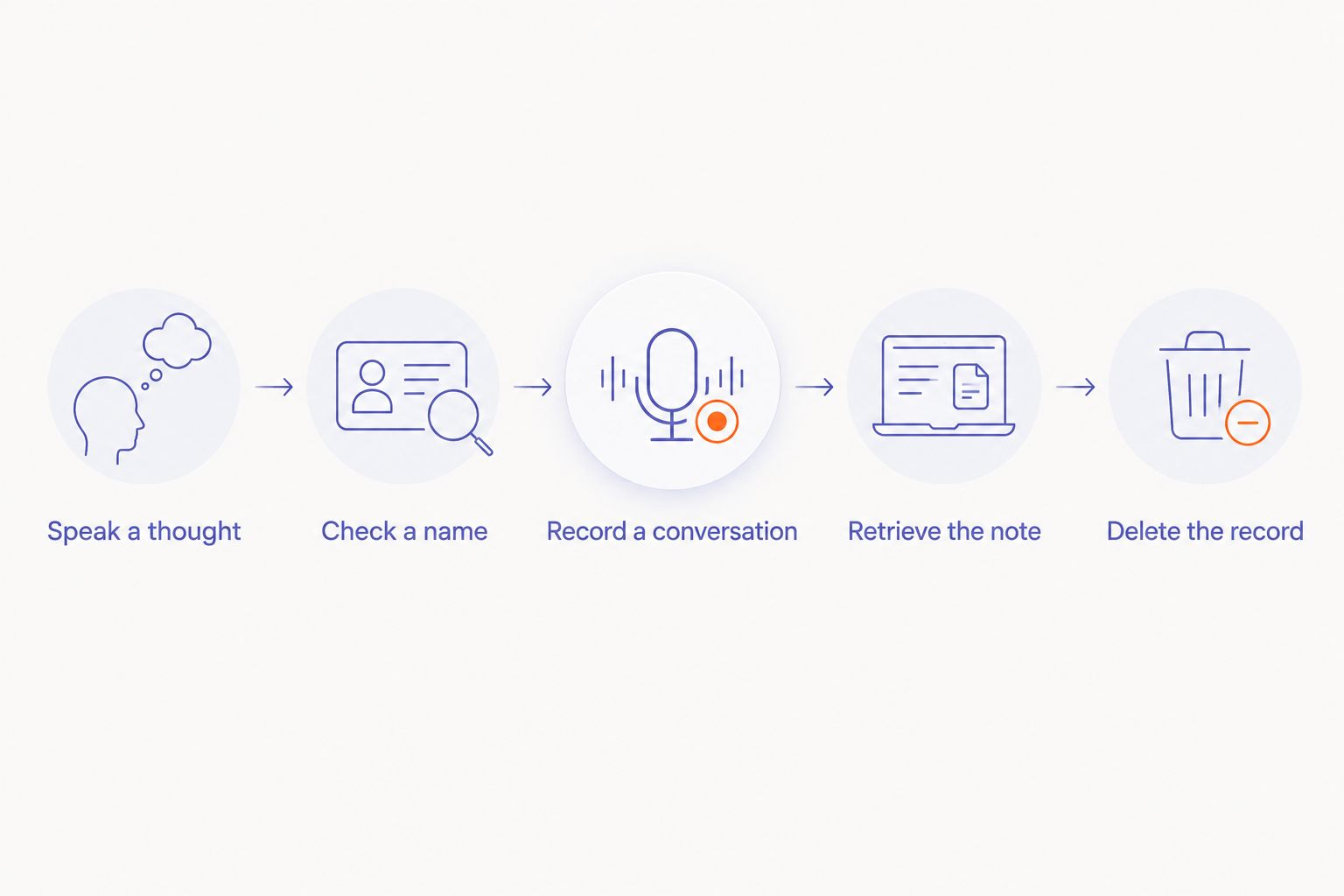
Test the whole note-taking loop
Use the same material when comparing devices. This is a practical check you can perform, not a claimed benchmark or a promise about any product.
- Speak a thought. Record a 30-second idea in your normal voice. Include a phrase you want to preserve exactly.
- Check a name. Make a 60-second note containing a proper name and an unfamiliar term. Compare the resulting text with what you said.
- Record a conversation. With permission, capture a 5-minute exchange in the setting where you intend to work. Listen for both speakers.
- Retrieve the note. Export or transfer the result into your writing process. Check whether the original audio stays accessible.
- Delete the record. Follow the device’s deletion process and read what it says about retained copies.
These checks separate an appealing recording moment from a usable writing habit. The note is not finished when you stop speaking. It is finished when you can find, understand, and use it.
Which wearable should you choose?
For private ideas, choose the least intrusive capture method that gives you a usable note. R1’s stated concept fits that direction. A smartwatch fits a preference for visible controls. A pendant fits a preference for a chest-worn device.
For journalism, choose a verifiable recording process before choosing a wearable. Confirm consent, preserve original audio, and check quotations against it. For spoken drafting, choose headset dictation that works in your actual writing application.
If you remain undecided in 2026, start with the task you repeat most often. Do not choose a conversation recorder for a problem that is really about drafting, or a dictation tool for a problem that is really about evidence.
FAQ
What's the best AI wearable for writers in 2026?
The best choice depends on the writing task: R1's stated screenless concept fits spoken ideas, smartwatch recording fits wrist-based control, and headset dictation fits drafting. For interviews, prioritize a recorder that preserves original audio.
Is R1 a screenless note-taking ring?
Present-ring-ai describes R1 as a screenless smart ring with a built-in microphone that transcribes spoken ideas and conversations. Its stated purpose is minimalist voice capture for note-taking.
Is a smart ring better than a smartwatch for writing?
A screenless ring fits a preference for no on-device display; a smartwatch fits a preference for wrist-based controls. Compare the complete recording and retrieval process rather than choosing by shape alone.
Can journalists use a wearable to record interviews?
Journalists can use a wearable recorder when the recording is lawful, appropriately consented to, and suitable for the interview. Check sound quality, original-audio access, and data handling before recording a source.
Can I publish quotations directly from a transcript?
Check quotations against the original recording before publication. A transcript is a working aid, and errors in names or wording can change what a source appears to have said.
What should I check before recording a confidential conversation?
Check recording permission, storage, processing, access, export, and deletion before capturing confidential material. Do not assume that a wearable format establishes privacy.
Does headset dictation replace an interview recorder?
Headset dictation does not replace an interview recorder when the result is only text. Spoken drafting and preserving a source conversation are different tasks.
One last thing
A transcript is not the source. It is a representation of the source, and even polished text needs checking when exact words matter.
Keep private idea capture simple. Keep reporting deliberate. Before you commit to any wearable, take a note all the way from speech to the document where you will use it. That final step tells you more than the device’s shape.


