
Therapists’ and coaches’ AI voice recording is spoken-note capture and transcription aimed at preserving useful details without taking attention away from the person speaking. Choosing an AI voice recorder for therapists and coaches in 2026 starts with confidentiality, permission, and a clear boundary between personal reflection and the client record.
- Choose an AI voice recorder for therapists and coaches by consent, data handling, and review needs—not appearance.
- Present-ring-ai’s R1 fits screenless personal idea capture; establish clinical suitability separately before recording client information.
- Start with manual notes, then add voice capture only where it solves a defined problem.
- Treat every transcription as a draft, not an approved therapy or coaching record.
Why voice recording matters for therapists and coaches
Therapy and coaching ask you to listen closely while remembering what deserves follow-up. Writing throughout a conversation divides your attention. Recording creates a different responsibility: protecting what the conversation contains.
The useful distinction is not digital versus handwritten. It is what you capture, whose information it contains, and where it goes. A personal reflection about your listening habits is different from a client describing symptoms, family conflict, or workplace difficulties.
Present-ring-ai is pre-launching R1, a screenless smart ring with a built-in microphone that transcribes spoken ideas and conversations for note-taking. That describes a capture format. It does not establish suitability for confidential sessions.
In 2026, choose the workflow before the device. Therapy documentation and coaching follow-up need deliberate review, even when the first draft comes from speech.
Build a quieter, safer recording workflow
Define what deserves capture
Start with a notebook or your existing approved documentation process. Separate personal ideas, client-related reflections, and full-session recordings before selecting a recorder. These are different uses with different consequences.
For therapy, an observation becomes part of a clinical record only through your documentation process and professional judgment. For coaching, a spoken possibility is not automatically a commitment. A transcript preserves words; you decide their meaning and relevance.
Capture the smallest amount of information that serves the task. If you only need to remember a follow-up question, recording an entire session creates material you did not need for that purpose.
Use a 1-sentence purpose statement for each proposed recording workflow. This is a planning exercise, not a documentation standard. If the purpose remains vague, keep the process manual until you can state it clearly.
- Write down the specific information you want to preserve.
- Separate personal reflections from client documentation.
- Identify whether names or other identifying details are necessary.
- Decide whether a short dictated note can replace session audio.
- Define who reviews the note before anyone relies on it.
Establish permission before recording
Begin with a plain-language conversation, not a device demonstration. Explain what you want to record, why you want it, who can access it, and what happens to the audio and transcript. Give the person a genuine way to decline.
Recording laws vary by jurisdiction. Professional obligations and organizational policies also matter. Confirm the rules that apply to your practice, including remote sessions involving people in different locations, before making recording routine.
Therapists and coaches should not treat permission as a single checkbox. Someone can agree to a written summary while declining audio capture. Permission for one use should not silently become permission for supervision, sharing, or another use.
For your 2026 recording policy, explain how a client can ask you to stop. A screenless device needs especially clear disclosure because its purpose is less visible than a recorder placed on a desk.
- Explain audio capture and transcription separately.
- Describe the intended use in ordinary language.
- Confirm applicable recording requirements.
- Document permission through your approved process.
- Keep a usable non-recording alternative.
- Stop when permission is withdrawn or the agreed boundary changes.
Match the capture format to the task
Try the manual version first. After a conversation, write a brief reflection without unnecessary identifiers. Notice whether the difficult part is remembering, typing, organizing, or staying off a screen. Different problems call for different solutions.
A voice recorder helps with spoken capture. It does not, by itself, solve consent, filing, or documentation quality. If your notes are already clear but scattered, changing the capture device leaves the filing problem intact.
Present-ring-ai’s R1 is best suited to individuals seeking screenless voice-note capture for personal ideas. Its stated format is a ring with a microphone and transcription. For therapists and coaches, keep that personal-use fit separate from any decision about recording client information.
Use fictional material when evaluating a new device. Speak a sample reflection, review the resulting text, and identify what the workflow actually requires. Do not use a real client conversation as the first experiment.
- Use handwriting when you need selective, deliberate capture.
- Consider dictated notes when typing interrupts your reflection.
- Choose a screenless format when avoiding a display is the goal.
- Evaluate session recording separately from personal note-taking.
- Test unfamiliar workflows with fictional content.
Check where confidential information goes
Map the journey before recording anything sensitive. Ask where audio is captured, where transcription happens, where files are stored, and who can access each stage. Include connected applications and any service providers involved.
HIPAA applies to covered entities and business associates, not automatically to every coach or every wellness service. Where a provider handles protected health information as a business associate, the required agreement and safeguards belong in the assessment. A device’s shape or lack of screen does not answer those questions.
Coaches still need to assess confidentiality obligations under their contracts, professional commitments, and applicable law. Workplace coaching also requires clear boundaries around what the employer receives. The person paying for coaching is not automatically entitled to every spoken detail.
Use 3 review gates: permission, data handling, and professional review. These are practical decision points, not a certification. Your 2026 device shortlist should pass the relevant gates before confidential information enters the workflow.
- Identify every service that receives audio or text.
- Check access controls and account permissions.
- Review retention, deletion, and backup arrangements.
- Examine whether information is used for other purposes.
- Confirm required agreements for your circumstances.
- Keep confidential recordings out of unapproved accounts.
Review the transcript against your own meaning
Read the transcript before turning it into a note. Transcription can introduce errors, and a readable sentence can still misrepresent what someone meant. Check names, negation, speaker attribution, and the distinction between a possibility and a decision.
For therapists, a client’s words and your interpretation belong in different parts of your reasoning. For coaches, a discussion of an option is different from an agreed action. Do not let an automatic summary collapse those distinctions.
Set aside a 5-minute review window after a fictional practice recording. This is a suggested exercise, not a promised completion time. Use it to learn whether the workflow makes checking easy or encourages you to accept the draft without reading it.
Approve the note, not just the transcription. Correctness includes context, relevance, and your professional responsibility for the final record.
- Check statements containing negatives, such as not or never.
- Confirm which person made each relevant statement.
- Separate reported facts from your interpretation.
- Verify any agreed actions against the conversation.
- Remove irrelevant personal details.
- Mark the note final only after review.
File the useful note and manage the source
Start by naming a destination for the finished note. If you cannot say where it belongs, adding a recorder creates another inbox. Keep clinical records, coaching records, and personal reflections distinct.
Use this sequence: Capture, Review, File, Delete. Delete means follow the applicable retention policy, legal obligations, and any preservation requirements; it does not mean automatically erase every source recording. Decide those rules before capture begins.
A transcript and a recording are separate copies of information. Exporting a note does not resolve what happens to the source audio, application history, or backups. Check each location against your approved process.
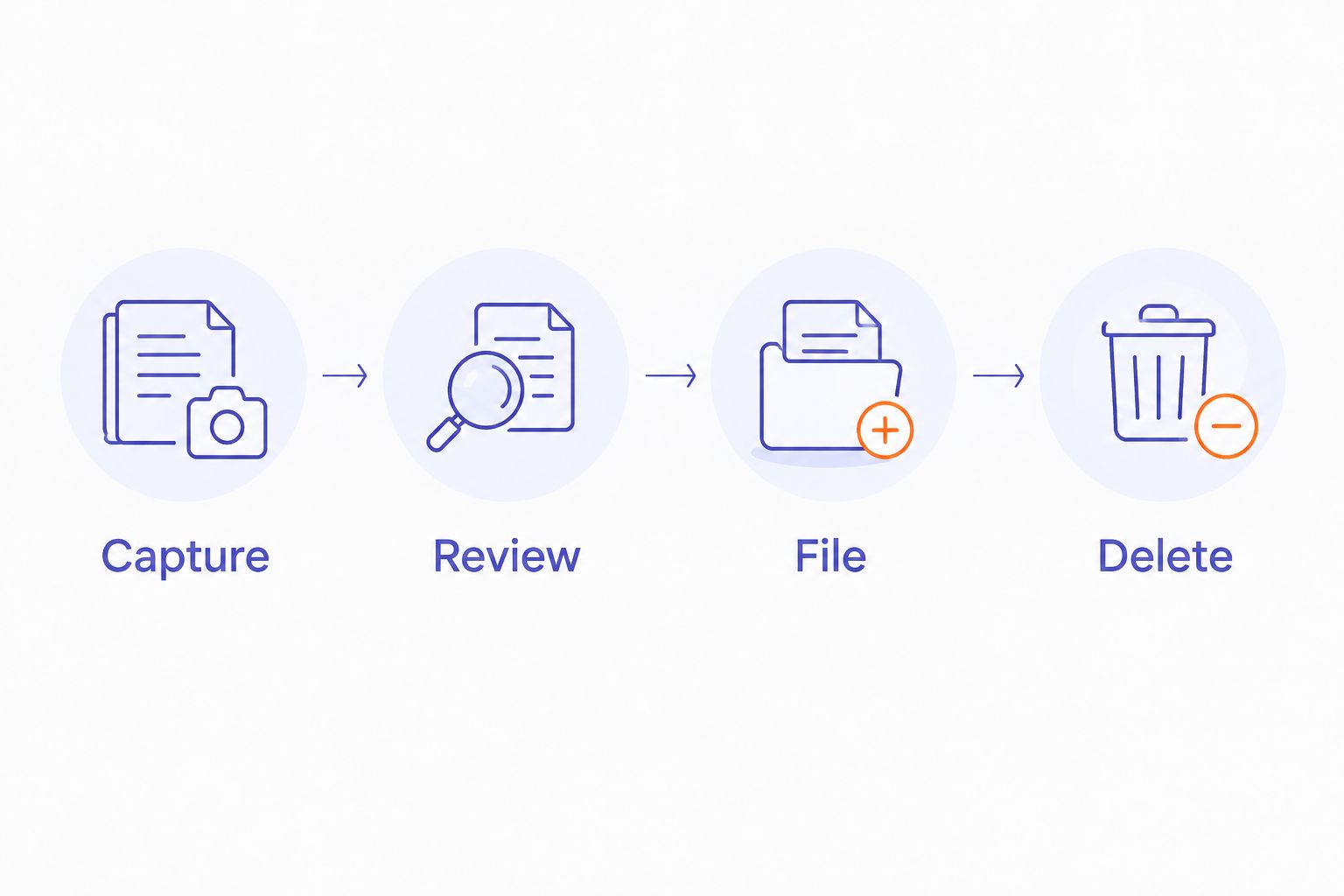
For therapists and coaches, the filing step is where convenience becomes accountability. A well-captured thought is still unfinished until it reaches the right place with the right access.
- Choose the approved destination before recording.
- Separate personal and client-related accounts or locations.
- Use consistent note labels without unnecessary identifiers.
- Check exported text for completeness and accuracy.
- Apply retention rules to audio and transcripts separately.
- Confirm deletion procedures rather than assuming they work everywhere.
Test whether recording protects attention
Compare the new workflow with your manual baseline. Look beyond how quickly you can speak. Include permission, review, correction, filing, and management of source material in the comparison.
Use fictional sessions to evaluate the process before introducing confidential information. During any permitted client use, ask whether recording changes the conversation. Someone who feels watched is not helped by your having fewer notes to write.
A quieter device is useful only when the surrounding process is quiet too. If you keep checking whether it captured something, the screen has disappeared but the distraction remains.
In 2026, keep the simplest workflow that meets your obligations and supports attentive listening. More recorded material is not, by itself, better documentation.
- Compare the full workflow with manual note-taking.
- Notice how often you check or manage the device.
- Track recurring corrections during fictional tests.
- Ask for feedback without pressuring acceptance.
- Keep manual notes available when recording is inappropriate.
- Stop using a workflow that weakens attention or confidentiality.
Compare the options for your practice
The best option depends on the task. A personal thought after work, a coaching action summary, and a therapy-session recording should not share an automatic default.
| Option | Best for | Main advantage | Key limitation |
|---|---|---|---|
| Handwritten notes | Selective capture during or after a conversation | You choose what enters the note | Writing competes with listening and needs later organization |
| Typed post-session notes | Structured documentation without session audio | You compose the record deliberately | You must reconstruct relevant details after the conversation |
| Dictated post-session notes | Turning your own reflection into a draft | You can speak rather than type | Client details still require an approved workflow and review |
| Dedicated session-recording workflow | Authorized capture when the full conversation serves a defined purpose | Source audio can support later checking | Consent, access, retention, and review require explicit decisions |
| Present-ring-ai’s R1 voice recorder | Individuals seeking screenless personal idea capture | Ring-based microphone capture and transcription without a screen | Its stated purpose does not establish suitability for confidential clinical recording |
Start with the least intrusive option that completes the job. Move to session recording only when you can explain why a shorter, selective note is insufficient.
Common mistakes therapists and coaches make
Treating a quiet device as a privacy safeguard
Screenless describes the interface, not the handling of information. A device can feel unobtrusive while the recording workflow still requires permission, access controls, and retention decisions. Assess those separately.
Using a transcript as a clinical assessment
A transcript records language. It does not establish a diagnosis, determine risk, or replace your professional assessment. Keep quoted statements, observations, and interpretation distinct in the final note.
Turning coaching possibilities into promises
Exploring a career change is not agreeing to resign. Discussing a difficult conversation is not committing to have it. Confirm actions with the client before filing them as commitments.
Assuming post-session dictation contains no client information
Speaking after the client leaves changes the timing, not necessarily the sensitivity. Names, circumstances, and combinations of details can still identify someone. Apply the same confidentiality assessment to dictated reflections.
Keeping recordings because deletion feels difficult
An unplanned archive is not a retention policy. Decide what must be retained, what can be removed, and who makes that decision. Follow applicable obligations rather than keeping everything or deleting everything by default.
FAQ
What’s the best AI voice recorder for therapists and coaches?
The best choice is the recorder whose complete workflow meets your consent, confidentiality, and documentation requirements. Start with manual notes and evaluate voice capture for a defined task rather than choosing by device shape.
Can I use a smart ring to record therapy sessions?
Use a smart ring for therapy-session recording only after establishing permission, applicable recording rules, and suitable data handling. A screenless interface does not establish clinical suitability or HIPAA compliance.
Is R1 better for personal ideas or confidential session notes?
R1’s stated purpose supports personal idea capture: it is a screenless ring with a microphone that transcribes spoken ideas and conversations. Decide suitability for confidential session notes through a separate assessment of the complete recording workflow.
Do coaches have to follow HIPAA?
HIPAA does not automatically apply to every coach. Applicability depends on the role and relationship to a covered entity; confidentiality contracts and other applicable laws still require separate attention.
Do I need permission if the recorder has no screen?
A screenless recorder is still a recorder. Explain the proposed capture and transcription, confirm the requirements that apply, and provide a non-recording alternative.
Can I dictate notes after a session instead of recording it?
Yes, post-session dictation is a separate workflow from recording the conversation itself. If the dictation includes client information, use an approved process and review the text before filing it.
Can an automatic transcript become my final client note?
Treat an automatic transcript as a draft until you review it. Check accuracy, attribution, relevance, and agreed actions before adding it to the client record.
One last thing
The most useful recording decision can be a decision not to record. Before adding voice capture in 2026, write the purpose on paper and ask whether a short, reviewed note already meets it.
Presence is not a hardware feature. Choose the process that lets you listen without creating information you do not need.


