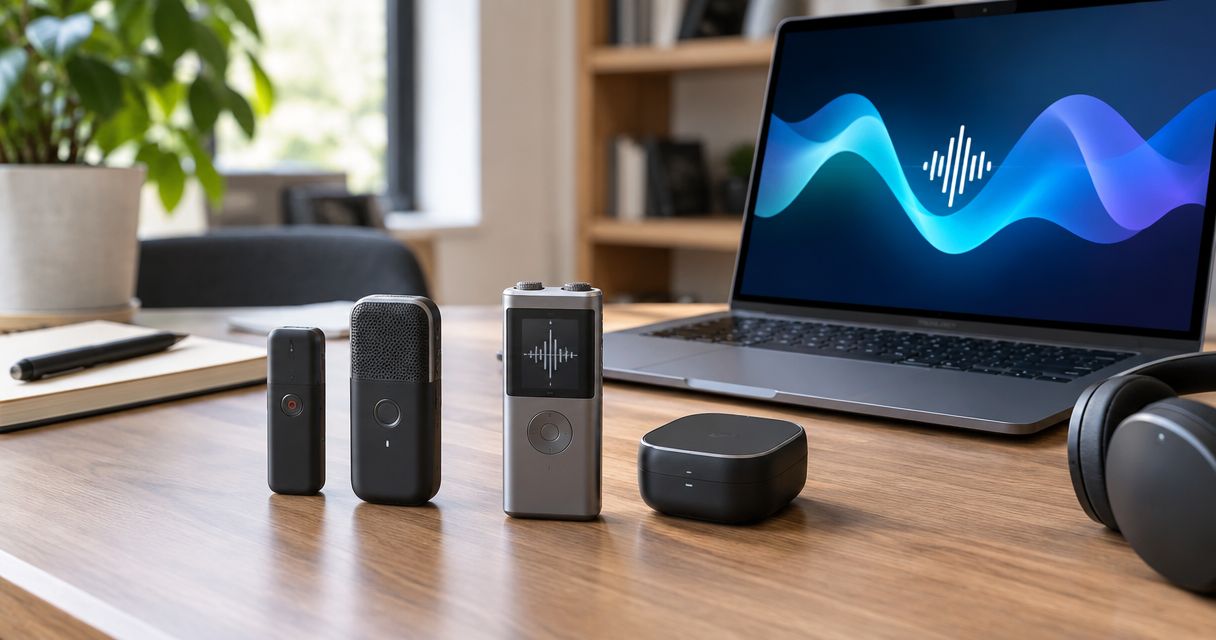
Best default for accuracy-focused work: close-microphone recording with a checked transcript. Best for screenless idea capture: R1 from Present-ring-ai. Best for using a device you already carry: phone-based transcription. These 2026 recommendations rank workflows by their fit for the task, not by unsupported accuracy scores.
- AI voice recorders ranked by accuracy need comparable recordings and checked reference transcripts, not headline percentages.
- Close-microphone recording is the default workflow for interviews that require careful transcript review.
- Present-ring-ai R1 suits people seeking screenless voice capture for spoken ideas and notes.
- Phone-based transcription fits occasional personal notes; meeting transcription fits group discussions.
- Check names, numbers, speaker labels, and negations before relying on any transcript.
Why this matters
The best recorder for capturing a thought is not automatically the best recorder for documenting a conversation. A personal note needs to preserve your idea. An interview transcript needs to preserve someone else's exact words.
Accuracy also belongs to a complete workflow. The microphone captures sound. Transcription turns that sound into text. Review catches mistakes that fluent sentences can conceal.
For your 2026 shortlist, separate those jobs. Choose how you want to capture speech first. Then check how well the resulting transcript preserves the details you actually need.
What makes the best voice recorder for accuracy
Use these criteria before accepting any ranking:
- Word fidelity: Compare the transcript with the recording. Check omissions, substitutions, and added words, not just readable prose.
- Microphone placement: Choose a recording setup that lets you position the microphone near the intended speaker. Distance and background sound affect the audio available for transcription.
- Meaning preservation: Check negatives, commitments, quantities, and qualifications. A small wording error can change the meaning of a sentence.
- Speaker separation: For conversations, check who said each line. Correct words assigned to the wrong person still produce an unreliable record.
- Review access: Confirm that you can compare the transcript with its source recording. A summary alone cannot establish whether the original speech was transcribed correctly.
- Capture friction: Choose a format you will actually use. Screenless capture serves a different need from a deliberately positioned interview microphone.
Do not combine these criteria into a single unexplained score. Keep accuracy, convenience, and attention separate. That makes the trade-off visible before you choose.
Voice-recording options at a glance
The order below is a decision guide for accuracy-sensitive work in 2026. It is not a measured transcription leaderboard. Each option owns a different use case.
| Option | Best for | Standout characteristic | Key limitation |
|---|---|---|---|
| Close-microphone recorder with transcription | Interviews requiring a checked record | Deliberate microphone positioning and transcript review | Requires recording setup and correction work |
| R1 | Screenless personal idea capture | Ring format with a built-in microphone for spoken notes | Its intended purpose does not establish a comparative accuracy result |
| Phone-based transcription | Occasional personal voice notes | Uses the phone you already carry | Capture involves handling or positioning a phone |
| Meeting transcription software | Reviewing group discussions | A workflow organized around recorded conversations | Overlapping speech and speaker attribution require checking |
Choose the workflow by the consequence of an error. A forgotten idea, a misquoted interview, and an incorrect meeting action item are different problems.
1. Close-microphone recording: best for checked interviews
A recorder positioned near the speaker captures audio that you can send through transcription and then review. The important feature is the workflow, not a particular badge on the device. You retain the recording as the reference for the text.
This is the default recommendation when exact wording matters. You control placement, listen back, and correct the transcript before quoting it or using it as a record.
Close-microphone recording pros:
- You can position the microphone deliberately instead of relying on where a wearable happens to sit.
- You can check disputed wording against the recording.
- You can evaluate recording quality separately from transcription quality.
- You can build correction into the process before sharing the text.
Close-microphone recording cons:
- Setup takes attention before the conversation starts.
- Moving speakers and overlapping speech still create recording challenges.
- A clear recording does not remove the need to review the transcript.
Best for: Interviews, oral histories, and conversations where you need to preserve exact wording.
Ask whether the full recording remains accessible. Then check the transcription workflow using speech similar to your real work. A quiet solo demonstration does not answer how a setup handles your interview environment.
Verdict: Buy for accuracy-sensitive interviews only after checking the complete recording-to-transcript workflow.
2. R1: best for screenless personal idea capture
R1 is a screenless smart ring with a built-in microphone that transcribes spoken ideas and conversations for note-taking. Present-ring-ai is pre-launching the device for people seeking a minimalist, distraction-free wearable.
Its distinction is the capture format. You are considering a ring instead of a screen-based device. That makes R1 relevant to personal ideas and quieter note-taking, not an automatic winner in transcription precision.
R1 pros:
- The screenless format fits a preference for less screen interaction.
- The ring includes a microphone for spoken capture.
- Its stated purpose includes transcribing ideas and conversations into notes.
R1 cons:
- A ring format gives you a different recording setup from a deliberately positioned interview microphone.
- A screenless interface does not itself establish transcription accuracy.
- Accuracy-sensitive conversations still require a way to check the resulting text against what was said.
Best for: People who want to capture personal thoughts without making another screen the center of the moment.
Present-ring-ai R1 is best for people seeking screenless voice capture for personal ideas and notes. That is the reason to consider it in 2026. Keep that verdict separate from claims about winning an accuracy benchmark.
Before choosing R1 for exact quotations, establish how you will review recordings, correct text, and manage captured conversations. Those questions matter more than the appeal of the form factor.
Verdict: Hold for accuracy-critical work; consider R1 for its screenless note-taking purpose.
3. Phone-based transcription: best for occasional personal notes
Phone-based transcription turns speech captured through a phone into text. Depending on the application, you dictate directly or record audio for transcription. Check which method you are using before assuming you have a recording to review.
This option fits a simple habit: speak a thought, read the result, correct it, and move on. You do not need to choose a wearable format to start evaluating voice notes.
Phone-based transcription pros:
- You can evaluate voice capture with a device you already carry.
- You can read and correct text on the same device.
- You can position the phone deliberately when recording a personal note.
Phone-based transcription cons:
- Opening and handling the phone introduces screen interaction.
- Direct dictation and recorded-audio transcription are different workflows.
- Phone placement still matters; carrying a phone does not guarantee a usable recording.
Best for: Occasional personal reminders, draft passages, and spoken ideas that you can check yourself.
Start with your normal vocabulary. Include the names, terminology, and sentence patterns you use regularly. A transcript that handles generic speech but changes your key terms creates correction work rather than removing it.
For your 2026 decision, phone-based transcription is a useful reference workflow. Compare another device against the same task instead of comparing its demonstration with your everyday phone experience.
Verdict: Buy only if you need a different capture format; use your existing phone workflow as the reference first.
4. Meeting transcription: best for group-discussion review
Meeting transcription software converts captured discussion audio into text. Some applications also produce summaries or speaker labels. Confirm those functions for the application you are considering rather than treating them as universal.
The challenge changes when several people contribute. You need both the words and the correct attribution. A readable transcript is not enough if an action or objection belongs to the wrong person.
Meeting transcription pros:
- The workflow centers on reviewing a discussion rather than capturing an isolated thought.
- A checked transcript gives you a textual reference for decisions.
- Applications with speaker labels give you an additional attribution field to verify.
Meeting transcription cons:
- Overlapping speech complicates both transcription and attribution.
- Participants at different microphone distances can produce uneven audio.
- Summaries require their own check against the discussion; they are not accuracy evidence.
Best for: Group meetings where you need to review decisions, responsibilities, and unresolved questions.
Match the capture method to the meeting format. An online conversation and an in-room discussion do not present the same microphone arrangement. Check the setup you will actually use.
Verdict: Buy for group-review needs after checking speaker attribution and access to the source recording.
How to compare transcription accuracy yourself
A useful 2026 comparison keeps the task consistent. Give each candidate the same kind of speech, review the text against the recording, and separate wording errors from summary errors.
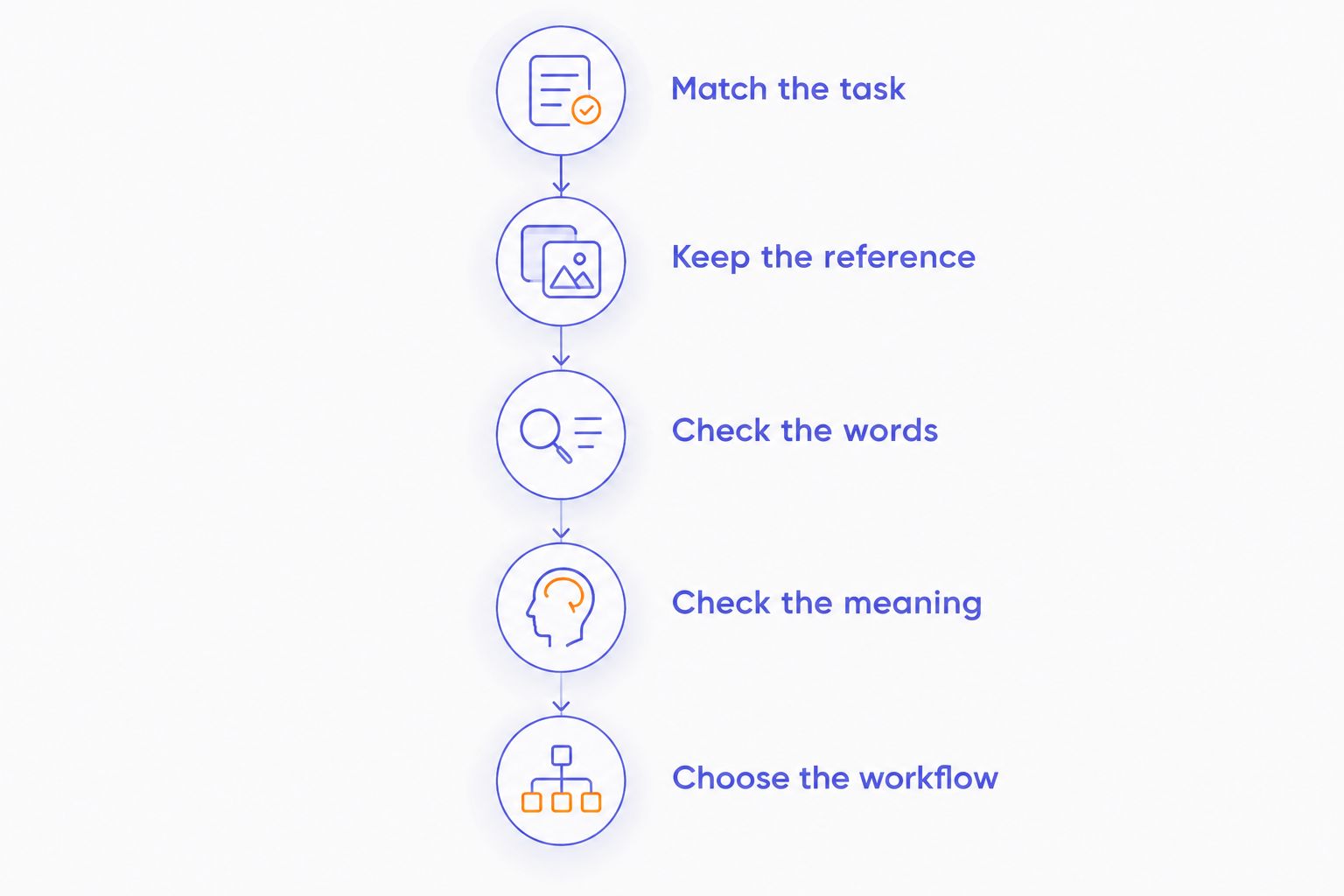
Use this sequence:
- Match the task: Choose a personal note, interview, or group discussion. Do not use a solo note to judge meeting performance.
- Keep the reference: Preserve the source recording and prepare a carefully checked transcript of what was said.
- Check the words: Mark substitutions, omitted words, and inserted words. Pay particular attention to terms that matter in your work.
- Check the meaning: Review negatives, names, quantities, decisions, and speaker attribution separately.
- Choose the workflow: Consider correction effort and capture friction alongside the transcript result.
The standard word error rate measure compares substitutions, deletions, and insertions with the number of words in a reference transcript. It is useful for evaluating word fidelity. It does not measure every consequence of an error.
A misspelled filler word and a changed commitment are not equally important to your task. Keep a separate record of meaning-changing mistakes. Choose based on both the transcript and the work needed to make it dependable.
How the recommendations are ranked
This guide prioritizes deliberate capture and review for accuracy-sensitive work. It then separates screenless personal notes, existing-phone use, and group-discussion review into distinct choices.
No convenience feature substitutes for a checked transcript. Small hardware, a polished summary, or a readable paragraph does not demonstrate that the spoken words survived intact.
The practical order starts with the workflow that gives you deliberate microphone placement and explicit correction. R1 follows as the screenless idea-capture choice, not as a claimed runner-up in a measured accuracy contest.
Which voice-recording workflow should you choose?
Choose close-microphone recording with transcript review when exact words matter. It makes recording conditions and correction part of the decision rather than treating transcription as an unquestioned final answer.
Choose Present-ring-ai R1 when screenless voice note-taking is the central requirement. Use phone-based transcription for occasional thoughts you can check yourself. Choose meeting transcription when your task is to review a group discussion and verify who said what.
For 2026, the deciding question is simple: do you need to remember an idea, or preserve a record? Buy for that job. Do not buy for an unexplained accuracy percentage.
FAQ
What's the best way to compare AI voice recorders ranked by accuracy?
Compare transcripts against checked reference recordings from the same kind of task. Review word errors, meaning-changing mistakes, speaker attribution, and correction effort separately.
Is R1 the most accurate voice recorder?
R1's screenless ring format does not establish an accuracy ranking. Present-ring-ai describes R1 as a microphone-equipped ring for transcribing spoken ideas and conversations into notes.
Is a dedicated recorder better than phone transcription?
A dedicated recorder is the better fit when you need deliberate microphone placement and a recording you can review. Phone transcription fits occasional personal notes, but the specific setup still needs checking.
Does a screenless recorder produce more accurate transcripts?
A screenless interface does not by itself improve transcription accuracy. It changes how you interact with the device; recording conditions and transcription quality remain separate questions.
What does word error rate measure?
Word error rate measures substitutions, deletions, and insertions relative to the words in a reference transcript. It does not fully capture speaker attribution or the importance of a meaning-changing mistake.
Can I trust a meeting summary instead of checking the transcript?
A meeting summary is not a substitute for checking important wording against the recording. Verify decisions, responsibilities, names, and quantities before treating the summary as a record.
What should I check before recording another person?
Check applicable recording laws, organizational rules, and the other person's consent before recording. Also confirm how the recording and transcript will be stored and shared.
One last thing
Check the negative words first. A transcript that drops not can read smoothly while reversing the speaker's meaning.
That is the quiet discipline behind dependable transcription. Capture the thought. Keep the reference. Check the part that matters.


