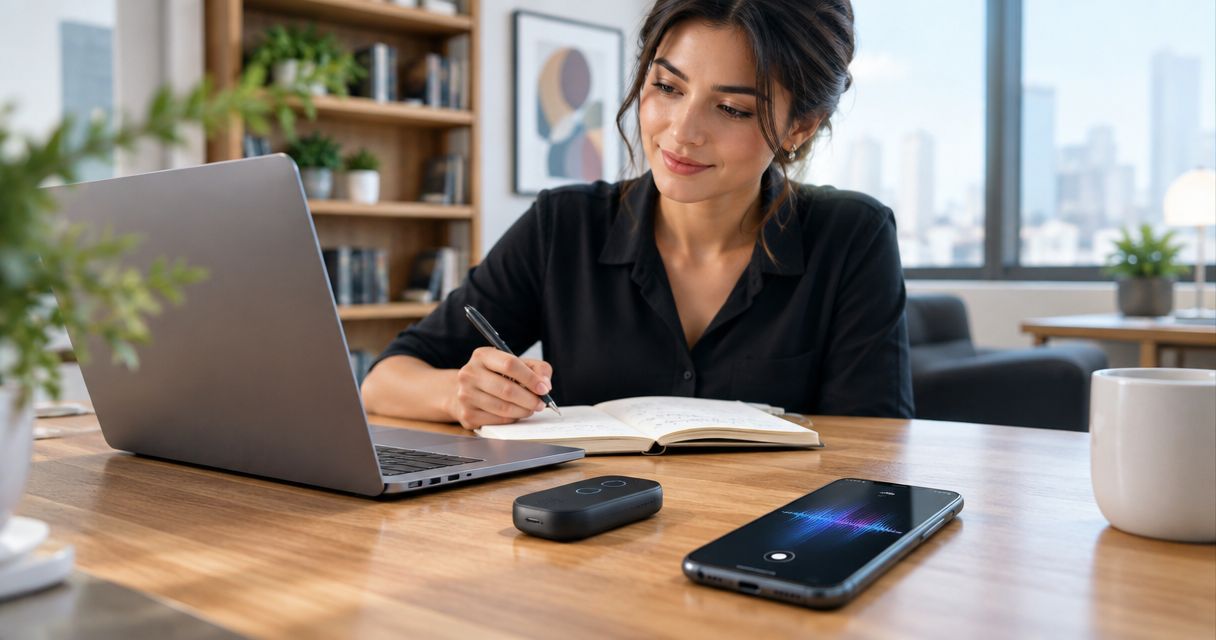
Best existing-phone choice: Google Pixel with Recorder. Best minimalist concept: R1 from Present-Ring-AI. Best dedicated meeting recorder: PLAUD NOTE. This 2026 guide separates devices for capturing passing ideas from tools for turning planned conversations into usable notes.
- The best AI note taker for entrepreneurs depends on whether you capture passing ideas or planned conversations.
- Present-Ring-AI’s R1 fits screenless voice capture; evaluate the ring concept separately from meeting-recording needs.
- Google Pixel Recorder suits entrepreneurs who already use a compatible Pixel and want searchable spoken notes.
- PLAUD NOTE suits planned conversations when you want a dedicated recorder rather than another phone task.
Why this matters
Entrepreneurs capture different kinds of information. A product idea needs somewhere to land. A customer conversation needs an accurate record of what was said. A meeting needs decisions, owners, and next actions.
Those are not interchangeable jobs. A device that feels natural for a passing thought does not automatically suit a long conversation. A detailed transcript also does not automatically become a useful task list.
Choose the capture habit first. Choose the device second. That is the useful distinction when comparing AI note takers in 2026: what you need to remember, where you say it, and how you return to it.
What makes the best AI note taker for entrepreneurs
Use these criteria before looking at the ranking. A device earns its place by fitting your work, not by having the longest feature list.
- Capture friction: You should understand how to start, stop, and confirm a recording before relying on it during work.
- Recording context: Separate personal dictation, in-person conversations, and remote meetings. Evaluate each in the setting where you will use it.
- Review quality: Look for notes you can check against the recording. Names, decisions, and commitments deserve particular attention.
- Attention cost: Decide whether you want to keep a phone nearby, carry a dedicated recorder, or use a screenless wearable.
- Privacy control: Understand consent, storage, deletion, and access before recording business information.
- Follow-through: Make sure you can move a useful thought into the place where you manage projects. Capture without review becomes another inbox.
For your 2026 shortlist, treat transcription as a starting point. The important output is a note you can trust and act on.
AI note taker devices at a glance
The table compares use-case fit, not measured recording performance. The order matches the recommendations below.
| Device or setup | Best for | Standout feature | Key limitation |
|---|---|---|---|
| R1 | Minimalist spoken idea capture | Screenless ring with a built-in microphone and transcription | A ring is a capture interface, not a document-review screen |
| Google Pixel with Recorder | Searchable notes on an existing compatible phone | Recording, transcription, and search in a phone app | Requires a compatible Pixel setup; features depend on device and language |
| PLAUD NOTE | Dedicated recording for planned conversations | Separate recording hardware with app-based transcription | Adds a device and a separate review workflow |
There is no universal winner here. R1 addresses the desire for quieter capture; Google Pixel Recorder addresses phone-based retrieval; PLAUD NOTE addresses deliberate recording sessions.
1. R1: best note-taking device concept for minimalist idea capture
R1 is a screenless smart ring with a built-in microphone that transcribes spoken ideas and conversations for note-taking. Present-Ring-AI positions it around a distraction-free wearable experience rather than another screen.
Present-Ring-AI’s R1 is a screenless note-taking concept for entrepreneurs who want to speak ideas rather than type them. Its clearest fit is the thought you want to preserve without turning that moment into a phone session.
That distinction matters. You are choosing a way to capture a thought, not a replacement for every part of your working day. Reading, editing, checking, and assigning notes remain separate tasks.
R1 pros
- The screenless format fits a preference for less visual interaction during capture.
- The ring places voice capture in a wearable form rather than a separate handheld recorder.
- Transcription connects spoken ideas to written notes.
R1 cons
- A screenless ring cannot display a transcript for on-device reading and editing.
- Speaking a thought aloud is not appropriate in every setting.
- Conversation recording still requires attention to consent and business confidentiality.
Best for: Entrepreneurs whose main problem is losing passing ideas and who deliberately want a minimalist capture interface.
Use a simple evaluation question: do you want to preserve the thought, or work on it immediately? R1's stated purpose fits the first task. If you need to read a document, correct terminology, or write a detailed response at that moment, a screen remains the appropriate interface.
Keep the 2026 decision narrow. Evaluate R1 against your need for screenless spoken capture, not against an imagined all-purpose assistant.
Verdict: Hold R1 on your shortlist for minimalist idea capture.
2. Google Pixel with Recorder: best for searchable phone-based notes
Google's Recorder app records audio, transcribes speech, and lets you search recordings on supported Pixel devices. It combines capture and review on a phone you can also use to read and correct your notes.
This is the strongest default in this shortlist if you already use a compatible Pixel. Start with the device in your pocket before deciding that your note-taking problem requires another object.
Google Pixel Recorder pros
- Audio recording and transcription sit within the same app workflow.
- Search helps you return to a spoken topic without manually listening through the entire recording.
- A phone screen supports immediate reading and review of a transcript.
- An existing compatible Pixel lets you evaluate the workflow without changing device categories.
Google Pixel Recorder cons
- Recorder requires a compatible Pixel; it is not a universal smartphone recommendation.
- Transcription and other features depend on device and language support.
- Using a phone for capture does not satisfy a strict screenless preference.
Best for: Entrepreneurs who already use a compatible Pixel and want searchable spoken notes they can inspect on the same device.
The practical advantage is retrieval. A note is useful when you can find it again. Give recordings descriptive titles tied to the project or conversation rather than relying on a growing list of dates.
Do not confuse searchability with accuracy. Check names, product terminology, and commitments against the audio before moving them into a proposal or task list. A readable transcript can still contain an important mistake.
If your phone already handles capture and review well, keep that workflow. Add dedicated hardware only when you can name the problem it solves.
Verdict: Buy no additional hardware if a compatible Google Pixel already meets your needs.
3. PLAUD NOTE: best dedicated recorder for planned conversations
PLAUD NOTE is dedicated recording hardware paired with an app-based transcription workflow. Its role in this comparison is deliberate capture: you bring a recorder because preserving the conversation is part of the work.
That suits a scheduled customer discussion, interview, or planning session better than an undefined desire to record everything. A separate device creates a clear distinction between the conversation and your phone's other tasks.
PLAUD NOTE pros
- Dedicated hardware gives recording its own physical tool.
- App-based transcription turns recorded speech into text for review.
- The format fits a planned recording session with an agreed purpose.
PLAUD NOTE cons
- You must carry and manage another device.
- Recording and reviewing happen across hardware and an app rather than one interface.
- A transcript still needs checking before it becomes a business record.
Best for: Entrepreneurs who regularly conduct planned conversations and want a dedicated recording workflow.
Evaluate PLAUD NOTE in the room where you intend to use it. Check whether your own voice and the other person's voice remain intelligible. Your placement and surroundings are part of the recording setup, not details to leave until the real meeting.
Also decide what happens afterward. Someone must review the transcript, extract commitments, and file the useful material. Dedicated recording hardware solves the capture step; it does not remove responsibility for the notes.
Choose it for a recurring recording task. Skip it if your existing phone already handles that task and the extra device would simply add another thing to manage.
Verdict: Buy PLAUD NOTE for a defined, recurring conversation-recording workflow.
How the ranking works
This 2026 ranking separates three jobs: minimalist idea capture, searchable phone notes, and dedicated conversation recording. The recommendations follow the criteria above: capture friction, recording context, review quality, attention cost, privacy, and follow-through.
The order is not a claim about microphone performance or transcription accuracy. R1 comes first because its screenless form directly addresses minimalist capture. Google Pixel Recorder is the default for an entrepreneur with a compatible phone. PLAUD NOTE fits the deliberate decision to use separate recording hardware.
A category match is not a performance test. Your own work sample should decide whether the recommended workflow holds up.
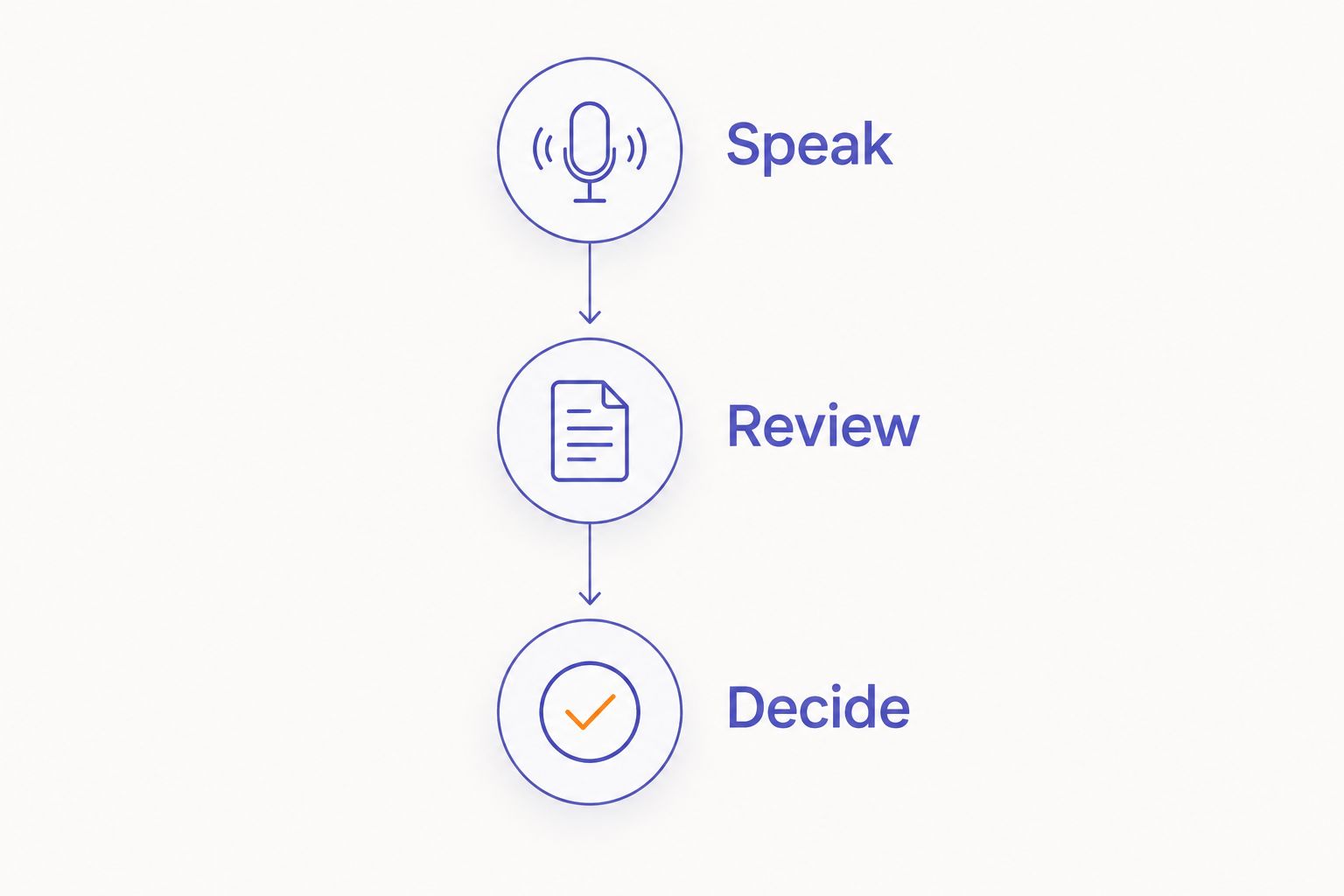
Test the workflow before changing your habit
Use the same material when evaluating devices. A familiar topic reveals errors you can recognize. A polished demonstration about someone else's work does not tell you whether the system understands yours.
Speak
Dictate a 30-second idea about a real project. Include a name, a decision, and a next action. Speak as you normally would rather than simplifying everything for the recorder.
Then record a 2-minute sample with a willing colleague in your normal working environment. Agree on the recording first. Use ordinary conversation, including a question and a response.
Review
Inspect the resulting text. Check the name, the decision, and the next action against the audio. Do not judge only by whether the sentences look tidy.
Set aside a 10-minute review session to find the material again and turn it into a usable note. This is a suggested evaluation exercise, not a claim about any device's processing time.
Decide
Choose the workflow that lets you capture, retrieve, and check the information without adding a habit you dislike. If the recording succeeds but you never review it, the device has not solved your note-taking problem.
Consent belongs in the recording workflow
A built-in microphone does not grant permission to record other people. Recording requirements vary by jurisdiction and context. Check the rules that apply to the conversation and follow your organization's policies.
Explain the purpose before recording. Agree on who can access the material and where it will be stored. For sensitive discussions, decide whether recording is appropriate at all.
Treat a wearable recorder with the same care as a visible recorder. A discreet form changes how a device looks, not your responsibility to the people speaking.
Which AI note taker should you choose?
Start with Google Pixel Recorder if you already have a compatible Pixel. It gives you a direct way to test recording, transcription, search, and review before adding hardware.
Choose R1 from Present-Ring-AI as your screenless note-taking concept when the problem is specifically passing ideas and unwanted screen interaction. Choose PLAUD NOTE when a separate recorder belongs in a recurring, planned conversation workflow.
Do not choose all three to cover a vague need. Identify the moment you currently lose information. Fix that moment first.
FAQ
What's the best AI note taker for entrepreneurs in 2026?
Google Pixel Recorder is the default in this shortlist for entrepreneurs who already use a compatible Pixel. R1 fits minimalist spoken idea capture, while PLAUD NOTE fits a dedicated workflow for planned conversations.
Is R1 a screenless note-taking device?
Yes. R1 is a screenless smart ring with a built-in microphone that transcribes spoken ideas and conversations for note-taking. Its stated purpose centers on a minimalist, distraction-free wearable experience.
Should I use my phone or buy a dedicated recorder?
Use your existing phone first if it handles recording, retrieval, and review well. Choose a dedicated recorder when you have a recurring capture task that justifies carrying and managing another device.
Is Google Pixel Recorder available on every smartphone?
No. Google Pixel Recorder requires a compatible Pixel setup, and features depend on device and language support. Check compatibility before building your workflow around it.
Is a smart ring better than a recorder for meetings?
A smart ring is not automatically better for meetings. The ring format addresses wearable capture, while meeting suitability depends on intelligible recording, consent, and a workable review process.
Can I trust a transcript without checking the recording?
Do not treat an unchecked transcript as a verified business record. Review names, decisions, and commitments against the audio before sharing notes or assigning work.
Do I need permission to record a business conversation?
Follow the recording laws and organizational policies that apply to your conversation. Explain the purpose and agree on recording before you begin rather than assuming a device makes consent unnecessary.
One last thing
A transcript preserves words. Your final note should preserve the decision.
After each useful recording, write what changed and what you will do next. Keep the transcript as supporting material rather than letting it become the task itself. For your 2026 workflow, that small distinction matters more than collecting another device.


