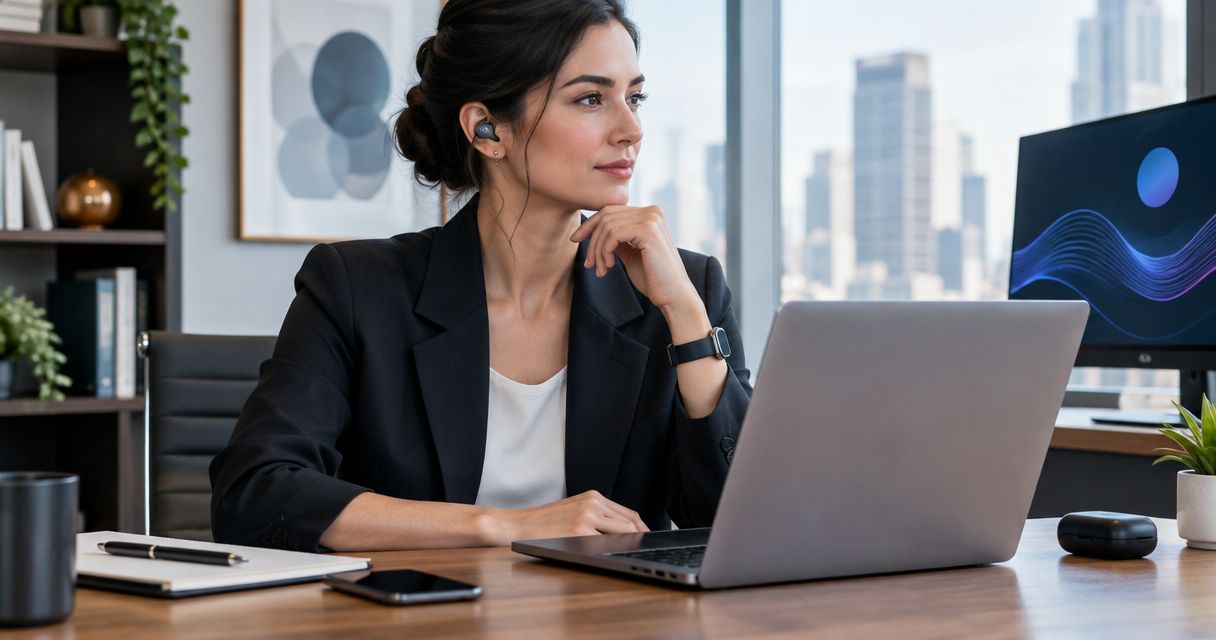
Best overall: a voice-capture workflow your firm approves. Best for screenless personal idea capture: R1. Best for a dedicated wearable recorder: PLAUD NotePin. Best for keeping your existing setup: a smartwatch voice-memo workflow. The best AI wearable for lawyers in 2026 starts with permission to capture, not permission to buy.
- The best AI wearable for lawyers fits firm policy before it fits a feature checklist.
- Present-Ring-Ai R1 suits people seeking screenless voice notes and personal idea capture.
- PLAUD NotePin fits a dedicated wearable recording workflow; assess its data handling before professional use.
- A smartwatch voice-memo workflow separates capture from transcription, but requires checking the app and transfer process.
- For consultants, client authorization matters as much as recording convenience.
Why this matters
A useful thought and a confidential conversation are different recording tasks. Your wearable should not blur them. Dictating a generic reminder after a walk does not create the same questions as recording a client consultation.
Present-Ring-Ai describes R1 as a screenless smart ring with a built-in microphone that transcribes spoken ideas and conversations for note-taking. That makes it relevant to this comparison. It does not establish suitability for privileged material, regulated information, or a client's confidential strategy.
For this 2026 guide, the recommendations separate physical design from professional authorization. A comfortable recorder is not automatically an appropriate place for client information. Lawyers need to consider confidentiality duties, recording rules, and firm policy; consultants need to consider client agreements and information-handling requirements.
The decision is practical. Choose what you want to capture. Establish where that information can go. Then choose the device.
What makes the best AI wearable for lawyers?
Use these criteria before comparing rings, recorders, and watches:
- Permission: Confirm that firm policy, client requirements, and applicable recording rules permit the intended use. A recording indicator does not replace consent.
- Data handling: Understand where audio and transcripts go, who can access them, and what deletion means. Assess the service behind the hardware.
- Capture control: Check how recording starts and stops. You need to distinguish a deliberate personal note from a conversation involving other people.
- Transcript review: Treat transcription as a draft. Review names, dates, amounts, negations, and action owners before relying on the text.
- Attention: Match the device to your working style. A screenless ring and a watch create different interactions, even when both support spoken notes.
- Record ownership: Decide whether the result belongs in a personal notebook, a matter file, or a client workspace. Avoid creating an unmanaged parallel record.
These are decision criteria, not claims that every device meets them. In 2026, a useful purchasing conversation should cover the recording service and your internal process, not just the object you wear.
Best professional voice-capture options at a glance
| Option | Best for | Standout characteristic | Key limitation |
|---|---|---|---|
| R1 | Screenless personal idea capture | A microphone and spoken-note transcription in a ring format | Its stated design does not establish suitability for confidential professional information |
| PLAUD NotePin | A dedicated wearable recording workflow | Wearable audio capture paired with transcription through its companion service | Hardware and the transcription service both need assessment |
| Smartwatch voice-memo workflow | Keeping an existing watch-based setup | Capture through a suitable watch recording app | Recording, transfer, and transcription depend on the chosen watch and apps |
The table compares working approaches, not measured transcription performance. No option earns a confidentiality endorsement from its form factor. Your approval process applies to each.
1. R1: best voice-capture wearable for screenless personal ideas
R1 is a screenless smart ring with a built-in microphone. It transcribes spoken ideas and conversations for note-taking. Its stated purpose fits people who want to capture a thought without adding another screen to the moment.
Present-Ring-Ai R1 is best suited to people seeking screenless voice-note capture. For a lawyer or consultant, the clearest starting use is a deliberately bounded personal note: a presentation idea, a generic task reminder, or a question to investigate later. Keep client details out until your organization approves the intended workflow.
R1 pros
- The screenless design fits a preference for fewer visual interactions.
- The ring format offers a different wearing choice from a watch or pendant.
- Spoken-note transcription matches the task of turning an idea into text.
R1 cons
- A screenless design provides no on-device screen for inspecting transcript text.
- The stated product description does not establish professional confidentiality controls.
- Conversation capture requires a separate decision about permission and information handling.
Best for: Individuals seeking minimalist, screenless personal idea capture.
Choose R1 because the ring format fits your habits, not because a smaller device changes your professional obligations. A private spoken reminder can still contain sensitive information. Removing names alone does not necessarily remove the identifying context.
Verdict: Hold for confidential work; consider R1 for a firm-approved personal-note workflow.
2. PLAUD NotePin: best wearable recorder for a dedicated capture workflow
PLAUD NotePin is a wearable audio recorder paired with a transcription service. It fits a different question from R1: do you want a dedicated recording device rather than a ring-shaped idea-capture device?
For consultants conducting authorized interviews, or lawyers assessing a separate recording workflow, the distinction matters. A dedicated device gives capture its own role. It does not settle whether audio should enter the associated service.
PLAUD NotePin pros
- Its purpose centers on wearable audio recording.
- The associated transcription workflow connects captured speech with written notes.
- A dedicated recorder separates this task from the other functions of a smartwatch.
PLAUD NotePin cons
- You need to assess both recording and subsequent processing.
- A separate device adds another object to manage during professional work.
- A transcript still requires checking before it becomes a client-facing record.
Best for: Professionals assessing a dedicated wearable recorder for explicitly authorized conversations.
Before choosing PLAUD NotePin for work in 2026, trace a recording from capture through transcription, storage, sharing, and deletion. Ask your organization to evaluate that actual path. A general statement about security is not a substitute for understanding the service configuration you would use.
Verdict: Hold until the complete recording and transcription workflow is approved.
3. Smartwatch voice-memo workflow: best for using an existing setup
A smartwatch voice-memo workflow uses a compatible recording app to capture speech, then routes that recording through an approved process. Transcription is a separate decision unless the selected app provides it. Check your exact watch and app combination rather than assuming all watches work alike.
This approach suits someone who already wears a smartwatch and wants to assess an existing habit before adding hardware. It is a workflow recommendation, not a recommendation for a particular watch model.
Smartwatch voice-memo workflow pros
- It keeps capture within an existing wearing habit.
- Recording and transcription can be evaluated as separate steps.
- A watch screen can support interaction with the chosen recording app.
Smartwatch voice-memo workflow cons
- App behavior, recording controls, and transfer methods differ.
- A watch retains the screen-based interaction that minimalist users want to avoid.
- Moving audio between apps creates additional handling steps to assess.
Best for: Professionals who already use a smartwatch and want an approved voice-note process without choosing another device first.
Do not equate familiar hardware with an approved workflow. A personal watch can connect to personal accounts, while your professional notes belong elsewhere. Establish the destination before capturing the first work-related recording.
Verdict: Keep the existing setup only when the exact app and transfer process meet your requirements.
Match the wearable to the work, not the job title
A lawyer's work contains more than client meetings. A consultant's work contains more than interviews. Divide your intended notes into 3 note types before deciding what your wearable should handle.
Personal ideas
A general presentation structure or a reminder to read a public document does not need a conversation recording. Capture the smallest useful thought. Screenless voice notes fit this task when the workflow is permitted.
Professional reflections
A reflection after a meeting can contain client information even when you speak alone. Treat the content, not the setting, as the deciding factor. A quiet room does not make a sensitive note less sensitive.
Shared conversations
Interviews, consultations, and workshops involve other people's speech. Establish authorization and the recording purpose before starting. Explain what happens to the recording and transcript through your organization's approved process.
This split makes the 2026 buying decision narrower. You might approve a wearable for personal ideas without approving it for shared conversations. That is a useful boundary, not a failure of the device.
Use 5 checks before recording professional information
A professional wearable needs a repeatable routine. Use these checks in order, whether the device is a ring, a dedicated recorder, or a watch.
- Define purpose: State what the recording needs to preserve. If a written task captures the whole point, choose the simpler record.
- Check permission: Confirm organizational approval, client requirements, and applicable recording rules. Resolve uncertainty before capture.
- Trace handling: Follow audio and text through processing, storage, access, and deletion. Include every app in the path.
- Review transcript: Compare important details with the source. Mark uncertainty instead of silently turning it into certainty.
- File deliberately: Save the reviewed result in the approved destination. Handle the underlying audio according to the applicable policy.
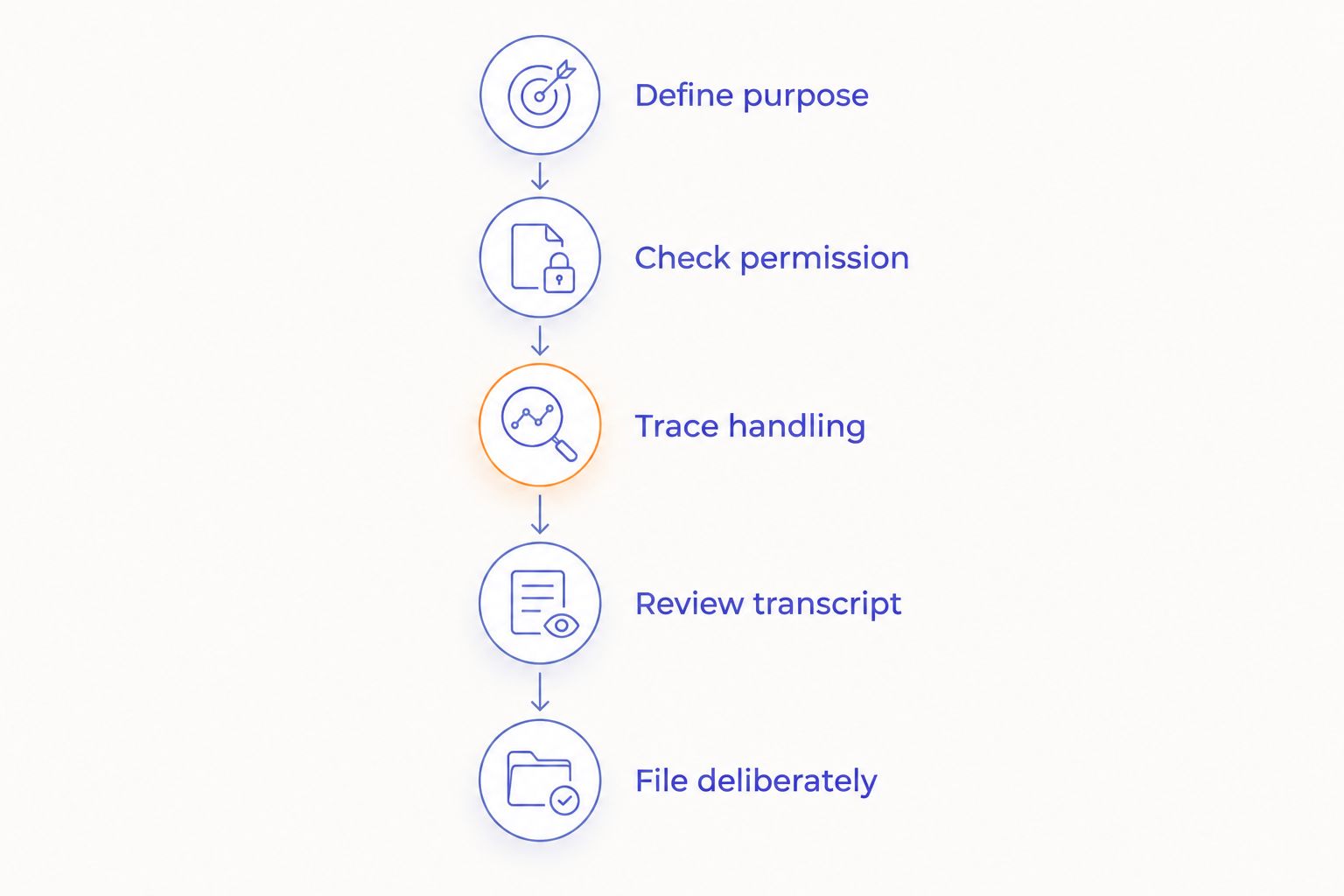
The routine protects the distinction between an informal capture and an approved professional record. It also gives you something concrete to assess during a device demonstration: not just whether speech becomes text, but whether the whole process fits your work.
Review the words that change the meaning
Schedule 1 deliberate review pass before using a transcript as a professional record. This is a recommended minimum step, not an accuracy guarantee. Return to the source whenever a passage remains uncertain.
Check these details first:
- Names and who said what.
- Dates, deadlines, amounts, and units.
- Negations such as not, never, and cannot.
- Whether a statement was a suggestion, a decision, or a commitment.
- Who owns the next action.
A transcript records an interpretation of speech. A summary adds another layer of selection. Keep those distinctions visible when preparing a file note, client update, or project action list.
For legal work, do not let generated wording become an unexamined account of advice or instructions. For consulting work, do not let a proposed action become a reported commitment. The review belongs to you.
How we ranked
The ranking uses distinct working preferences: screenless personal ideas, dedicated wearable recording, and an existing watch-based workflow. It does not rank microphone quality, battery endurance, or transcription accuracy without comparable evidence.
Permission and information handling sit above those preferences. A device that matches your habits still loses the recommendation if the intended use is not approved. Professional fit is a workflow decision before it is a hardware decision.
Which AI wearable should you choose?
For 2026, start with the device category that solves your actual capture problem. Choose the ring approach when you want screenless personal notes. Assess a dedicated wearable recorder when recording itself is the task. Keep an existing smartwatch workflow when it already meets your requirements.
Present-Ring-Ai R1 belongs on the shortlist for people seeking minimalist voice capture, not as an automatic recommendation for confidential consultations. If you are undecided, write down the intended note type and approved destination first. That answers more than another feature comparison.
The default recommendation is an approved workflow, with the least additional hardware needed to support it. If no recording workflow is approved, use an approved written-note method instead.
FAQ
What's the best AI wearable for lawyers in 2026?
The best AI wearable for lawyers is one whose complete recording and transcription workflow is approved for the intended information. R1 fits screenless personal idea capture; PLAUD NotePin fits a dedicated wearable recording approach. Neither form factor alone establishes suitability for confidential work.
Is R1 a good choice for consultants?
R1 fits consultants seeking a screenless ring for spoken ideas and note-taking. Present-Ring-Ai describes a built-in microphone and transcription, but confidential client use requires a separate assessment of permission and information handling.
Can a lawyer record a client conversation with a wearable?
A lawyer should record only after confirming applicable recording rules, professional obligations, firm policy, and the required authorization. Owning a wearable does not resolve those conditions. Assess the complete recording and processing workflow before use.
Is a ring better than a smartwatch for voice notes?
A ring fits a screenless preference, while a smartwatch supports interaction through the chosen watch app. The better choice depends on how you want to capture notes and which workflow your organization approves. Compare the complete process rather than the shape alone.
Does a small wearable make a recording private?
No. A device's size does not establish how recorded information is processed, stored, accessed, or deleted. Assess those questions separately from the wearing format.
Should I trust an automatically generated meeting transcript?
Treat an automatically generated transcript as a draft that needs review. Check names, dates, amounts, negations, decisions, and action owners before relying on it. Resolve uncertain passages against the source.
Do consultants need a dedicated wearable recorder?
Consultants need a suitable capture process, not necessarily another device. Assess an existing approved setup first. A dedicated recorder makes sense when its recording role fits the work and its full information path meets client requirements.
One last thing
The most useful note is sometimes the one you deliberately do not record. If a generic written reminder preserves the task without carrying client details into another system, use that reminder.
Let the device serve the boundary. Speak when capture is appropriate. Leave the rest alone.


