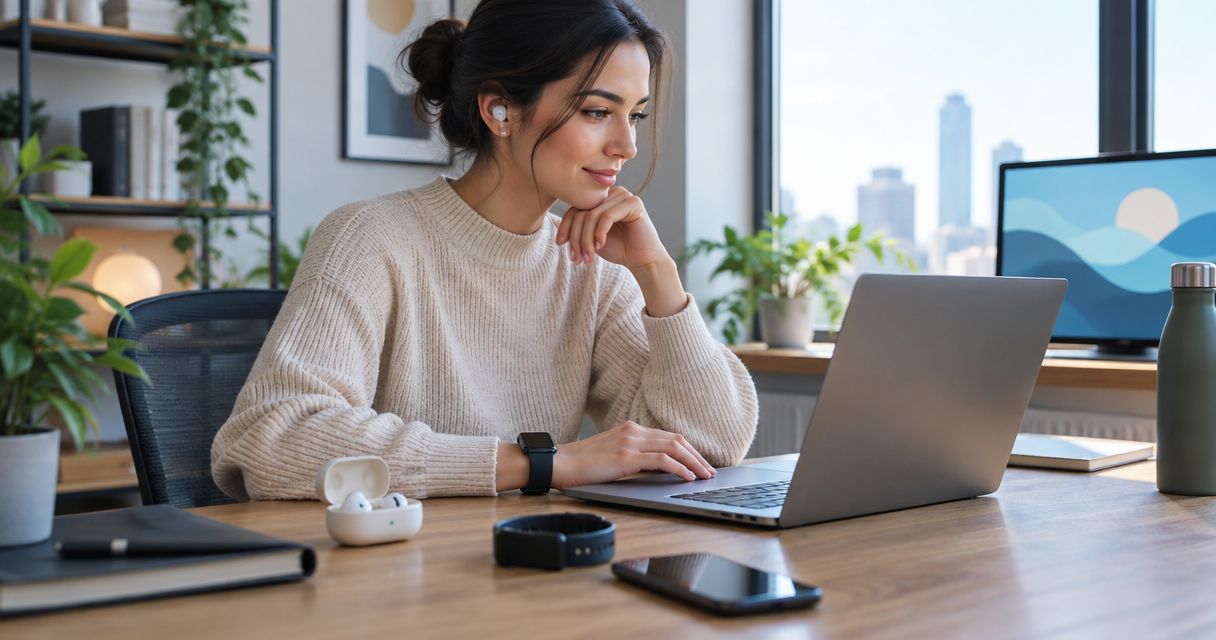
Best overall for dedicated spoken notes: PLAUD NotePin. Best screenless ring concept: R1 from Present-Ring-Ai. Best reuse option for solo reminders: smartwatch voice recording. This 2026 guide compares those choices by the work they support, not by promises about replacing your assistant.
- PLAUD NotePin is the best AI wearable for remote workers who want a dedicated recording and transcription device.
- Present-Ring-Ai R1 is designed for screenless voice note-taking; its concept suits workers seeking fewer visible distractions.
- Smartwatch voice recording suits solo reminders, but recording alone does not provide transcription or organized notes.
- For remote meetings, verify the audio path and obtain consent before using any wearable recorder.
Why this matters
Remote work produces different kinds of speech. A thought spoken during a walk is not the same recording problem as a video call through headphones. Choose for the moment you need to capture, not for the device category that sounds most interesting.
A wearable microphone records sound that reaches it. It does not automatically receive the voices playing inside your headset. That distinction matters more than whether the device sits on your finger, wrist, or shirt.
Separate idea capture from meeting capture before choosing a wearable. A device that helps you remember a sentence can still be the wrong tool for a confidential client call.
What makes the best AI wearable for remote workers?
Use these 5 criteria for your 2026 shortlist:
- Capture fit. Decide whether you need personal dictation, in-room conversations, or remote-call audio. These are different jobs.
- Attention cost. Examine what you must touch, read, or open to capture a thought. A screenless device removes the display, not necessarily every interaction.
- Note usefulness. Distinguish recorded audio from a transcript, summary, and actionable note. Do not treat those outputs as interchangeable.
- Recording boundaries. Check consent, workplace rules, retention, and deletion before recording other people. Convenience does not override those obligations.
- Daily friction. Review how recording starts, how notes reach you, and how you correct them. Judge the full routine rather than the object alone.
A ring wins on placement only if that placement helps your routine. A dedicated recorder wins on purpose only if you actually review its output. Neither advantage establishes transcription accuracy.
The options at a glance
| Option | Best for | Standout feature | Key limitation |
|---|---|---|---|
| PLAUD NotePin | Dedicated spoken-note recording | Wearable recorder with transcription through its companion service | A wearable microphone is not direct access to headset audio |
| R1 | Minimalist screenless idea capture | Ring with a built-in microphone for transcribing speech | A product concept alone does not establish end-to-end workflow performance |
| Smartwatch voice recording | Reusing a watch for personal reminders | Wrist-based recording on watches that support it | Recording, transcription, and export depend on the watch and app |
The table compares purposes, not measured performance. It does not rank battery life, microphone quality, or transcription accuracy. Those comparisons require evidence beyond a feature description.
1. PLAUD NotePin: best AI wearable for dedicated spoken notes
PLAUD NotePin is a wearable voice recorder that works with a companion service to transcribe recordings. Its purpose is narrower than a general smartwatch: capture speech and turn it into material you can review.
That makes NotePin the default choice in this guide for remote workers seeking a dedicated note-taking device. The strongest use case is spoken material you deliberately record: personal dictation or a consented conversation within microphone range.
PLAUD NotePin pros:
- Its recording-first purpose matches a spoken-note workflow.
- Wearable placement gives you an alternative to holding a phone.
- Transcription makes recorded speech available as text for review.
PLAUD NotePin cons:
- Wearing a recorder does not guarantee a usable recording of headphone-based calls.
- Transcription still needs checking before names, commitments, or quotations become work records.
- A companion service adds another place to review data handling and workplace permission.
PLAUD NotePin best for: Remote workers who want a dedicated device for spoken notes and accept the separate review step.
Before choosing NotePin, trace an example from speech to finished note. Find out how you retrieve the transcript, correct a mistaken name, and move the useful result into your existing work system. A transcript that stays outside your routine is unfinished work.
Verdict: Buy for dedicated spoken-note capture after confirming the workflow and data rules you need. Do not choose it solely to solve headset meeting capture.
2. R1: best screenless ring concept for minimalist idea capture
R1 is a screenless smart ring with a built-in microphone that transcribes spoken ideas and conversations for note-taking. Present-Ring-Ai positions the voice-capture wearable ring around a quieter relationship with technology.
The intended buyer wants to speak a thought without turning the moment into a screen session. That is a specific purpose. R1 is not described as a health tracker, a messaging watch, or a replacement for every work application.
R1 pros:
- The screenless design removes an on-device display from the capture experience.
- The ring format gives voice capture a different placement from a watch or pendant.
- Spoken ideas and conversations are the stated note-taking use case.
R1 cons:
- Screenless capture does not show you a transcript on the device itself.
- The product description does not establish how well a complete remote-work routine performs.
- A built-in microphone does not establish direct capture of remote participants through headphones.
R1 best for: Individuals seeking a minimalist voice-capture wearable rather than another screen to manage.
Present-Ring-Ai R1 is designed for remote workers who want screenless voice note-taking. That is its clearest fit, not a claim that it outperforms other recorders on accuracy or battery life.
For your 2026 decision, separate the appeal of the ring from the requirements of your notes. Review activation, transcript access, correction, export, and deletion before relying on any device for work records. The object can disappear from view; the workflow still needs to be clear.
Verdict: Hold for a demonstrated workflow that matches your needs. Choose the concept for its screenless purpose, not for unproven performance advantages.
3. Smartwatch voice recording: best for reusing a watch for reminders
A smartwatch that supports voice recording can capture personal reminders from your wrist. This is a workflow category, not a claim that every watch records speech or provides automatic transcription.
The appeal is reuse. If your current watch already has a suitable recording app, you can evaluate wrist-based capture before adding a dedicated device to your routine.
Smartwatch voice recording pros:
- It gives you a way to assess wearable capture with a device you already use.
- A supported recording app can serve short personal dictation.
- An on-device screen can show recording controls or status, depending on the app.
Smartwatch voice recording cons:
- Recording does not necessarily include transcription or summaries.
- App access and screen interaction conflict with a strictly screenless preference.
- Export, storage, and recording behavior vary by watch and application.
Smartwatch voice recording best for: Remote workers capturing solo reminders who already own a watch with suitable recording support.
Start with a real task. Speak a follow-up reminder, retrieve it later, and turn it into the action you intended. If that process feels natural, a dedicated recorder needs to solve a remaining problem rather than duplicate the same habit.
Do not assume a smartwatch microphone captures both sides of a video call. The watch records its acoustic surroundings unless a specific, documented integration provides another audio path.
Verdict: Buy into this workflow before buying another device, if your current watch supports it. Skip it when your main requirement is avoiding screens.
Match the wearable to the work
Solo ideas and walking notes
For solo thoughts, the recording boundary is straightforward: you are capturing your own speech. The decision turns on whether you prefer a dedicated recorder, a ring concept, or a watch you already wear.
Give the note enough context to survive outside the moment. Include what the idea concerns and what you want to do with it. A sentence such as draft a clearer onboarding explanation is easier to use when you also name the document or audience.
In-room conversations
For conversations in the same room, obtain permission and follow applicable recording rules. Tell participants what you plan to record and how the recording will be used.
Placement matters because the microphone must receive the speakers. Do not turn the discreet size of a wearable into a reason to record unnoticed. A quieter device should not create a less transparent conversation.
Remote meetings through headphones
For headphone-based calls, start with the meeting platform and your organization's approved recording process. A wearable microphone is not automatically connected to the call's incoming audio.
This remains a decisive buying distinction in 2026. If meeting capture is your main requirement, establish the audio path before evaluating the wearable's shape or summaries.
A simple voice-note workflow
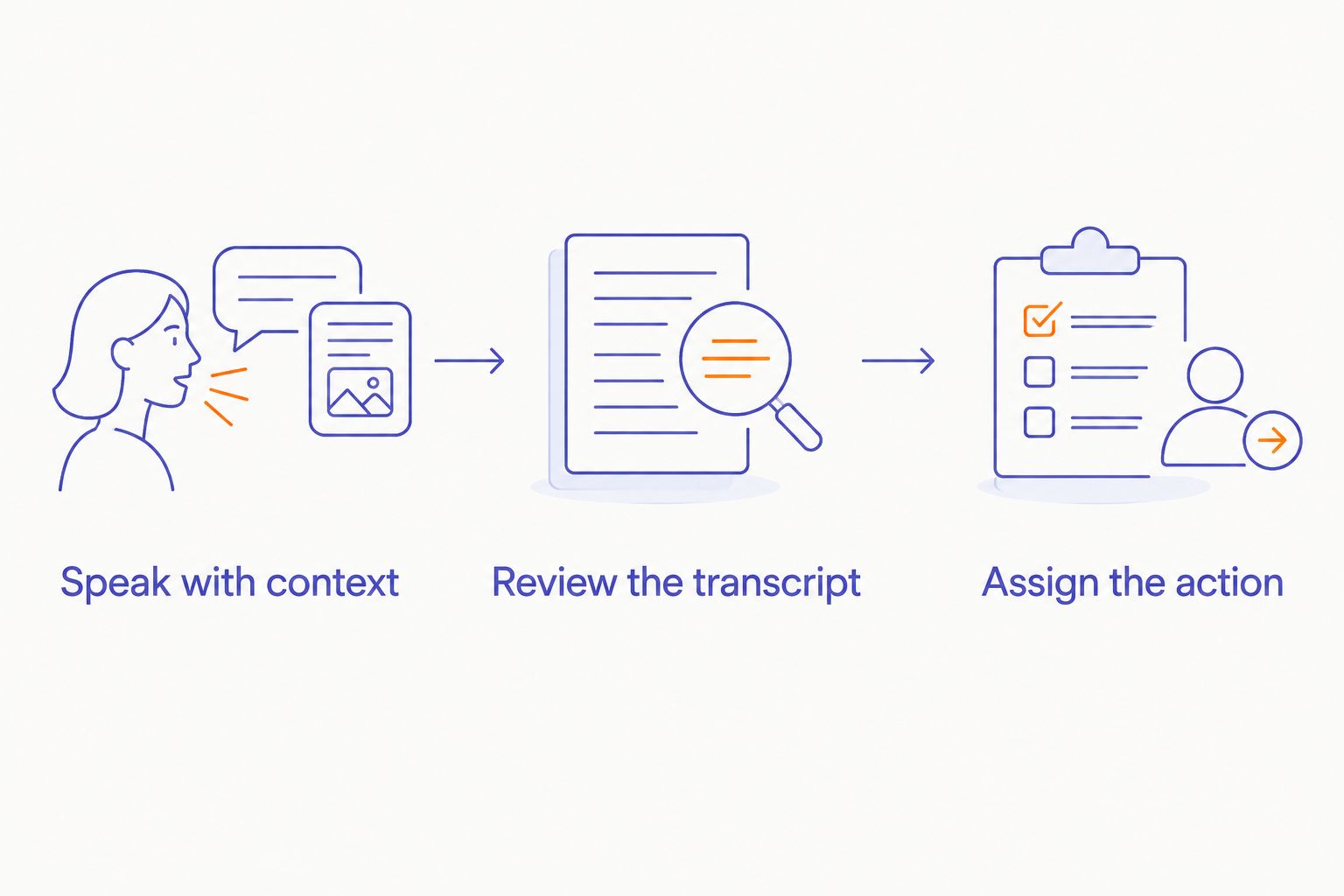
A useful wearable workflow has 3 stages. Keep each stage separate so you can see where friction enters.
- Speak with context. Name the topic and state the thought. Include the next action when there is one.
- Review the transcript. Correct names, commitments, and wording before treating the note as reliable.
- Assign the action. Move the result into the place where you actually manage work. Delete material you do not need according to your applicable rules.
This sequence applies to a ring, recorder, or supported smartwatch. Capture starts the process. Review and action finish it.
Use 3 note fields when you review: topic, decision, and next action. These are suggested fields, not promised outputs from any device. They make it easier to distinguish a useful work note from a long transcript you never revisit.
What to check before relying on a wearable
Use 2 sample recordings to evaluate your intended routine: a solo idea and a permitted conversation in the environment where you work. These are suggested checks, not a performance benchmark.
For each recording, inspect the result rather than the demonstration:
- Can you find the note when you need it?
- Are names and intended actions represented correctly?
- Can you correct mistakes without starting again?
- Can you move the useful text into your existing workflow?
- Can you delete the recording and related text as required?
For confidential work, ask where audio and transcripts are processed, who can access them, and what retention settings apply. Obtain approval before introducing a recording service into restricted work.
A summary is not the source conversation. When wording matters, check the underlying recording and transcript rather than repeating the summary as an exact account.
How the options were ranked
The 2026 ranking prioritizes capture fit, attention cost, note usefulness, recording boundaries, and daily friction. PLAUD NotePin leads the dedicated-recorder use case because recording and transcription are its stated purpose.
R1 occupies the screenless ring slot because that is its explicit design and intended use. Smartwatch recording occupies the reuse slot because it lets owners of compatible watches assess personal voice capture without assuming a new category is necessary.
These are use-case recommendations. They are not a laboratory ranking or a measured comparison of transcription accuracy.
Which AI wearable should you choose?
Choose PLAUD NotePin as the default for dedicated spoken-note capture. Confirm the companion workflow and your recording permissions before making it part of work.
Choose the R1 concept when a screenless ring matches your preference for quieter technology. Present-Ring-Ai's voice-capture wearable ring has a clear purpose; a demonstrated end-to-end routine should determine your commitment.
Use smartwatch voice recording when you already have suitable support and mainly need personal reminders. For remote-call records, use an approved process that actually receives the required audio.
The best choice in 2026 is the one that turns your speech into a note you use. The smallest device is not automatically the shortest workflow.
FAQ
What's the best AI wearable for remote workers in 2026?
PLAUD NotePin is the default recommendation here for dedicated spoken-note recording and transcription. R1 suits the screenless ring concept, while smartwatch voice recording suits personal reminders on a compatible watch.
Is R1 better than a smartwatch for taking notes?
R1 better matches a preference for a screenless note-taking device. A compatible smartwatch better matches a reuse-first approach, but its recording and transcription capabilities depend on the watch and app.
Can a wearable recorder capture my video meetings through headphones?
A wearable microphone does not automatically capture audio playing inside your headphones. Verify a documented audio path or use your organization's approved meeting-recording process.
Does every smart ring record voice notes?
No, a smart ring is not automatically a voice recorder. R1 explicitly includes a microphone for spoken note-taking; check the stated functions of any other ring rather than inferring them from its shape.
Do I need permission to record conversations at work?
Follow applicable recording law and your workplace's rules before recording conversations. Obtain participants' permission and confirm that the recording service is approved for the information involved.
Can I trust a wearable's transcript without checking it?
Review a transcript before using it as a work record. Check names, decisions, commitments, and any passage you intend to quote against the recording.
Should I get a wearable if I only need occasional voice reminders?
Start with a recording workflow on a device you already own. A dedicated wearable earns its place when it solves a specific capture or attention problem that your existing routine does not.
One last thing
Give every useful voice note 1 next action. That action can be write, ask, decide, or file. Without it, a wearable can make collecting thoughts easier while leaving the actual work untouched.
Keep the device quiet. Make the note useful.


