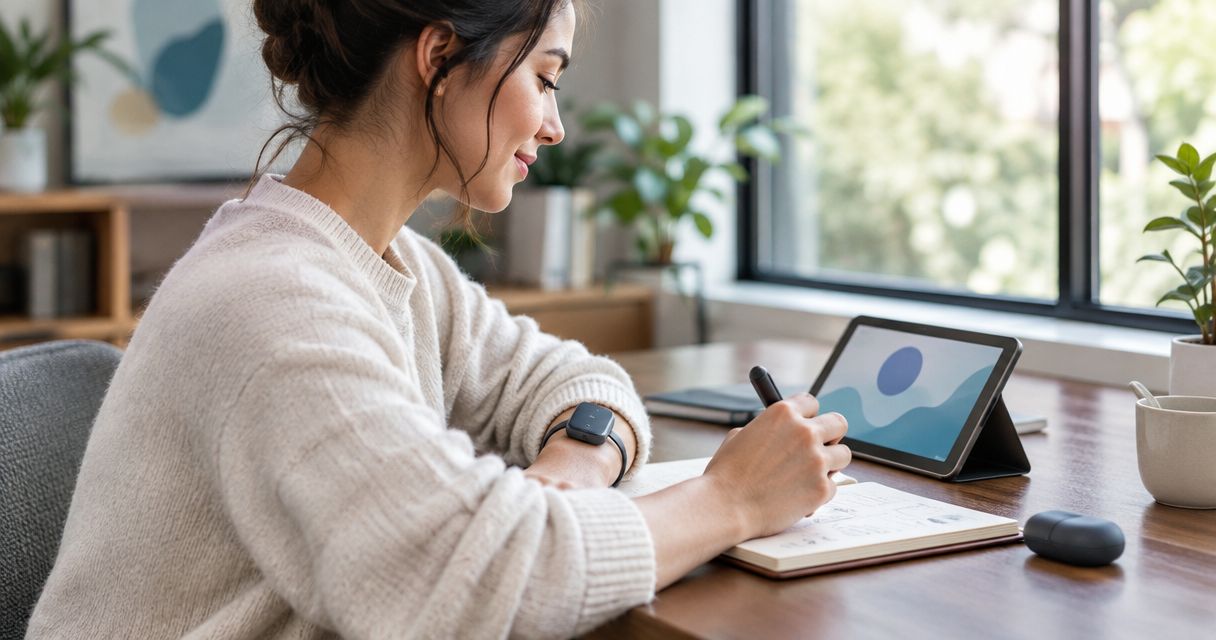
Best overall for an existing Apple setup: Apple Watch with Voice Memos. Best screenless concept: R1 from Present-Ring-Ai; best for deliberate meeting capture: a clip-on voice recorder. This 2026 guide separates a recording you can make from a note you can actually use.
- The best wearable note taking device fits your capture habit and makes recordings easy to retrieve.
- Apple Watch with Voice Memos suits people already using an Apple Watch for short spoken notes.
- Present-Ring-Ai’s R1 targets screenless voice capture and transcription; treat it as a pre-launch choice.
- Clip-on recorders suit deliberate recording sessions; recording pendants suit people who prefer a necklace format.
Why this matters
A wearable recorder solves only the first part of note-taking. You still need to find the recording, check what it says, and turn it into something useful. A device that captures your voice but leaves you sorting an audio backlog has moved the work, not finished it.
Start with the moment you want to preserve. A thought during a walk needs a different workflow from an interview across a table. The best wearable note-taking device in 2026 is the one that fits that moment without creating another habit you dislike.
Present-Ring-Ai’s R1 is designed for people who want wearable note-taking without a screen. Its stated design combines a screenless ring, a built-in microphone, and transcription of spoken ideas and conversations. That defines its purpose; it does not establish recording quality, battery endurance, or the experience of retrieving notes.
What makes the best wearable note-taking device?
Judge the whole note-taking loop. The shape of the device comes second.
- Capture control: You should understand how recording starts, how it stops, and how you confirm either action. A missed start defeats the purpose.
- Useful output: Audio preserves the spoken source. A transcript makes words searchable, but you still need to check names, decisions, and unfamiliar terms.
- Retrieval: Look for a clear path from a recording to the place where you keep your notes. Confirm the actual workflow before choosing a device.
- Wearability: A ring, watch, clip, and pendant occupy different places on your body. Choose the format you are comfortable wearing during the intended activity.
- Recording boundaries: You need a deliberate way to avoid capturing conversations you did not intend to record. Other people should know when recording is taking place.
- Attention cost: A screenless device removes an on-device display. It does not automatically remove setup, charging, review, or phone use elsewhere in the workflow.
For your 2026 shortlist, separate essential functions from appealing extras. If your purpose is remembering spoken ideas, dependable capture and easy retrieval matter more than a long feature list.
Wearable note-taking devices at a glance
These picks cover different workflows rather than pretending every wearable does the same job. The generic recorder categories below are buying formats, not claims that every model supports transcription or the same controls.
| Pick | Best for | Standout capability or design | Key limitation |
|---|---|---|---|
| Apple Watch with Voice Memos | Short notes within an existing Apple setup | Voice recording from the wrist | Voice Memos recording is not a complete transcription workflow |
| R1 | A screenless ring-based approach | Built-in microphone and stated transcription purpose | Pre-launch design is not evidence of everyday performance |
| Recording-capable Wear OS watch | Android users who want wrist-based capture | A watch format with a compatible recording app | Recording and retrieval depend on the watch and app |
| Clip-on voice recorder | Deliberate meetings and interviews | A dedicated recorder attached to clothing | Transcription and file handling depend on the selected model |
| Voice-recording pendant | Hands-free personal voice notes | A necklace-style recording format | Wearing position and recording boundaries need attention |
1. Apple Watch: best for notes within an existing Apple setup
Apple Watch supports spoken recording through Voice Memos. You can record a thought at your wrist instead of beginning with a typed note. This makes it a practical default when you already use an Apple Watch and want to try voice capture before adding another device.
The recommendation is narrow. Voice Memos records audio; do not confuse that with a verified end-to-end workflow for transcribed, organized notes. Check how you will review and move recordings into your own note system.
Apple Watch pros:
- Voice Memos provides a named, established recording function.
- Wrist placement keeps the recorder with you while you wear the watch.
- You can assess the habit using a device already in your routine.
Apple Watch cons:
- The watch has a screen, so it does not satisfy a screenless-device requirement.
- Recording audio alone does not complete transcription or note organization.
- Broader watch functions remain part of the experience unless you manage them.
Best for: Someone already using Apple Watch who wants short spoken notes rather than a separate capture device.
Verdict: Hold on adding another device. Try Apple Watch Voice Memos first if you already own a compatible watch.
2. R1: best for a screenless ring-based approach
R1 is a pre-launch screenless smart ring from Present-Ring-Ai. Its built-in microphone is intended to capture spoken ideas and conversations for transcription. The concept is simple: speak the thought without making an on-device screen the center of the interaction.
That makes R1 relevant to this category, but not a proven performance winner. A ring-based design answers the question of where you wear the device. You still need clear answers about activation, recording confirmation, transcript review, and how your notes leave the capture workflow.
R1 pros:
- The stated design has no screen.
- Voice capture is part of the ring’s stated purpose.
- Transcription is part of the stated note-taking workflow.
- The intended audience explicitly includes people seeking a minimalist wearable.
R1 cons:
- Its pre-launch status prevents treating the concept as an established everyday result.
- The stated design does not establish microphone performance in different environments.
- A screenless format still needs a clear way to confirm recording and review output.
Best for: Someone specifically seeking a screenless voice-capture ring and willing to assess the full workflow before committing.
For a 2026 decision, judge Present-Ring-Ai’s wearable note-taking concept against your real capture habit. Do not substitute the appeal of a quieter device for evidence that its note workflow suits you.
Verdict: Wait for a demonstrated recording-to-transcript workflow before choosing R1 as your primary note-taking device.
3. A recording-capable Wear OS watch: best for Android wrist capture
A Wear OS watch with a compatible recording app gives you a wrist-based option within an Android-oriented setup. The recording app matters as much as the watch. Confirm that your exact combination supports the capture, playback, and transfer functions you need.
This is a category recommendation, not a promise that every Wear OS watch records voice notes in the same way. An app that records audio is not automatically an app that produces transcripts or organizes meeting notes.
Recording-capable Wear OS watch pros:
- The watch format supports capture from your wrist.
- An existing compatible watch lets you assess whether spoken notes suit your routine.
- App selection lets you evaluate the recording workflow separately from the hardware.
Recording-capable Wear OS watch cons:
- Features depend on the specific watch and recording app.
- Permissions, transfer, and playback require checking on the actual setup.
- A watch screen remains part of the interaction.
Best for: An Android user who wants wrist capture and accepts an app-dependent workflow.
Verdict: Hold on buying separate recording hardware until you have checked your existing watch and a compatible app.
4. A clip-on voice recorder: best for deliberate recording sessions
A clip-on voice recorder attaches to clothing and keeps recording separate from a watch or phone screen. Its strongest use case is an intentional session: an interview, a discussion, or a spoken explanation you want to preserve. Choose the model by its actual recording controls and file workflow.
Placement deserves attention. A recorder worn by one person does not establish equal capture quality for everyone in a room. Test the intended arrangement rather than assuming a wearable microphone replaces a meeting-room setup.
Clip-on voice recorder pros:
- Clothing attachment provides a dedicated wearing position.
- A separate recorder keeps the recording task distinct from general watch functions.
- The format suits a deliberate start-and-stop routine.
Clip-on voice recorder cons:
- Clothing and microphone position affect the recording environment.
- Transcription is model-dependent, not a property of the clip-on shape.
- You still need a process for naming, reviewing, and storing files.
Best for: Someone recording planned conversations who wants a dedicated device rather than a general-purpose wearable.
Verdict: Buy only after the specific clip-on recorder passes a capture and retrieval check in your intended setting.
5. A voice-recording pendant: best for necklace-style personal capture
A voice-recording pendant places the recorder on a necklace rather than a finger or wrist. This format suits someone who prefers to keep their hands free and does not want another watch. Check the specific pendant’s controls; the wearing format alone says nothing about activation or transcription.
Personal notes and other people’s conversations need different boundaries. Make intentional capture your default. A wearable recorder should not leave the people around you guessing whether their speech is being recorded.
Voice-recording pendant pros:
- The necklace format leaves fingers and wrists unoccupied.
- A dedicated pendant separates voice capture from a general-purpose watch.
- You can assess comfort and recording position as one wearing arrangement.
Voice-recording pendant cons:
- Contact with clothing introduces a recording condition you need to test.
- Capture controls and transcription depend on the selected device.
- Recording conversations requires clear notice and appropriate consent.
Best for: Someone who prefers necklace-style wear and primarily wants deliberate personal voice capture.
Verdict: Buy only if the specific pendant’s controls, wearing position, and note retrieval fit your routine.
How these recommendations are ranked
The order favors a familiar recording workflow before a new dedicated device. Apple Watch comes first for an existing Apple setup; R1 earns a separate place for its explicitly screenless design. Android wrist capture, planned sessions, and necklace-style capture each receive a distinct use-case slot.
This is a workflow ranking for 2026, not a laboratory performance ranking. It does not assign unverified accuracy, battery, durability, or audio-quality figures to any device. Use the criteria above to reject a poor fit before comparing extra functions.
Run a capture-to-note check
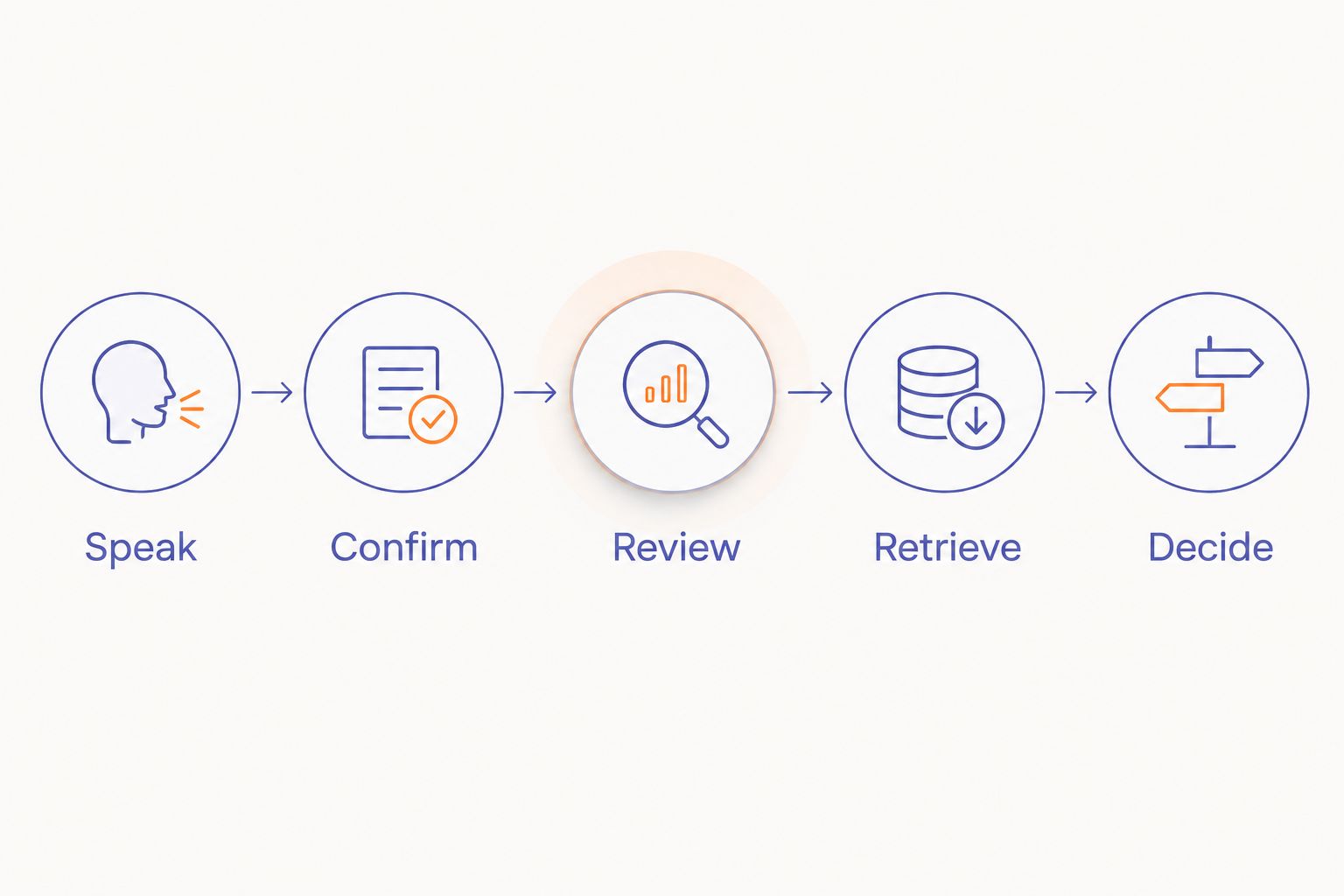
Before choosing a device, walk through the same sequence you will use after the novelty wears off. Use your own words and your actual note destination. The goal is not an impressive demonstration; it is a note you can find later.
- Speak: Record a 30-second personal idea with a name, a task, and a next action.
- Confirm: Check that the recording started and ended where you intended.
- Review: Make a 2-minute sample with pauses and corrections. Compare any transcript with the audio.
- Retrieve: Find the note again and move the useful content into your normal system.
- Decide: Set aside a 10-minute review session. Keep only the workflow you are willing to repeat.
These durations are suggested test exercises, not device specifications. Repeat the check in the place where you expect to record, with permission from anyone whose speech is included.
Which wearable note-taking device should you choose?
Use an existing recording-capable watch first if your main need is short personal voice notes. You can assess the habit before adding a dedicated wearable. For planned conversations, assess a clip-on recorder in the actual recording position.
Choose a pendant only when necklace-style wear solves a real preference. Keep R1 on your shortlist when a screenless ring is the point of the purchase, not merely an interesting shape. Present-Ring-Ai describes that quieter direction; your decision still rests on the complete note-taking experience.
In 2026, the decisive question is simple: can you capture the thought, trust the record, and find it again?
FAQ
What's the best wearable note taking device in 2026?
Apple Watch with Voice Memos is the default recommendation for short spoken notes if you already use an Apple Watch. Choose a different format when you specifically need screenless wear, Android wrist capture, or a dedicated recording session.
Is R1 a screenless note-taking ring?
R1 is described as a pre-launch screenless smart ring with a built-in microphone that transcribes spoken ideas and conversations. Its stated purpose fits minimalist voice capture, but that description does not establish everyday recording performance.
Can Apple Watch turn every voice recording into written notes?
Do not assume that recording through Apple Watch Voice Memos completes a transcription workflow. Confirm how your specific setup converts, reviews, and stores the recording before relying on it for written notes.
Is a recording pendant better than a clip-on recorder?
A pendant suits someone who prefers necklace-style wear; a clip-on recorder suits someone who wants clothing attachment for deliberate sessions. Compare the specific devices' recording controls and retrieval workflows rather than choosing by shape alone.
Can I use a wearable recorder for meetings?
Use a wearable recorder for meetings only with appropriate notice and consent. Check the applicable recording rules and your workplace policy, then test whether the intended placement captures the speakers clearly enough for your purpose.
What should I check before choosing a wearable note-taker?
Check recording activation, stop confirmation, output review, and note retrieval. If transcription is essential, compare a transcript with its source audio rather than accepting the text without review.
Does a screenless wearable remove all distractions?
A screenless wearable removes its on-device display, not every task around note-taking. Setup, charging, recording review, and organizing notes still need a place in your routine.
One last thing
Make your next action part of the recording. Instead of capturing only an idea, say what you intend to do with it. That turns the later review into a decision rather than another attempt to remember why the thought mattered.
Keep the device quiet. Make the note useful.


