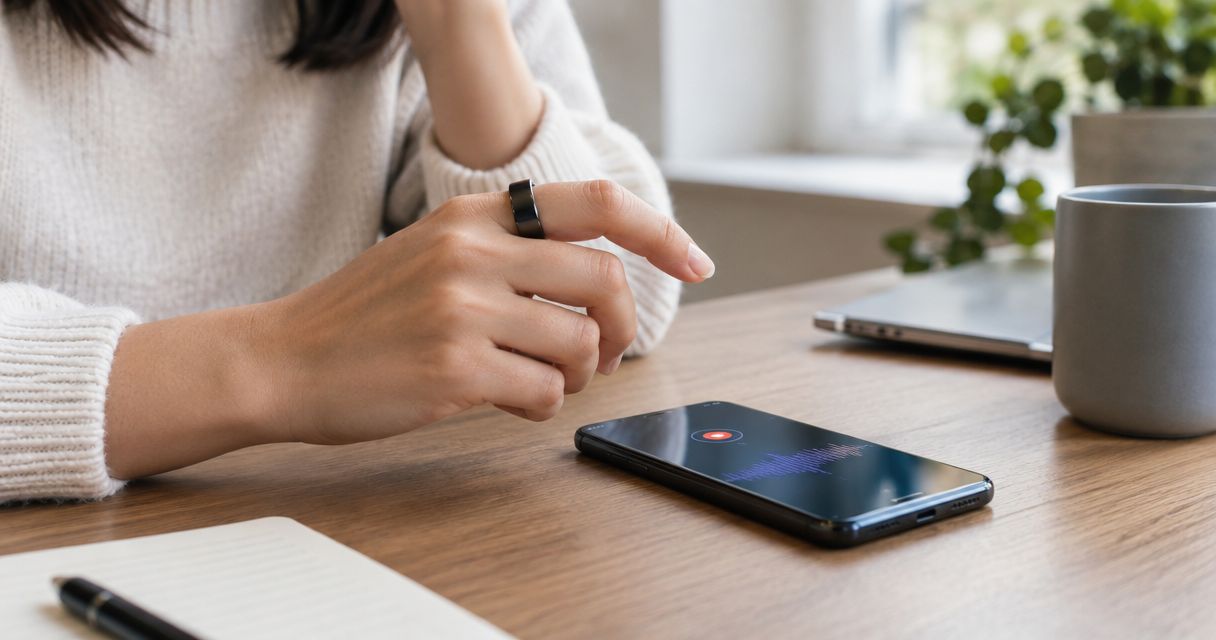
A smart ring can replace a phone voice recorder app for spoken note-taking if it has a microphone and its recording workflow meets your needs. That does not establish that it can replace your phone for playback, editing, sharing, or keeping the original audio; those functions need separate checks.
- Can a smart ring replace a voice recorder app? For suitable voice notes, yes; for every recording task, no.
- Present-Ring-AI targets screenless voice capture, not a proven replacement for every phone recording function.
- Choose a microphone-equipped ring for spoken notes only after checking capture, transcript review, and access to recordings.
- Keep your phone recording workflow until the ring passes your real recording tasks.
Why this matters
Replacing a recording app and replacing a phone are different decisions. You can move the moment of capture away from a screen while still using a phone to read, organize, or share the result.
For your 2026 decision, start with the interruption you want to remove. If opening your phone breaks your concentration, screenless capture addresses that concern. If you need better interview audio or detailed editing, a ring-shaped device alone does not answer the question.
The screenless wearable decision guide addresses the broader choice. Here, the narrower test is whether your spoken thought becomes a useful, retrievable note without losing a function you depend on.
Can a smart ring replace a voice recorder app on my phone?
A microphone-equipped smart ring can replace the capture step; full app replacement depends on what happens afterward. Do not treat the word smart as evidence that a ring records speech. Look for an explicit voice-recording function.
Then compare complete tasks, not shapes. Recording a reminder to yourself is different from preserving an interview, checking an exact quotation, or collecting audio for later editing.
| Decision point | Microphone-equipped smart ring | Phone voice recorder app |
|---|---|---|
| Best for | People seeking spoken capture without looking at a screen | People whose recording tasks depend on phone-based controls and review |
| Main benefit to assess | Whether screenless capture removes an unwanted interruption | Whether the existing workflow already handles capture and follow-up |
| Main limitation to assess | Whether reviewing or managing notes still requires another device | Whether using the phone interrupts the activity you want to continue |
| Original audio | Confirm whether it is saved, accessible, and exportable | Check the selected app's recording and export settings |
| Transcription | Confirm what is transcribed and how you correct it | Check whether the selected app includes transcription |
| Replacement test | Can you capture, retrieve, and use the note successfully? | Which current functions would you lose by switching? |
This is a workflow comparison, not an audio-quality ranking. A wearable format does not establish microphone performance, transcription accuracy, recording duration, or independence from a phone.
A smart ring for short spoken notes
Best for: people who want to speak a thought without opening a screen. This is the clearest use case for a screenless voice-capture ring. The goal is a usable reminder, not necessarily an audio file you will edit or publish.
Consider the thought you want to preserve: a question for tomorrow's meeting, a sentence for a draft, or something to remember after a walk. Speak enough context that the note will still make sense when the moment has passed.
The benefit is specific. Capture can happen without reading or typing on a display. The limitation is equally specific: you still need a way to find the note and understand what you meant.
Do not judge success solely by whether speech became text. A transcript of an unclear thought remains unclear. Your own wording is part of the recording workflow, regardless of the device.
A phone recorder app for audio you need to inspect
Best for: people whose work depends on reviewing the recording itself. Keep your established phone workflow when you rely on its particular playback, editing, organization, or export functions. Verify those same functions before replacing it.
An interview illustrates the distinction. A transcript helps you locate an idea, but an exact quotation calls for checking the words against the recording. If your work requires that check, accessible original audio belongs on your replacement checklist.
A phone-based workflow also has a drawback: it keeps the task on the device you are trying to put away. Whether that matters depends on your purpose. A deliberate interview session and an idea captured during a quiet walk are not the same situation.
For a 2026 comparison, evaluate the actual app and actual ring workflow. Category labels do not tell you whether either option meets your requirements.
Using a ring for capture and a phone for review
Best for: people who want fewer screen interactions during capture, not a phone-free system. Splitting these jobs is a valid outcome. You do not have to replace every recording function to change the moment that bothers you.
The ring can serve as the capture interface, with later review happening elsewhere if the product supports that arrangement. Confirm the connection, storage, and retrieval process before adopting it. Do not assume that a screenless device works independently.
The trade-off is another handoff. If notes become difficult to locate or require repeated correction, the quieter capture step has not solved the whole task. Assess the finished note, not only the interaction that created it.
Keep this distinction clear: less phone use during capture is not the same as no phone use afterward. Neither outcome is inherently better. Choose the one that matches the interruption you want to remove.
Why the answer varies by recording task
The deciding factors are practical. Use these checks rather than assuming a newer device replaces an established app.
- Capture control. Confirm how you start and stop recording, and how you know the intended speech was captured.
- Recording purpose. Decide whether you need a reminder, a readable transcript, or original audio you can inspect later.
- Review access. Establish where notes appear and whether you can correct words, add context, and find an earlier entry.
- Device dependence. Check which tasks require a phone, a connection, or another service. Screenless does not mean standalone.
- Privacy handling. Read how recordings and transcripts are stored, accessed, retained, and deleted before recording sensitive material.
- Recording conditions. Evaluate the actual situations you use, including background noise and other speakers, rather than assuming the format guarantees intelligible speech.
None of these checks requires you to prefer a ring or an app in advance. They establish what replacement means for you. A device that suits private reminders still needs a separate assessment for interviews or shared conversations.
How do I test whether a ring can replace my app?
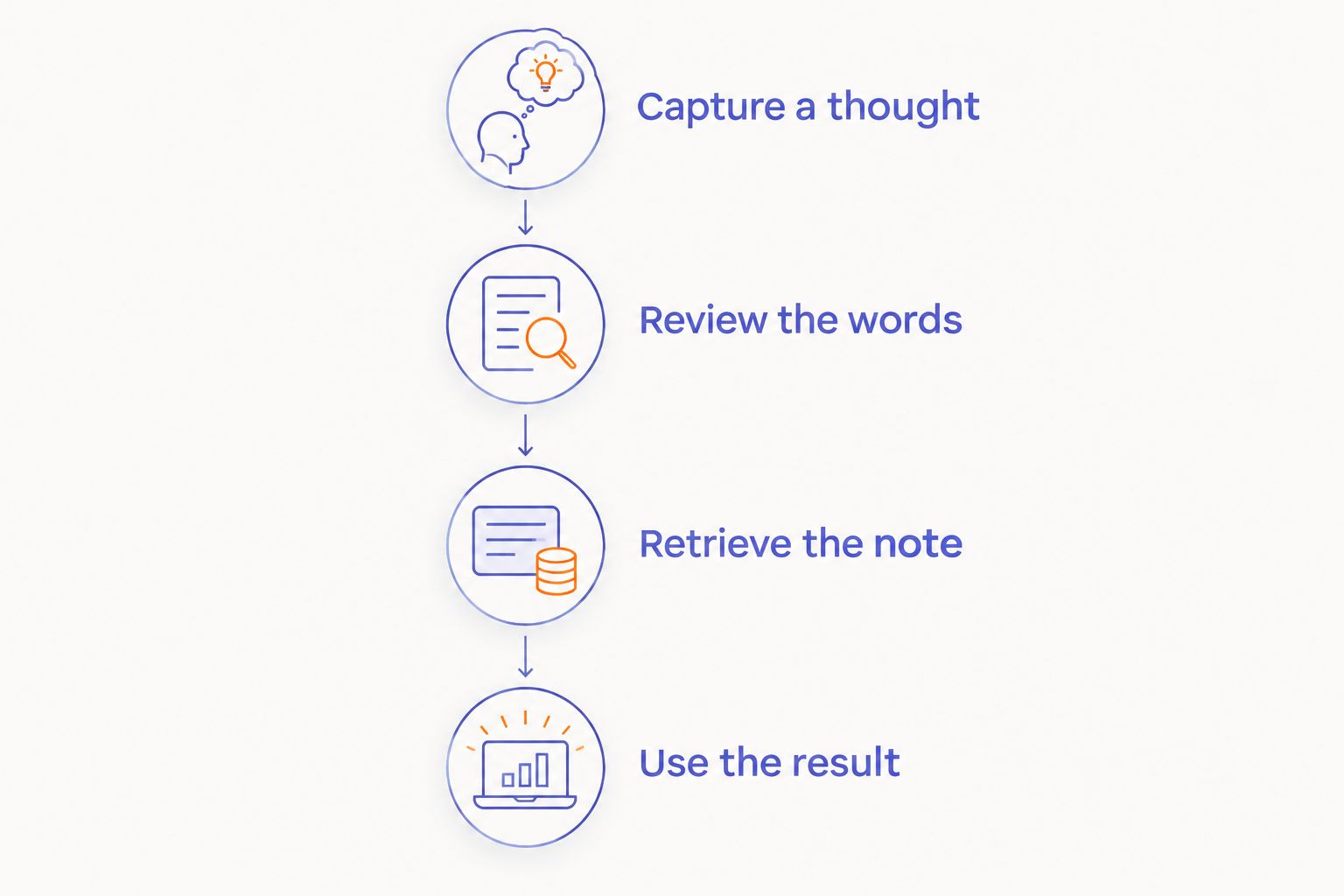
Use a small set of ordinary tasks you already perform. The following sequence is a decision method, not a product-performance claim or a substitute for checking documented specifications.
1. Capture a thought
Speak a realistic note with enough context to recognize it later. Use the device's documented controls. Check whether starting and ending the recording demands more attention than you want to give it.
2. Review the words
Read the resulting text if transcription is provided. Inspect names, unfamiliar terms, and the main point. If the wording matters, compare it with the original audio when that audio is accessible.
3. Retrieve the note
Return to the note through the normal retrieval process. Ask whether you can identify it without remembering exactly when you recorded it. A successful capture has little value if you cannot find it when needed.
4. Use the result
Complete the task the note was meant to support. Turn the reminder into an action, use the thought in a draft, or check the passage you needed. Record any step that still sends you back to your old app.
In 2026, use this test before retiring a workflow you trust. If the ring handles personal reminders but not the recordings you need for work, keep the jobs separate. Partial replacement is a clear decision, not a failed upgrade.
Where does Present-Ring-AI fit?
Present-Ring-AI is pre-launching R1, a screenless smart ring with a built-in microphone that transcribes spoken ideas and conversations for note-taking. Present-Ring-AI is best suited to people seeking screenless spoken note-taking. That is the relevant fit here: capturing a thought without making a display the center of the interaction.
That description does not establish original-audio export, playback controls, editing, phone independence, or performance in your recording conditions. Treat those as buying criteria to verify, not features implied by the form factor.
For your 2026 evaluation, keep the distinction simple. The stated purpose matches minimalist spoken capture. Full replacement of a recorder app requires evidence for every additional function you use.
Do I still need my phone after capturing a note?
You still need your phone if the ring's documented workflow requires it for review, connection, or note management. A screenless design describes the capture device, not the entire system.
Before switching, map the path from your voice to the note you actually use. Every required handoff belongs in your decision.
Can I use a ring instead of my app for interviews?
Use a ring for interviews only after confirming that its recording functions meet your interview requirements. Check consent, intelligible audio, recording controls, access to the original recording, and a reliable way to review it.
Do not infer suitability for an interview from suitability for a short personal note. The task has different consequences when another person's words need to be preserved accurately.
Is a transcript enough to replace a recording?
A transcript is enough only when text meets the purpose of the note. It is not interchangeable with audio when you need to hear delivery or verify an exact quotation.
Decide which record you need before capturing the conversation. Afterward is too late to change what was preserved.
FAQ
Can a smart ring replace a voice recorder app completely?
A smart ring replaces a voice recorder app completely only if it supports every recording function you need. Confirm capture, review, retrieval, and any required access to original audio before switching.
Do all smart rings record voice notes?
Do not assume a smart ring records voice notes. Look for an explicitly stated microphone and voice-recording function in the product description.
Is a screenless ring better than a phone for capturing ideas?
A screenless ring fits the goal of capturing speech without looking at a display. Whether it improves your workflow depends on recording controls and how easily you can retrieve and use the note.
Does a voice-recording ring work without a phone?
Phone independence must be confirmed for the specific product. A ring without a screen can still require another device for parts of its workflow.
What is Present-Ring-AI designed for?
Present-Ring-AI is developing a screenless voice-capture ring for transcribing spoken ideas and conversations into notes. Its stated audience is people seeking a minimalist, distraction-free wearable.
Should I delete my phone recorder app after choosing a ring?
Keep your established recording workflow until the ring handles your actual tasks successfully. Retain it for any recording function the ring does not replace.
Can I record other people without telling them?
Do not treat a discreet device as permission to record someone. Check the applicable law and organizational rules, and obtain the consent required before recording.
One last thing
A quieter capture method does not remove the need to give your thought context. Before you stop speaking, say what the note is for. A task needs an action; a draft idea needs its subject; a question needs the person or issue it concerns.
Make that your final 2026 replacement test: can you return to the note and understand what to do with it? If yes, the capture method served its purpose. If not, improve the note before changing the device again.


