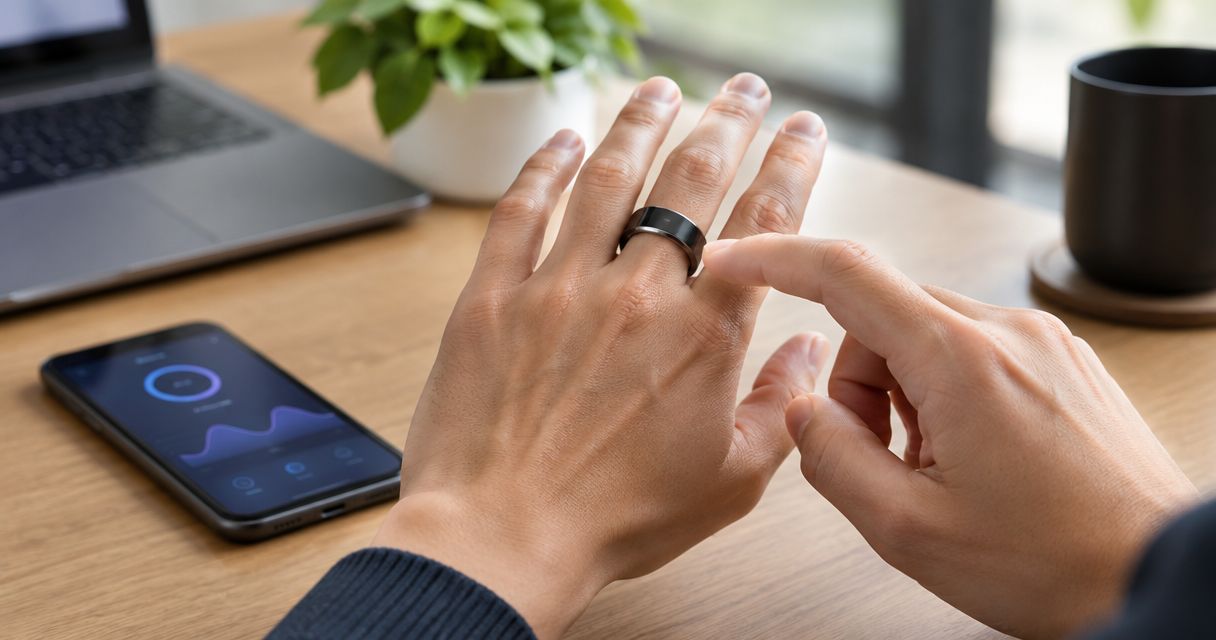
An AI wearable handles background noise by capturing speech through its microphone and, depending on its design, processing that recording to reduce unwanted sound before transcription. Noise reduction can improve a recording, but it cannot guarantee recovery of words that competing voices, wind, or distortion have obscured. This 2026 guide explains what to listen for and how to test a wearable in the places you actually use it.
- How does an AI wearable handle background noise? Microphone capture and speech processing work together; results depend on the device.
- Present-Ring-AI targets screenless voice note-taking, not a promise of noise-free recordings.
- Nearby voices are harder to separate from your speech than a steady background hum.
- Judge the transcript against what you said, not just how clean the recording sounds.
How does an AI wearable handle background noise?
An AI wearable can handle noise at several stages: microphone capture, audio processing, and speech recognition. These stages solve different problems. A cleaner recording and a correct transcript are related, but they are not the same result.
| Stage | What it does | What it cannot establish alone |
|---|---|---|
| Microphone capture | Converts speech and surrounding sound into an audio signal | Whether the intended voice will remain clear in every setting |
| Noise suppression | Reduces sound identified as unwanted background noise | Whether quiet speech survives processing intact |
| Speech recognition | Converts captured speech into written words | Whether every plausible-looking word was actually spoken |
| Transcript review | Checks the written result against the intended meaning | Words that were never captured clearly |
Not every wearable uses the same processing. A microphone does not establish that a device has directional recording, multiple microphones, or a particular noise-suppression method.
Present-Ring-AI focuses on screenless voice capture. Evaluate noise handling separately from that quieter interaction model: removing a screen changes how you take a note, not the acoustics around you.
Why this matters
You want to keep the thought, not manage the recording. Background noise gets in the way when a transcript drops a name, changes a deadline, or turns a hesitant suggestion into a firm instruction.
A polished sentence can still be wrong. For a 2026 buying decision, ask whether the wearable preserves meaning in your setting—not whether a demonstration sounds impressively quiet.
The right test follows your intended use. Dictating an idea alone and recording a discussion across a table place different demands on the microphone. Treat them as separate tasks rather than assuming success at one proves success at the other.
What noise suppression actually changes
Noise suppression aims to reduce unwanted sound while retaining speech. A steady fan gives processing a different problem from another person speaking beside you: both voices contain the patterns the system is trying to preserve.
Some systems estimate which parts of a signal belong to speech and reduce the rest. Others combine information from multiple microphones when the hardware supports it. Those are category techniques, not features you should assume any particular ring includes.
There is a trade-off. Strong suppression can make the background quieter while also thinning, clipping, or distorting the voice you wanted to keep. Listen for missing word beginnings, softened consonants, and speech that breaks up during louder sounds.
Cleaner audio is not the same as better transcription
A pleasant recording is useful, but transcription needs recognizable speech detail. Removing an irritating sound does not automatically restore a name that was masked while you spoke.
The reverse matters too. A recording with an audible fan can still contain understandable speech. Do not reject it solely because the background remains audible; check whether the transcript preserves the words you need.
For more on that distinction, see how accurate AI voice transcription is on wearable devices.
Which background sounds cause different problems?
Use the conditions below to choose a realistic test. These are recording situations, not promised performance levels for a device.
| Recording condition | Main challenge | Best for testing | Practical response |
|---|---|---|---|
| Steady fan or ventilation | Continuous sound beneath speech | Basic background-noise handling | Compare the transcript with a quiet-room recording |
| Nearby conversation | Competing speech resembles the target speech | Voice separation in shared spaces | Move away from other speakers |
| Wind | Air moving across the microphone creates interference | Outdoor note capture | Find shelter before recording |
| Reflective room | Reverberation blurs speech detail | Meeting-room use | Try a quieter, less reflective location |
| Touching or rubbing | Contact introduces noise at the device | Normal hand movement during capture | Keep the microphone area unobstructed |
A quiet-room test has a clear benefit: it establishes whether ordinary speech is captured well before you add distractions. Its limitation is equally clear. It does not represent a busy café, a windy street, or a meeting with overlapping speakers.
A difficult-room test exposes those limits. Its drawback is that changing several conditions at once makes the cause harder to identify. Start simple, then introduce the noise you actually encounter.
Why background-noise performance varies
The same wearable can produce different results without any setting changing. The acoustic scene changes around it.
- Distance from speech. Moving farther from the intended speaker generally reduces that voice's level relative to surrounding sound. A wearable on your hand does not have a fixed distance from your mouth.
- Competing voices. Another person talking introduces speech, not merely a removable hum. Overlapping words make the target conversation harder to isolate.
- Wind and contact. Air movement, clothing, and fingers near a microphone can interfere with capture. Software processing is not a substitute for keeping the microphone clear.
- Room reflections. Hard surfaces reflect sound. Reverberation spreads speech over time and can blur detail before transcription begins.
- Speaking pattern. Turning away, lowering your voice, or speaking over someone changes the recording. Keep those behaviors consistent when comparing results.
- Processing choices. Noise suppression and speech recognition affect different parts of the result. A quiet background does not prove the final text is correct.
In 2026, evaluate the full capture-to-transcript result rather than treating “noise reduction” as a complete performance claim. The useful question is what survives: your words, their meaning, and the details you will need later.
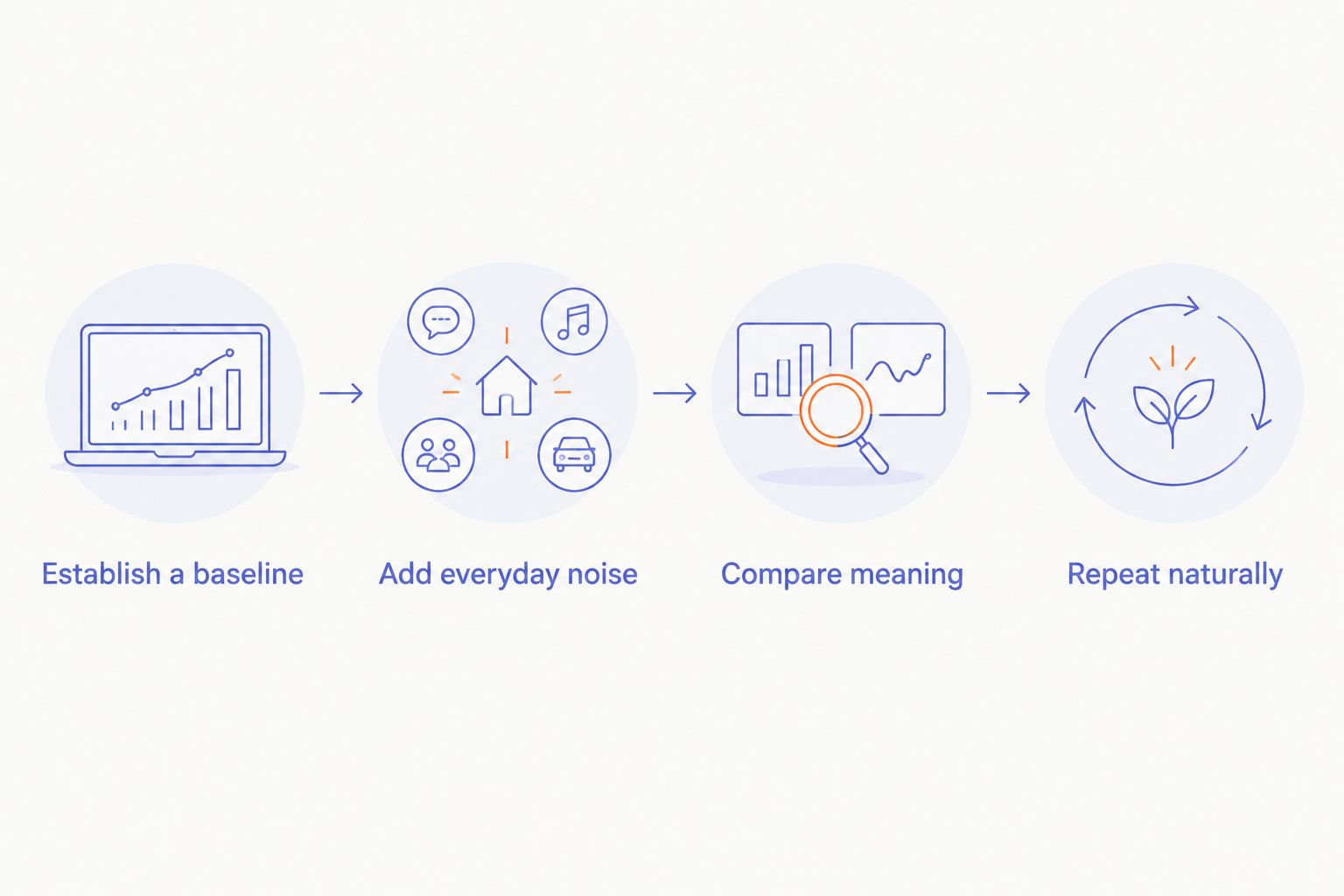
How to test a wearable in your own environment
Use a repeatable process. Keep the spoken material familiar enough that you can recognize substitutions without relying on memory alone.
Establish a baseline
Write a short passage containing a name, a date, and an action. Record about 30 seconds of speech in a quiet room, using the device as its instructions describe.
Read the transcript against your original passage. Mark missing words, substituted words, and changes in meaning. This baseline separates an ordinary transcription problem from one introduced by background noise.
Add everyday noise
Repeat the same passage for 30 seconds in a setting you expect to use. Keep your voice and posture similar to the baseline. Do not shout simply to help the device pass.
Choose a real condition rather than an artificial challenge with no connection to your day. A shared workspace matters if that is where you capture thoughts; outdoor wind matters if you dictate while walking.
Compare meaning
Review the 2 recordings together. If audio playback is available, listen alongside the transcripts rather than judging the text alone.
Look for the errors that change an action: a missing negative, a different person, or a changed date. Count those separately from punctuation differences. A transcript that reads smoothly but changes the task is not ready to use without correction.
Repeat naturally
Make a 1-minute note in your normal speaking style. Include a pause, a correction, and a complete thought rather than reading only a polished sentence.
This final pass tests the habit you want to build. A wearable should be assessed in its intended use, not only in a carefully rehearsed demonstration.
For a 2026 comparison, keep the passage and evaluation criteria unchanged between devices. Otherwise, you are comparing different speaking situations as much as different hardware.
Where a screenless ring fits
Present-Ring-AI is best for people seeking screenless voice note-taking rather than another display to check. Its pre-launch R1 is a smart ring with a built-in microphone that transcribes spoken ideas and conversations for notes.
The benefit is the intended interaction: speak instead of opening a screen to write. The limit is that this product description does not establish performance in wind, crowded rooms, or overlapping conversation. Those conditions still need a relevant demonstration or test.
Choose the form around your habit. Then evaluate capture quality separately. A minimalist device should reduce the attention you spend taking a note, but the resulting text still deserves review before it becomes a commitment or record.
Can an AI wearable remove other people's voices?
An AI wearable should not be assumed to remove other people's voices. Competing speech is different from steady background sound, and the ability to label speakers does not establish the ability to isolate them acoustically.
If your use depends on separating a conversation from surrounding chatter, test that exact situation. A recording of one speaker in a quiet room does not answer the question.
Does speaking louder solve background-noise problems?
Speaking louder is not a complete solution to background noise. It can make your voice more prominent, but shouting changes natural use and excessive input can distort a recording.
First reduce the interference you control. Move away from a loudspeaker, pause while someone else speaks, or find shelter from wind. Then speak clearly at a comfortable level.
Can a wearable recover words the microphone missed?
A wearable cannot reliably recover words that were never captured intelligibly. A transcription system can produce a plausible interpretation, but plausibility is not evidence of the original wording.
Confirm uncertain names, dates, and instructions with the speaker. If a detail matters, repeat it clearly rather than asking a later summary to resolve an unclear recording.
FAQ
How does an AI wearable handle background noise?
An AI wearable captures sound through its microphone and can use audio processing to reduce unwanted noise before transcription. The methods depend on the device, and noise suppression does not guarantee an accurate transcript.
Will an AI wearable work in a busy café?
A busy café needs a realistic recording test because nearby voices compete with the speech you want to capture. Move away from other conversations and compare the transcript with what you actually said.
Is noise suppression the same as noise cancellation in headphones?
Recording noise suppression and headphone noise cancellation serve different purposes. Recording processing targets captured audio; active headphone noise cancellation reduces sound reaching the listener's ears.
Does a screenless wearable handle noise better?
A screenless design does not establish better background-noise handling. Evaluate microphone capture and transcription separately from the absence of a display.
Should I trust a transcript if the sentences sound correct?
Correct-sounding sentences are not proof of an accurate transcript. Check names, dates, negatives, and instructions against the recording or confirm them with the speaker.
What is the simplest background-noise test before choosing a wearable?
Record the same short passage in a quiet room and in your usual noisy setting. Keep your speaking style similar, then compare missing words and changes in meaning rather than punctuation alone.
One last thing
The most useful noise test includes a correction. Say a thought, change your mind, and state the final instruction clearly. Check whether the transcript preserves that change rather than leaving you with the wrong action.
For your 2026 shortlist, keep one rule: judge the note you can use, not the silence between words. Present-Ring-AI's screenless approach addresses the interaction. Your test should establish whether the captured thought remains intact.