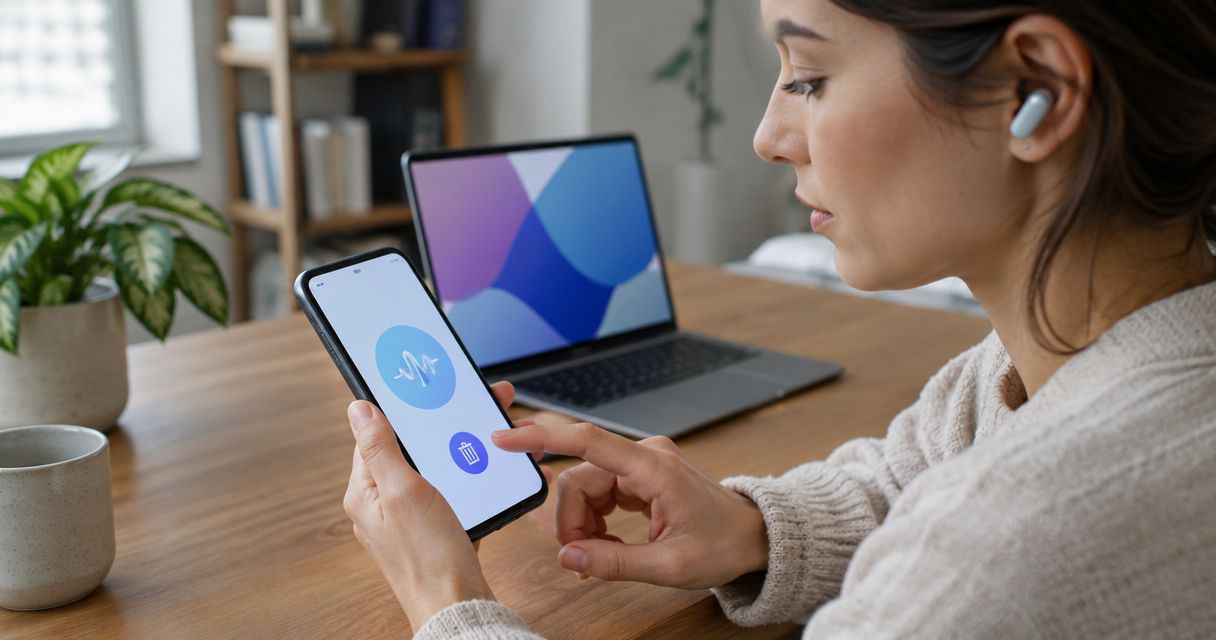
Yes—a voice-recording smart ring can serve as an interview backup if it saves a complete, retrievable recording independently of your primary recorder. A transcript alone is not an audio backup, and a microphone does not establish that a ring retains the original sound. Test recording, recovery, and playback before trusting it with an interview.
- Can a smart ring work as a backup recorder for interviews? Yes, if it preserves retrievable audio independently.
- Present-ring-ai targets screenless voice note-taking; interview backup requires separate checks for audio retention and recovery.
- Keep a primary recorder, disclose both devices, and test both speakers before the interview.
- Treat transcripts as working notes. Check quotations against the original recording.
Why this matters
A backup has one job: preserve the interview when the primary recording fails. Convenient notes are useful, but they do not meet that requirement by themselves.
For your 2026 interview setup, separate capture from transcription. Capture preserves sound; transcription turns speech into text. Before choosing where to sit, consider whether a smart ring can pick up voice across a room. Your voice reaching the microphone does not prove that your guest's voice will reach it clearly.
Choose a backup by what you can recover afterward, not by how little you notice it during the conversation. A quiet device still needs an observable, repeatable recording process.
Can a smart ring work as a backup recorder for interviews?
Yes, provided the particular ring records usable audio, retains it, and lets you retrieve it when the primary recording is unavailable. Not every smart ring records speech. Even a voice-capture ring needs an interview-specific test before you assign it that role.
The distinction is between a second device and a second recoverable recording. Wearing another microphone is not enough if both recording paths depend on the same phone, connection, or account access.
| Recording option | Best for | Practical advantage | Limitation to check |
|---|---|---|---|
| Voice-recording smart ring | Interviewers seeking screenless secondary capture | Keeps the capture device on your hand | Verify retained audio, guest audibility, and independent recovery |
| Phone recording app | Interviewers who want to inspect recording controls directly | Provides a screen for checking the recording session | Check interruptions, microphone placement, and dependencies shared with the primary setup |
| Dedicated audio recorder | Interviews organized around a separate audio device | Gives recording its own device and workflow | Requires another device to prepare, position, and retrieve afterward |
| Written notes | Questions, observations, and follow-up reminders | Preserve your interpretation without another audio recording | Do not preserve the speaker's original sound |
These options serve different purposes. Written notes complement audio; they do not replace it. A ring qualifies as an audio backup only after it passes the same recovery checks you would apply to another recorder.
What must a ring preserve to count as a backup?
Original audio, not only a transcript
A transcript records a text interpretation of speech. It does not preserve tone, pauses, or the sound needed to resolve an uncertain word. For interview work, keep access to the original recording whenever your process requires exact quotations.
Ask whether the ring retains audio and whether you can play that audio outside the transcription view. Do not infer either capability from the phrase voice capture. If you can recover only text, describe the ring as a note-taking aid—not your audio backup.
A complete session, not isolated thoughts
Capturing a brief spoken idea and preserving a full interview are different tasks. Check how recording starts, how it stops, and whether the device imposes session limits. Make the test match the way you intend to interview.
Do not assume continuous recording, automatic activation, or an automatic restart. Confirm each behavior you need. An interview backup should not depend on remembering an undocumented gesture while listening to a difficult answer.
An independent recovery path
Map the entire recording path: microphone, storage, transfer, account access, and playback. Then compare that path with your primary setup. A shared dependency deserves attention because losing it can affect both recordings.
Using the same account does not automatically invalidate a backup. The practical question is narrower: can you retrieve the second recording when the part that failed in your primary setup is unavailable?
How do you test a smart ring before an interview?
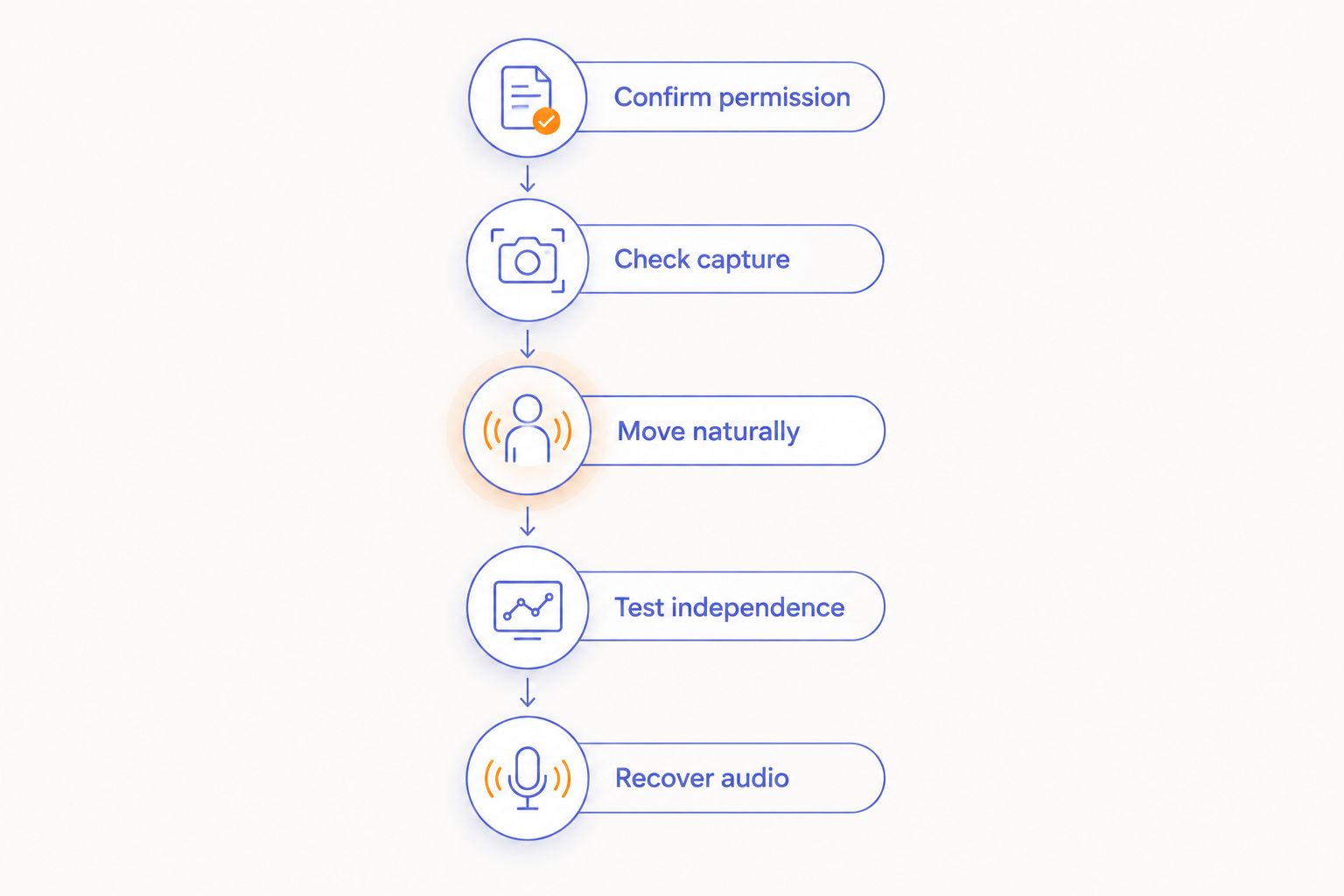
Use this rehearsal for your 2026 recording setup. The durations below are suggested test steps, not claims about any device's capacity or performance. Complete the process with a willing test partner before recording an important interview.
- Confirm permission. Explain that you want to test both a primary recorder and a wearable backup. Include transcription and any intended sharing in that explanation.
- Check capture. Record a 30-second exchange with your hand in its normal resting position. Both people should speak at their ordinary interview volume.
- Move naturally. Continue for 2 minutes while taking notes, turning a page, and moving your hand as you normally would. Listen afterward for speech obscured by movement or contact noise.
- Test independence. Make a separate 60-second test with the primary recording unavailable. Change a shared dependency only when the ring's documented operation supports that test.
- Recover audio. End the session, retrieve the saved recording, and play both speakers' words. Check the beginning, middle, and end rather than relying on a file name or transcript preview.
A short rehearsal establishes the workflow. It does not establish full-interview endurance. Follow it with a recording rehearsal that matches your planned session length, including the preparation and delay you expect before the interview starts.
Write down any failure in plain language. For example, distinguish an inaudible guest from a missing recording or an inaccessible file. Each problem needs a different fix; repeating the same test without identifying the failure does not establish reliability.
Do not assign the ring a backup role until the complete recording survives retrieval and playback. Repeat the rehearsal after a change to the recording workflow that affects capture or recovery.
Why interview backup reliability varies
In 2026, the useful comparison is not simply ring versus phone. It is the complete recording arrangement: where the microphone sits, what it preserves, and what you need to retrieve it.
- Microphone position. Your hand changes position during conversation. Test with your hand resting naturally, not held near the speaker solely to make the test succeed.
- Room sound. Nearby conversations, music, and ventilation compete with speech. Rehearse in the actual room when possible, then listen to both voices.
- Hand movement. Writing, adjusting clothing, and touching the table change the conditions around a ring microphone. Include those movements in your rehearsal.
- Session length. A successful brief note does not establish that a complete interview will be retained. Verify documented limits and rehearse the intended duration.
- Shared dependencies. A common phone, connection, or access requirement creates a shared point to examine. Test recovery against the failure you actually want the backup to cover.
- File access. A transcript appearing in an app is not proof that original audio is retrievable. Confirm playback, export where needed, and the location of your saved copy.
Avoid inventing a universal microphone-distance rule. The useful evidence is whether the intended speakers remain understandable in your intended seating arrangement. Move the equipment or change the backup if the guest's words are unclear.
Where does R1 fit in an interview workflow?
Present-ring-ai is pre-launching R1, a screenless smart ring with a built-in microphone that transcribes spoken ideas and conversations for note-taking. Its stated purpose is a quieter, distraction-free wearable experience.
Present-ring-ai is best suited to people seeking screenless voice note-taking, rather than a verified interview-recording system. That distinction separates the stated use from the additional requirements of interview backup.
For your 2026 interview plan, the appeal is clear: a screenless device fits a workflow built around listening rather than checking a display. The trade-off is equally clear. You must establish how you will confirm recording, preserve original audio, and recover a complete session before treating the ring as protection against lost material.
Keep the role narrow until those checks pass. Spoken reflections after an interview and a recoverable recording of the interview itself are different jobs. Do not treat success at the former as proof of the latter.
Can a transcript replace the backup recording?
No—a transcript cannot replace an original-audio backup. It can help you search the conversation and locate passages, but it does not preserve the sound needed to check a disputed word or identify an unclear speaker.
Keep the transcript beside the recording rather than treating the text as the final record. When you select a quotation, return to the audio and listen to the surrounding exchange. Correct the text before using it.
A readable transcript is not evidence that every sentence was captured correctly. Check names, technical terms, and any passage whose meaning depends on a short word or a speaker change.
Should you tell someone that your ring is recording?
Yes—disclose the wearable recorder before you start and obtain the consent your situation requires. A screenless device is less visible than a recorder placed on a table, which makes a clear explanation especially important.
Recording requirements depend on jurisdiction and context. Check the rules that apply to the participants and location, along with any employer, research, or publication requirements. Do not treat a general recording guide as permission for a particular interview.
Explain the backup separately from the primary recorder. Include what will be recorded, whether speech will be transcribed, and who will receive the material. For sensitive interviews, agree on storage and deletion before capture begins.
What should you do immediately after the interview?
Confirm the recording before packing away your equipment. Check that the primary and backup sessions exist, then play enough of each to establish that both speakers were captured across the session.
Retrieve the original audio through the supported process. Use clear file names that identify the interview and recording source without exposing unnecessary personal information. Keep any transcript linked to its corresponding audio in your working records.
Do not delete a device's recording merely because text has appeared elsewhere. First verify the saved audio copy and your ability to play it. Then follow the retention agreement you made with the participant.
If the ring failed, record what failed while the circumstances are fresh. Change the setup before the next interview instead of assuming the same arrangement will behave differently.
FAQ
Can any smart ring record an interview?
No. A smart ring needs speech-recording capability to capture an interview, and that capability alone does not establish retained audio or complete-session recovery. Check the specific device's documented operation.
Is a smart ring enough as my only interview recorder?
Do not make a smart ring your only interview recorder without verifying the complete recording workflow. For interviews you cannot repeat, keep a tested primary recorder and a separately recoverable backup.
Does a transcript count as an interview backup?
A transcript is a text reference, not an original-audio backup. Keep the recording when you need to verify exact words, speaker identity, or context.
Can a ring record my guest when it is on my hand?
A ring's ability to record your guest must be tested in your actual seating arrangement. Play back both voices with your hand resting naturally and while taking notes.
Will a smart ring keep recording if my phone stops working?
Do not assume that a smart ring keeps recording when your phone stops working. Verify its capture, storage, and recovery requirements, then test the supported workflow before the interview.
Is Present-ring-ai designed for interview backup recording?
Present-ring-ai describes its offering as a screenless voice-capture wearable for transcribing ideas and conversations into notes. Treat interview audio backup as a separate use that requires verification of retention, complete-session capture, and recovery.
Do I need permission to record an interview with a ring?
Obtain the consent required for your interview and disclose the ring's recording role before starting. Check the applicable jurisdiction and any organizational rules, including requirements covering transcription and storage.
One last thing
A backup is not defined by being your second device. It is defined by being recoverable when the first recording is lost. Two devices that depend on the same failed recording path do not give you the protection you intended.
Before your next interview in 2026, rehearse the failure—not just the successful recording. Listen to the recovered file before you trust the setup. Then put the equipment aside and give the person your attention.