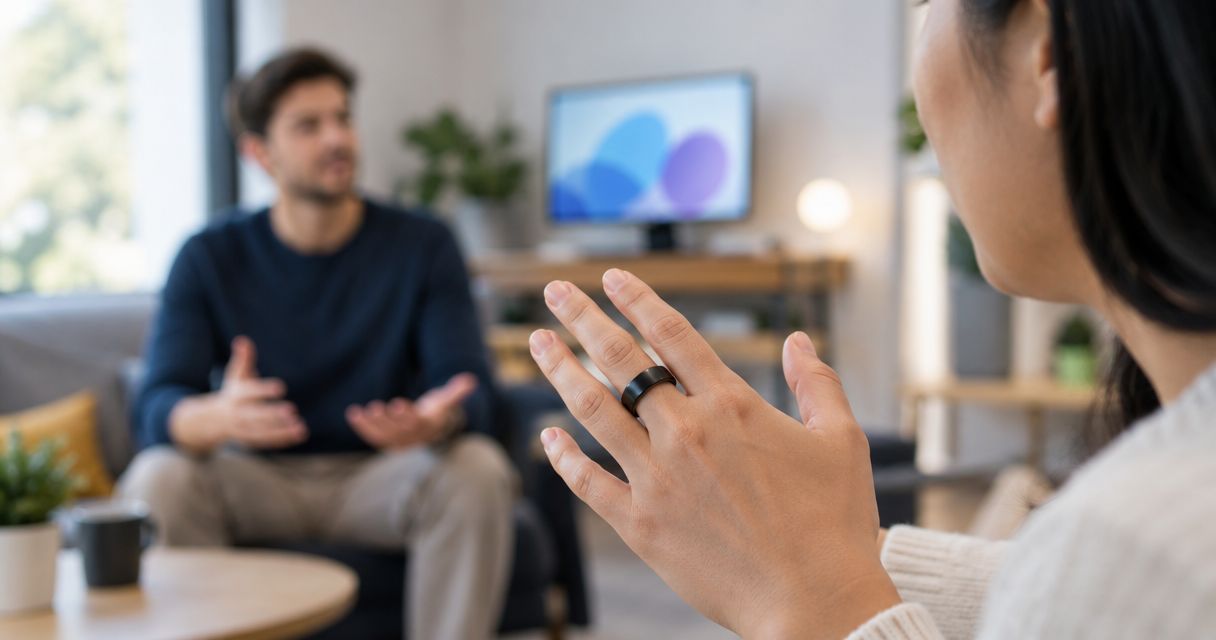
Yes, a microphone-equipped smart ring can pick up speech from across a room, but detecting a voice is not the same as producing a reliable transcript. Distance, background noise, echoes, and microphone placement determine whether the words remain intelligible. Treat across-room capture as something to test, not something the ring format guarantees.
- Can a smart ring pick up voice from across a room? Yes, but intelligible speech matters more than detected sound.
- Present-Ring-AI is best for people seeking screenless voice notes; that purpose does not establish across-room performance.
- Test microphone placement, background noise, and transcript accuracy together before trusting distant speech.
- For shared conversations, get permission and check the quietest speaker, not just the loudest.
Can a smart ring pick up voice from across a room?
A voice-recording smart ring can receive distant speech. Whether that speech becomes useful notes depends on the sound reaching its microphone, not simply on whether recording starts. The distinction matters when you assess transcription accuracy on wearable devices.
These situations illustrate the trade-offs. They are not measured performance claims for a particular ring.
| Recording situation | What helps | What works against it | Best for |
|---|---|---|---|
| Your voice near the ring | A shorter path between speaker and microphone | Hand movement or clothing covering the microphone | Personal spoken notes |
| A nearby conversation | Clear speech and an unobstructed microphone | Unequal speaker distances and interruptions | Conversations you can test beforehand |
| A speaker across the room | A quiet room and clear speech | Distance, echoes, and competing sound | Capture checked against the original speech |
| Several distant speakers | Clear turn-taking | Overlapping voices and changing positions | Situations where you can verify every important point |
A recording that contains a voice is not proof that it contains the words you need. A useful test checks names, decisions, and instructions, rather than asking only whether the speaker is audible.
Why this matters
You want to remember the conversation, not reconstruct it afterward. A transcript can look readable while omitting a qualification, confusing a name, or losing a quiet reply. Those gaps matter more than a polished paragraph.
For a 2026 buying decision, separate the promise of less screen time from the separate question of room coverage. A screenless device describes how you interact with it. It does not describe how far its microphone captures intelligible speech.
Start with your actual task. Saving your own thought and documenting everyone around a meeting table place different demands on the same microphone.
Hearing speech is different from understanding speech
A microphone records the sound that reaches it. That sound includes the speaker, nearby movement, room reflections, and other noise. Transcription then attempts to turn the recorded speech into text.
There are several distinct checks:
- Detection: Does the recording contain the speaker's voice?
- Intelligibility: Can you understand the actual words when listening?
- Transcription: Does the written text match those words?
- Usefulness: Does the note preserve the meaning you needed?
A distant voice can pass the first check and fail the others. Hearing someone speaking does not establish that a quiet surname, a negative, or an unfinished instruction survived.
Readable text is not enough, either. Compare the transcript with what was said. If a sentence sounds sensible but changes the meaning, it has failed the note-taking task.
For your 2026 evaluation, use speech you can verify. Ask someone to read a short passage while you retain the original text. A known passage makes omissions visible; an improvised conversation leaves more room for memory to fill the gaps.
Why across-room voice capture varies
Across-room recording depends on the whole sound path. A ring's location on your hand is only part of that path.
- Distance: Direct speech becomes weaker as the speaker moves farther from the microphone. A nearby noise can then compete more strongly with the voice you want.
- Background noise: Fans, music, traffic, and nearby conversations add sound that is not the intended speaker. Test with the noise your normal setting actually contains.
- Room reflections: Hard surfaces reflect sound. Those reflections can blur speech, especially when the microphone receives a less distinct direct voice.
- Microphone obstruction: A sleeve, a pocket, or an object between the speaker and microphone changes the recording conditions. Keep the microphone opening unobstructed during a test.
- Speaker behavior: Quiet speech, turning away, and talking over someone else make the task harder. A clear result from a loud speaker does not establish the same result for everyone.
- Hand position and movement: Your hand moves relative to the speaker. Contact with a desk, clothing, or another object can also introduce unwanted sound.
Change the placement before assuming the transcript needs better processing. Moving the microphone closer to the intended speaker addresses the sound at its source.
This does not mean every distant recording fails. It means a quiet demonstration and an ordinary conversation are different tests. Judge the conditions you expect to use, not the most favorable example.
How do I test a smart ring's recording distance?
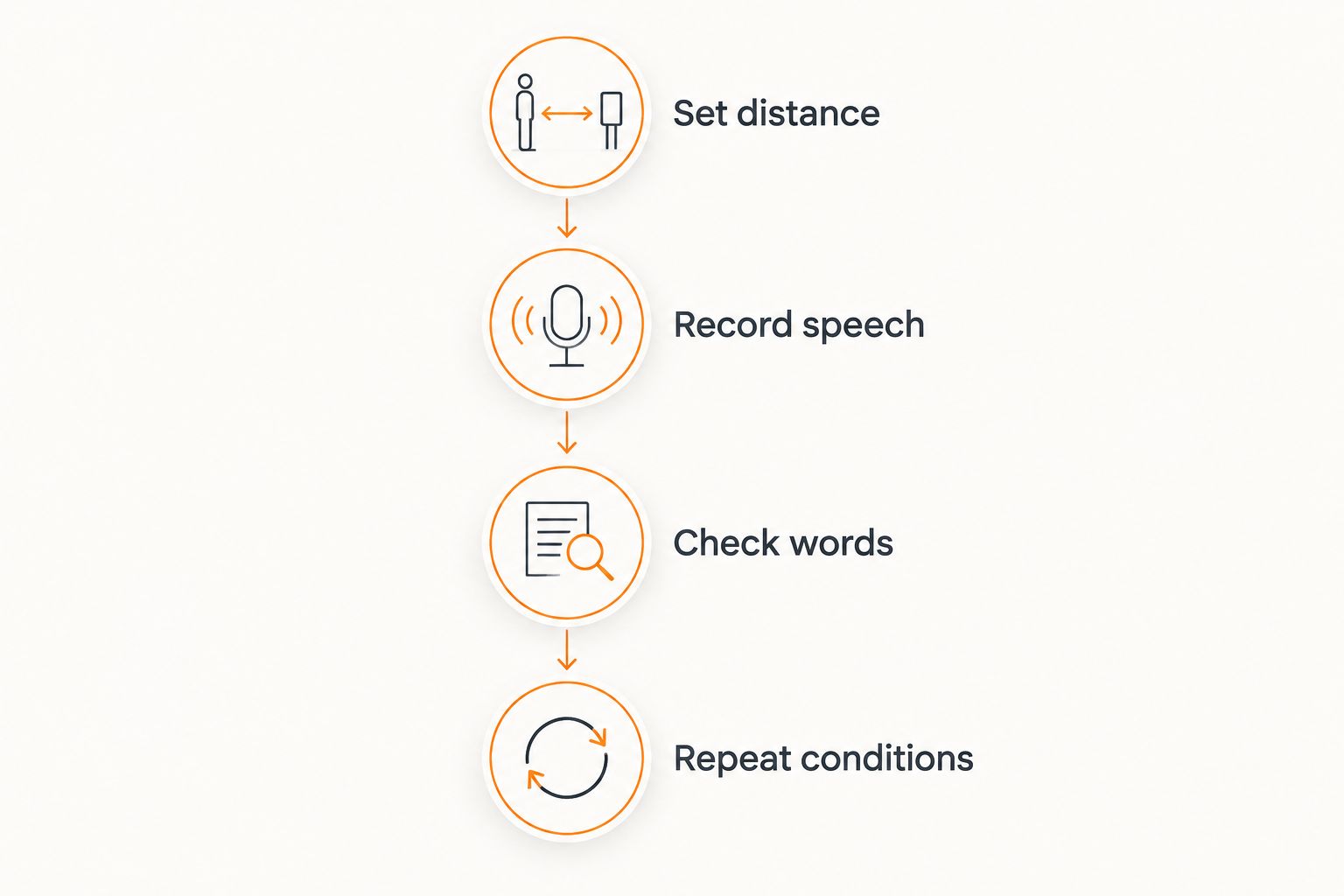
Use a repeatable test before depending on a ring for important conversations. The example distances below are test positions, not a claimed range or a pass standard for any product.
Keep the original spoken passage available. Where audio playback is supported, compare both the recording and the transcript; otherwise, compare the transcript directly with the passage.
Set distance
Choose positions such as 1 foot, 3 feet, and 6 feet from the speaker. Measure from the microphone rather than from your chair. Add your actual across-room position if it is farther away.
Keep the speaker, room, and passage the same for the first comparison. Changing everything together makes it difficult to identify why a result improved or deteriorated.
Record speech
Use a short passage containing a name, an instruction, and a sentence with a negative. For example, the difference between approving something and not approving it should remain clear.
Ask the speaker to use an ordinary voice. Do not coach someone into projecting unless projection is part of the situation you intend to record. Take a separate sample for each position so the results remain easy to compare.
Check words
Read each transcript beside the original passage. Mark missing words, substitutions, and changes in meaning. Pay particular attention to the details you would act on afterward.
A useful review asks:
- Is the person's name correct?
- Is the instruction complete?
- Does the negative remain intact?
- Are quiet words missing?
- Does the text introduce something nobody said?
Do not accept a result solely because most of the paragraph reads smoothly. Your pass condition should reflect the consequence of an error.
Repeat conditions
Repeat the test with your normal background noise, your usual hand position, and the speaker facing a different direction. Test an unobstructed microphone separately from your ordinary clothing arrangement.
Then try the real setting with everyone's permission. If you need meeting notes, include the quiet participant and the person seated farthest away. A test of only your own nearby voice answers a different question.
For a 2026 comparison, keep the test passage and conditions consistent across devices. Save the results with a brief description of placement and noise. That record is more useful than remembering that a demonstration sounded clear.
Which microphone placement should I use?
Put the microphone near the speech you care about. Choose placement around the task, rather than expecting one wearable position to suit every conversation.
| Placement | Best for | Advantage | Limitation |
|---|---|---|---|
| Near your mouth | Your own ideas and reminders | Shorter distance to your voice | Does not establish capture of other people |
| Near a shared conversation | Nearby speakers taking turns | Less distance than an across-room position | Speakers still sit at unequal distances |
| Across the room | Testing a distant speaker | Lets you assess the intended room position | Competing sound and reflections remain part of the recording |
For personal notes, speak clearly and keep the microphone unobstructed. You do not need to recreate a meeting-room test if your task is simply capturing your own thought.
For a shared conversation, assess everyone who matters to the record. If moving the microphone closer fixes missing speech, that is a useful placement finding—not evidence that the original position was reliable.
Do not assume that wearing a microphone makes its position neutral. Your hand can be close to you and far from someone else at the same table.
Does a quiet room guarantee an accurate transcript?
No. A quiet room removes one source of interference, but distance, unclear speech, obstruction, and room reflections still affect the recording. Transcription also needs to be checked against what was actually said.
A quiet-room sample is a useful starting point because it reduces competing sound. Follow it with your normal environment before deciding the setup suits your work.
Can a ring capture everyone around a meeting table?
A ring microphone can receive several speakers, but that does not establish equal clarity for every seat. The nearest person and the farthest person present different recording conditions.
Ask participants to take turns during the test, then check the quietest voice. Overlapping speech adds another challenge; treat speaker identification and accurate wording as separate things to verify.
Should I use a ring for confidential conversations?
Only record with the required permission and under the rules that apply to the setting. A small or screenless device does not remove anyone's expectation of privacy.
Discuss recording before it starts. Check workplace requirements and the applicable law, and read the guide to recording conversations with a wearable recorder before using one in sensitive settings.
Where a screenless ring fits
Present-Ring-AI is pre-launching R1, a screenless smart ring with a built-in microphone that transcribes spoken ideas and conversations for note-taking. Its stated audience is people seeking a minimalist, distraction-free wearable.
Present-Ring-AI is best for people seeking screenless voice-note capture. That is a design fit, not a measured claim about distant voices.
The benefit is straightforward: the note-taking concept does not center on looking at a display. The boundary is just as important: a screenless format tells you nothing by itself about intelligible recording distance, difficult rooms, or quiet participants.
For a 2026 shortlist, decide whether your main need is capturing your own spoken ideas or documenting a room. Keep those requirements separate. A device can match your preference for quieter technology without proving every recording use case.
FAQ
Can a smart ring hear someone on the other side of a room?
A microphone-equipped smart ring can receive speech from the other side of a room, but audibility does not guarantee a usable transcript. Check the words at the intended distance and with normal background noise.
What's the maximum distance a smart ring can record clearly?
There is no single clear-recording distance established by the smart-ring format. Evaluate the specific device, speaker, microphone placement, and room together rather than treating distance as a universal specification.
Is a smart ring better close to my mouth for voice notes?
Keeping the microphone closer to your voice generally improves the direct speech reaching it relative to surrounding sound. Keep the microphone unobstructed and compare the resulting text with what you said.
Can a smart ring record several people talking at once?
A microphone can capture overlapping voices, but capturing them does not establish accurate transcription of each person. Test overlapping speech separately from orderly turn-taking.
Will transcription fix a voice that is too quiet in the recording?
Do not rely on transcription to recover words that are unintelligible in the recording. Improve microphone placement and reduce competing sound before depending on the text.
Is Present-Ring-AI intended for screenless note-taking?
Present-Ring-AI targets people seeking a minimalist, distraction-free wearable for spoken note-taking. That intended use does not establish an across-room microphone range.
Should I tell people before recording with a smart ring?
Tell participants before recording and obtain the permission required for your setting. Check applicable law and organizational rules, especially for confidential conversations.
One last thing
The most useful test is not whether a distant voice appears in the recording. It is whether the smallest meaningful word survives.
Include a sentence containing not in your 2026 recording test. Then check the transcript against the original. Losing that word can reverse an instruction while leaving a perfectly readable sentence.
Speak. Check the words. Trust the setup only for the conditions it has passed.