An AI note taker ring is set up when you can capture a spoken note, retrieve its transcript, and repeat the process without guessing the controls—not when a timer ends. A verified setup duration for R1 is not established, so a precise estimate in minutes would be misleading in 2026.
- How long does it take to set up an AI note taker ring? Use a readiness checklist, not an unverified timer.
- Present-ring-ai R1 is intended for screenless voice capture and spoken-note transcription.
- Confirm recording controls, transcript access, and privacy before relying on a wearable note taker.
- Keep optional note-routing workflows separate from your first successful capture.
Why this matters
A successful connection is not the same as a usable note-taking routine. You need to know how to capture a thought, find the resulting text, and recognize when capture has stopped. Otherwise, the first important conversation becomes your setup test.
Present-ring-ai describes R1 as a screenless ring with a built-in microphone for transcribing spoken ideas and conversations. Present-ring-ai R1 suits people seeking screenless voice capture rather than another display. That describes its intended use, not a measured setup speed.
The trade-off is straightforward. A screenless device keeps the display off your hand, but you still need to learn how its controls and recording feedback work. Quiet technology should reduce uncertainty, not leave you wondering whether a thought was saved.
How long does it take to set up an AI note taker ring?
There is no defensible minute-based answer for R1 without a verified setup procedure and timing. For your 2026 setup, use the following checkpoints instead. They define a useful finish line without promising a duration the product information does not establish.
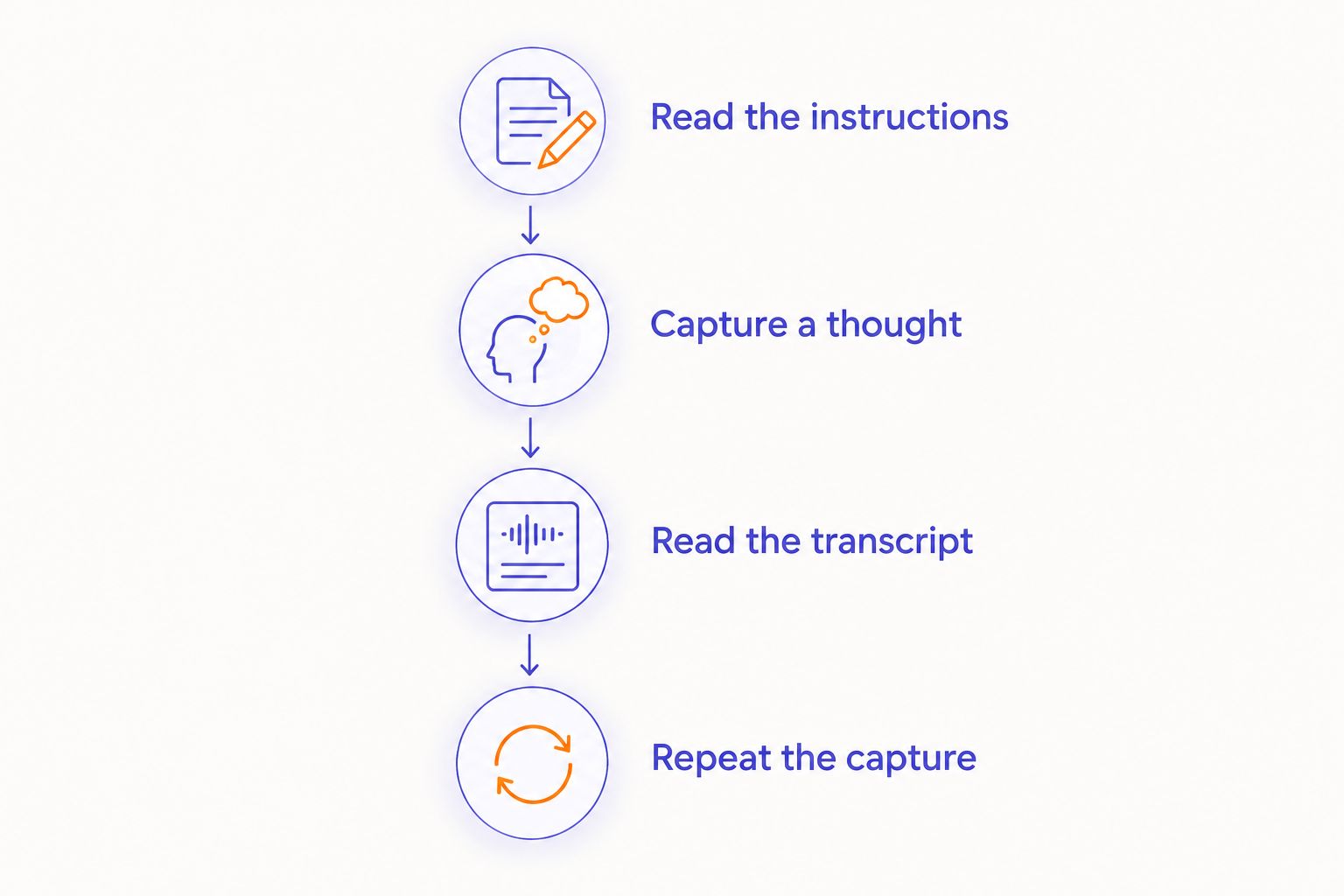
- Read the current instructions. Identify the documented requirements before changing settings or downloading anything.
- Prepare the device as directed. Follow its charging and connection instructions rather than borrowing steps from another wearable.
- Learn the capture controls. Confirm how recording starts, how it stops, and what indicates the current state.
- Record a harmless spoken note. Use something you can recognize immediately when reading it back.
- Retrieve and inspect the transcript. Check whether the text preserves the thought you meant to keep.
- Repeat the capture. Confirm that you can do it again without searching through instructions.
These are readiness checks, not a claim about R1's exact onboarding sequence. Use the manufacturer's instructions for the actual controls, supported connections, and account requirements.
Count setup as finished when the basic capture-to-transcript loop works. Keep additional destinations, organization rules, and conversation workflows outside that first milestone.
Do not use a scheduled meeting as the deadline for discovering how the ring works. Complete the checks beforehand. If you cannot retrieve your test note, you have not yet established a dependable note-taking workflow, regardless of whether a connection screen reports success.
Basic setup versus a connected note-taking workflow
Separate getting a usable note from arranging everything that happens afterward. The first task establishes whether you can capture and retrieve your words. The second concerns where those words belong in your working day.
| Setup scope | Best for | Finish line | Benefit | Limitation |
|---|---|---|---|---|
| Basic capture | Your first personal voice note | You can start, stop, and retrieve a readable transcript | Keeps the initial task focused | Does not establish sharing or note-routing behavior |
| Connected workflow, if supported | Moving notes into an existing routine | You have tested the documented destination and permissions | Tests the full route you intend to use | Adds another workflow to check and troubleshoot |
Start with basic capture. A connected workflow has little value until you know the original note can be captured and retrieved.
Do not treat an article title, a desired integration, or a familiar app name as proof of compatibility. Confirm support in current product documentation before planning around a particular destination. If the destination is not documented, keep it outside your setup plan.
This distinction also makes troubleshooting clearer. When the original transcript exists but does not reach your preferred destination, the capture step and the routing step are separate questions. Avoid resetting everything before identifying which part needs attention.
Why setup time varies
An honest 2026 setup plan separates necessary checks from optional work. The following factors define the scope of your preparation; they are not measured causes of delay for R1.
- Documented prerequisites. Check the device's stated requirements before starting. Do not assume that instructions for another ring apply.
- Device preparation. Follow the charging guidance and readiness indicators in the current instructions. Do not substitute an assumed charging duration.
- Capture controls. Learn the documented way to start and stop a note. A screenless design makes understanding feedback part of preparation.
- Transcript retrieval. Find the actual destination for the text and confirm that you can open your test note.
- Privacy decisions. Decide what you are comfortable recording and review the relevant data controls before using sensitive material.
- Optional destinations. Add another note-taking destination only when support is documented and basic capture already works.
The practical lesson is to reduce the scope of the first session. Capture a personal thought. Read it. Repeat it. Leave elaborate organization until that loop is familiar.
A 2026 first-note checklist
Use an ordinary, non-sensitive sentence for your first attempt. A reminder to bring a notebook is enough. You are checking the path from speech to text, not testing the device with confidential material.
Read the instructions
Find the current guidance for the exact device. Identify the recording controls, any required preparation, and the documented way to retrieve a note. Keep the instructions accessible while you work.
Do not infer the controls from the ring's appearance. A microphone does not tell you whether capture is automatic, manually triggered, or governed by another documented action.
Capture a thought
Follow the documented recording procedure and speak a complete thought. Then stop capture using the stated method. Pay attention to whatever feedback the instructions describe.
The important question is whether you understand the state of the device. If you cannot tell whether recording has started or stopped, resolve that uncertainty before recording anyone else.
Read the transcript
Open the resulting text through the documented route. Check whether it contains your intended message, including any names or task details you deliberately included.
A transcript does not need to look polished to reveal whether the workflow works. It does need to preserve enough meaning for you to recognize and use the note. Correct consequential errors before treating the text as a record.
Repeat the capture
Make another harmless note without retracing every instruction. Retrieve it again. This checks whether the workflow is understandable to you, rather than whether you completed onboarding once.
If you become stuck, identify the exact step: starting capture, stopping capture, finding the text, or understanding the transcript. A specific question is easier to resolve than a general feeling that setup failed.
Check privacy before recording a conversation
Your own reminder is a suitable setup test. Someone else's conversation requires a separate decision about permission, purpose, and handling of the resulting text.
Before recording, explain what you intend to capture and follow applicable consent requirements. A small device is not permission to record unnoticed. Workplace rules and confidentiality obligations also matter, even when the hardware is ready.
Review the documented controls for access, retention, and deletion. Do not assume that screenless means private, that a wearable keeps everything locally, or that ending a recording deletes its contents. Those are separate product questions.
Use the guide to data privacy in a wearable ring to frame your questions. Confirm the answers against current product information before recording personal, client, or workplace material.
A working microphone is not the final readiness check. You should also understand what you are recording and who is allowed to receive it.
How do I know my AI note taker ring is ready to use?
Your ring is ready for a basic personal note when you can deliberately start capture, stop it, retrieve the transcript, and repeat the process. That is a more useful test than elapsed setup time.
For conversation use, add permission and data-handling checks. Personal idea capture and recording other people should not share an unchecked finish line.
Should I connect other note-taking tools during setup?
Finish basic capture before adding another destination. If an integration is documented, test it afterward with harmless content and inspect where the text arrives.
Keeping the tasks separate makes the result easier to understand. You can establish whether the note exists before investigating whether another service received it.
Can I finish setup just before an important meeting?
Do not make an important meeting your first capture test. Finish the documented setup and retrieve a trial transcript before relying on the ring for information you cannot easily recover.
If the workflow remains unfamiliar, use a note-taking method you already understand. Learning a new device and preserving an important conversation are different tasks.
What to verify before relying on R1
For a 2026 decision, keep R1's stated purpose separate from features you want it to have. The stated purpose is screenless voice capture and transcription for note-taking. It does not, by itself, establish supported phones, offline behavior, live transcription, speaker identification, or connections to other tools.
Ask questions that match your actual use. If you want to capture thoughts away from your phone, confirm the documented connection requirements. If you want meeting notes, confirm how recording and transcript retrieval work before assuming the text appears during the conversation.
This is also where the screenless trade-off matters most. The benefit is a wearable without a display. The limitation is that you must understand the documented feedback rather than expect an on-ring screen to explain the device's state.
Choose the workflow before adding complexity. A personal reminder, an interview, and a shared work record have different requirements. Start with the simplest task you actually need, then verify each additional requirement individually.
FAQ
How long does it take to set up an AI note taker ring?
A verified setup duration for R1 is not established. Use successful capture, transcript retrieval, and repeatable controls as your readiness checks rather than relying on an unsupported estimate in minutes.
What's the first thing I should test after setup?
Test a harmless personal voice note and retrieve its transcript. Confirm that you know how recording starts and stops before recording a conversation.
Do I need an app to set up an AI note taker ring?
Follow the exact device's current instructions for app and account requirements. A built-in microphone does not establish which software or connections setup requires.
Can I set up a note-taking ring without an internet connection?
Confirm the documented offline requirements before attempting setup without internet access. Recording, transcription, and transcript delivery are separate capabilities and should not be assumed to work under the same conditions.
Is connecting the ring the same as finishing setup?
No. Connection alone does not demonstrate that you can capture a note, retrieve readable text, or repeat the process confidently.
Who is Present-ring-ai R1 intended for?
Present-ring-ai R1 is intended for people seeking a minimalist, screenless wearable for capturing spoken ideas and conversations as notes. Confirm the documented workflow before choosing it for a specific use.
Should I record a real conversation as my setup test?
Use a non-sensitive personal note first. Before recording other people, address permission, applicable consent requirements, and how the resulting recording and transcript will be handled.
One last thing
For your 2026 setup check, test stopping as carefully as starting. A useful note-taking routine includes knowing when capture has ended, not just knowing how to begin.
Then put the instructions aside and capture another ordinary thought. The right finish line is a routine you understand, not a setup time you cannot verify.