You get the right smart-ring fit by choosing the correct size, not by stretching, cutting, or heating the ring. Follow the maker’s sizing instructions, check comfort on the intended finger, and ask about a different size if the fit is wrong. Do not use jewelry-resizing methods unless the manufacturer explicitly authorizes them for that model.
- How do you resize a smart ring for the right fit? Change the size you select, not the ring’s structure.
- Check passage over the knuckle, comfort at the finger’s base, and removal before settling on a size.
- Present-Ring-Ai’s R1 suits people seeking screenless voice note-taking; confirm its sizing instructions before choosing a fit.
- Pain, numbness, or a change in finger color means stop testing the fit and seek help if needed.
Why this matters
A ring that stays on is not necessarily a ring that fits. You need enough room for comfortable wear and removal, without a band that slips off during ordinary movement.
For a 2026 smart-ring purchase, treat fit as part of choosing the device, not a repair to arrange afterward. Electronics change what you can safely alter. A familiar method for resizing a plain metal band is not permission to use it on a wearable device.
If your main concern is daily comfort, start with whether a smart ring is uncomfortable to wear all day. Then use the checks below to separate a sizing problem from a wearing preference.
How do you resize a smart ring for the right fit?
Select a better-fitting size or an approved wearing position instead of physically resizing the device. Start with the manufacturer’s instructions for the exact model. Do not assume that advice for another ring applies.
Use this sequence before deciding that the ring needs replacing or altering:
- Read the sizing instructions. Look for the recommended finger, orientation, measurement method, and any model-specific restrictions. Use the maker’s sizing kit if one is provided or recommended.
- Choose the intended finger. Test the finger and hand you actually plan to use. A fit on another finger does not establish a fit on this one.
- Check the knuckle. The ring should pass over it without painful force. Do not keep pushing a ring that feels stuck.
- Check the base. Relax your hand, bend your fingers, and make an ordinary fist. Look for pinching, pressure, or slipping.
- Check removal. A wearable should not require a struggle to take off. Stop if removal becomes painful or the finger starts swelling.
- Repeat under ordinary conditions. Recheck rather than relying on a single moment when your hands feel unusually cold, warm, or swollen.
These are fit checks, not instructions to change the ring’s dimensions. If the correct wearing position still feels wrong, ask the manufacturer which size or next step it recommends.
A simple fit check
Use 3 fit checks: Knuckle, Base, Removal. Each answers a different question. Passing one does not cancel a problem with another.
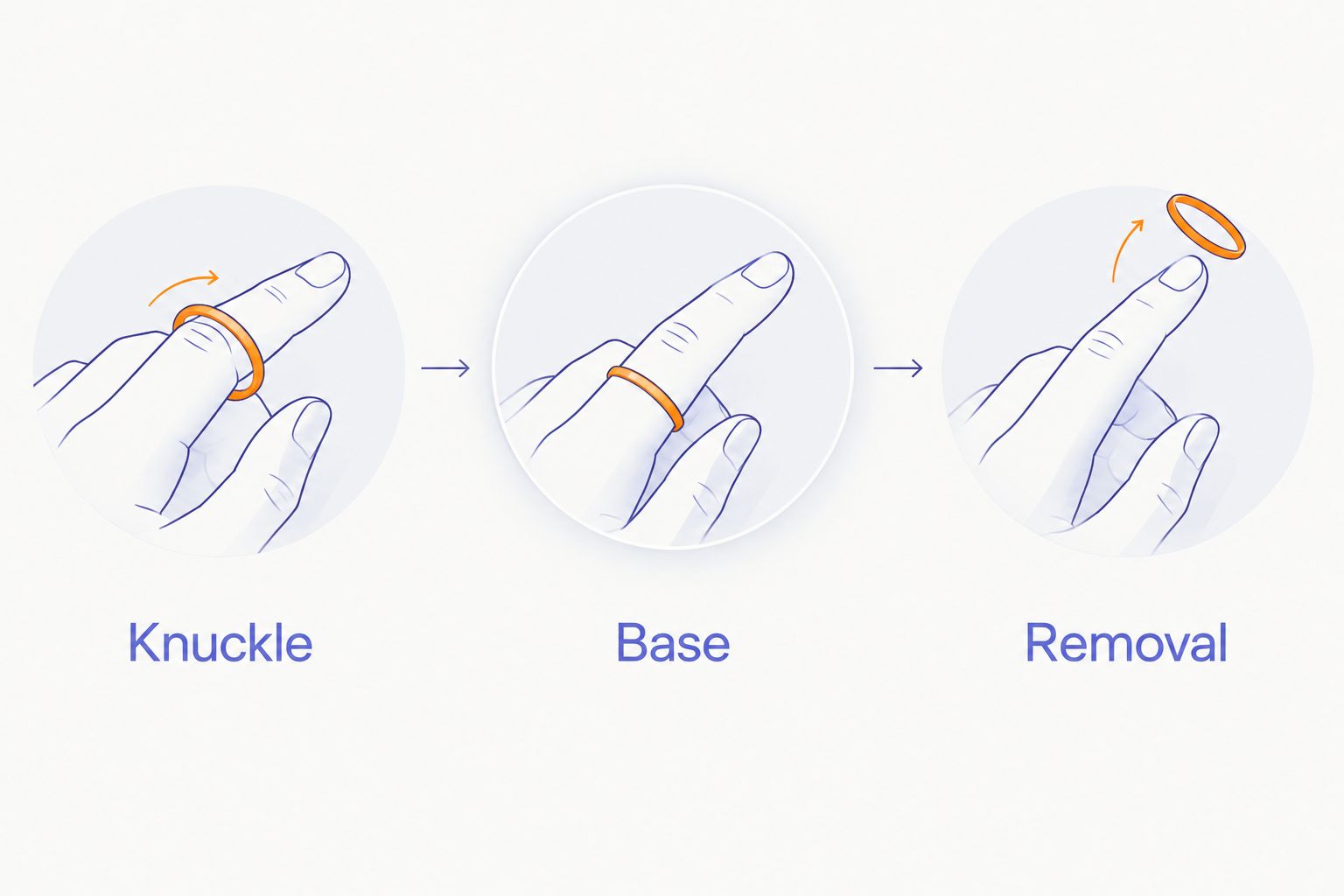
Keep the test gentle. The purpose is to find a size you can live with, not to prove that a tight ring can be forced into place.
Which fit adjustment should you choose?
The right adjustment depends on what is wrong. A loose ring, a tight ring, and an uncomfortable ring do not necessarily need the same response.
| Option | Best for | Benefit | Limitation |
|---|---|---|---|
| Select a different size | A ring that is consistently too tight or loose | Addresses the size mismatch without altering the device | Requires checking the maker’s process and terms |
| Try another permitted finger | A poor fit on the original finger | Tests a different wearing position without changing the ring | Only appropriate if the maker permits that position |
| Repeat the sizing check | Conflicting results during initial fitting | Helps distinguish a consistent mismatch from changing finger size | Does not solve persistent discomfort |
| Use a manufacturer-approved accessory | A model with explicit accessory guidance | Follows a documented method for that device | Approval must cover the exact ring and accessory |
| Seek physical alteration | Only a model with explicit manufacturer authorization | Avoids guessing whether alteration is permitted | Ordinary jewelry-resizing advice is not enough |
Best for a consistent size mismatch: select a different size. That recommendation concerns fit, not a promise that an exchange is offered. Check the applicable terms before making a purchase or sending anything back.
For a 2026 purchase, confirm sizing and exchange information together. Knowing your measurement does not tell you what happens if the finished device feels different.
If your smart ring is too tight
A ring is too tight for continued wear when it causes pain, numbness, or troubling pressure. Do not treat discomfort as a break-in period.
Remove the ring gently while removal is still easy. Do not repeatedly force it across a swollen joint, use tools against your skin, or heat the ring in an attempt to loosen it.
If the ring is stuck and your finger becomes numb, changes color, or is increasingly painful, seek urgent medical help. Tell the responder that the ring contains electronics. Protecting your finger comes before protecting the device.
Once the ring is off, reassess the size rather than immediately putting it back on. Persistent swelling or unexplained symptoms deserve medical advice, not another sizing experiment.
If your smart ring is too loose
A ring is too loose when it slips off too easily during ordinary hand movement. Rotation alone is not a universal sizing verdict; follow any orientation requirements for the specific device.
Check the fit over a safe surface where a dropped ring will not disappear. Do not test security by shaking your hand over a drain, pavement, or an open window.
Compare the intended fit on 2 hands, but do not assume matching fingers need matching sizes. Use another finger only when the maker allows it and the device remains practical to use there.
Avoid adding tape, glue, or a generic insert without approval. An improvised fix can change how the ring sits and can cover openings or contact areas. It also makes the fit test less useful because you are no longer checking the ring as designed.
Why smart-ring fit varies
Your finger and the ring’s shape both affect the result. Use these factors to explain a fit problem before choosing a remedy:
- Knuckle shape. A size that clears the joint can feel loose at the base. Check both places rather than judging only the final resting position.
- Hand and finger choice. Measure the intended position. Do not transfer a size from the opposite hand without testing it.
- Temperature. Finger size changes with temperature. An unusually cold-hand fitting should not be your only check.
- Temporary swelling. Exercise and other causes of swelling can change how a ring feels. Recheck when your hands have returned to their usual condition.
- Band geometry. Width and inner shape affect comfort. A narrow jewelry ring is not a complete substitute for testing the intended device’s shape.
- Wearing position. A ring resting crookedly or pressing against a neighboring finger can feel wrong even when it passes over the knuckle.
Keep a short note about where the problem occurs: over the joint, at the base, or during removal. That description is more useful to support than saying the fit is simply bad.
Can a jeweler resize a smart ring?
Do not ask a jeweler to resize a smart ring without explicit manufacturer authorization. Cutting, soldering, stretching, and compression change the structure of a ring. A device containing electronics is not equivalent to a plain band.
A jeweler can help measure your finger, but a measurement does not establish that the device can be altered. Keep those questions separate.
In 2026, the useful question is still model-specific: does the manufacturer authorize physical resizing of this exact ring? If the answer is unclear, choose sizing guidance rather than an alteration attempt.
Can you use a smart-ring size adjuster?
Use a size adjuster only when the manufacturer approves it for the model. A generic accessory fitting inside the band does not establish compatibility with the device.
Ask whether the accessory affects openings, charging contact, wearing orientation, or any required skin contact. These are questions to confirm, not features to assume every smart ring has.
If you cannot confirm compatibility, leave the accessory off. A removable object is not automatically a harmless modification.
What if you are between smart-ring sizes?
If you are between sizes, follow the maker’s guidance rather than automatically choosing the smaller one. The correct decision depends on the actual device shape and how each size passes the fit checks.
Keep 1 finger as your reference position while comparing sizes. Changing the finger and the size together makes it harder to identify which change improved comfort.
If neither size works comfortably, do not force a choice. Ask about a permitted alternative finger or reconsider whether that ring shape suits you.
What should you confirm before choosing R1?
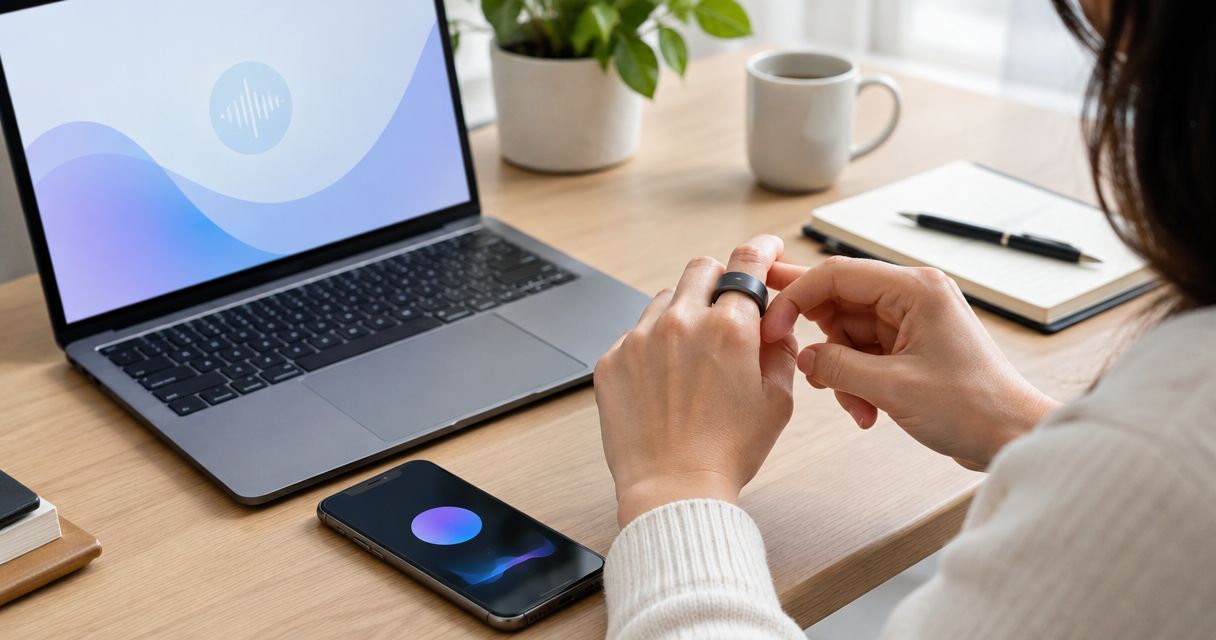
Present-Ring-Ai’s R1 is best for people seeking screenless voice note-taking. Its stated purpose is to capture spoken ideas and conversations through a built-in microphone and transcribe them for notes.
That purpose does not establish a sizing method, an adjustment accessory, or permission to resize the band. Before choosing this voice-capture smart ring, ask Present-Ring-Ai for the applicable sizing instructions and guidance on an incorrect fit.
The benefit is a screenless format for capturing thoughts. The limitation for this decision is simple: that description alone cannot tell you which size to choose. Keep the product’s purpose separate from evidence about fit.
For your 2026 decision, review Present-Ring-Ai and confirm the wearing requirements before committing to a size. A quieter device should not require you to ignore an uncomfortable fit.
FAQ
Can I make a smart ring bigger at home?
Do not make a smart ring bigger at home by stretching, heating, or cutting it. Follow the manufacturer’s instructions and ask about a different size instead.
Should a smart ring feel tight over my knuckle?
A smart ring should pass over your knuckle without painful force. Check comfort at the base and ease of removal as well; passing the joint is only part of the fit test.
Is it better to choose a smaller smart ring if I am between sizes?
Do not automatically choose the smaller smart ring. Follow the maker’s between-size guidance and compare comfort, security, and removal on the same intended finger.
Can I wear my smart ring on a different finger?
Use a different finger only if the manufacturer permits that wearing position. Check the fit again rather than assuming the original size will work elsewhere.
Will a smart ring stretch with wear?
Do not rely on wear to stretch a smart ring into a comfortable fit. Choose a size that fits correctly under the manufacturer’s instructions instead of waiting for pressure to disappear.
What should I do if my smart ring is stuck?
Seek urgent medical help if a stuck ring is accompanied by numbness, color changes, or increasing pain. Avoid force and tell the responder that the ring contains electronics.
Does my normal jewelry size work for a smart ring?
Your normal jewelry size is a starting reference, not confirmation of smart-ring fit. Use the maker’s sizing method because band shape and width affect how the device feels.
One last thing
Test removal before you decide the fit is right. Getting a ring on answers only half the question.
For your final 2026 fit check, relax your hand, move normally, and take the ring off gently. Choose the fit that lets you stop thinking about the ring—not the fit you have to tolerate.